


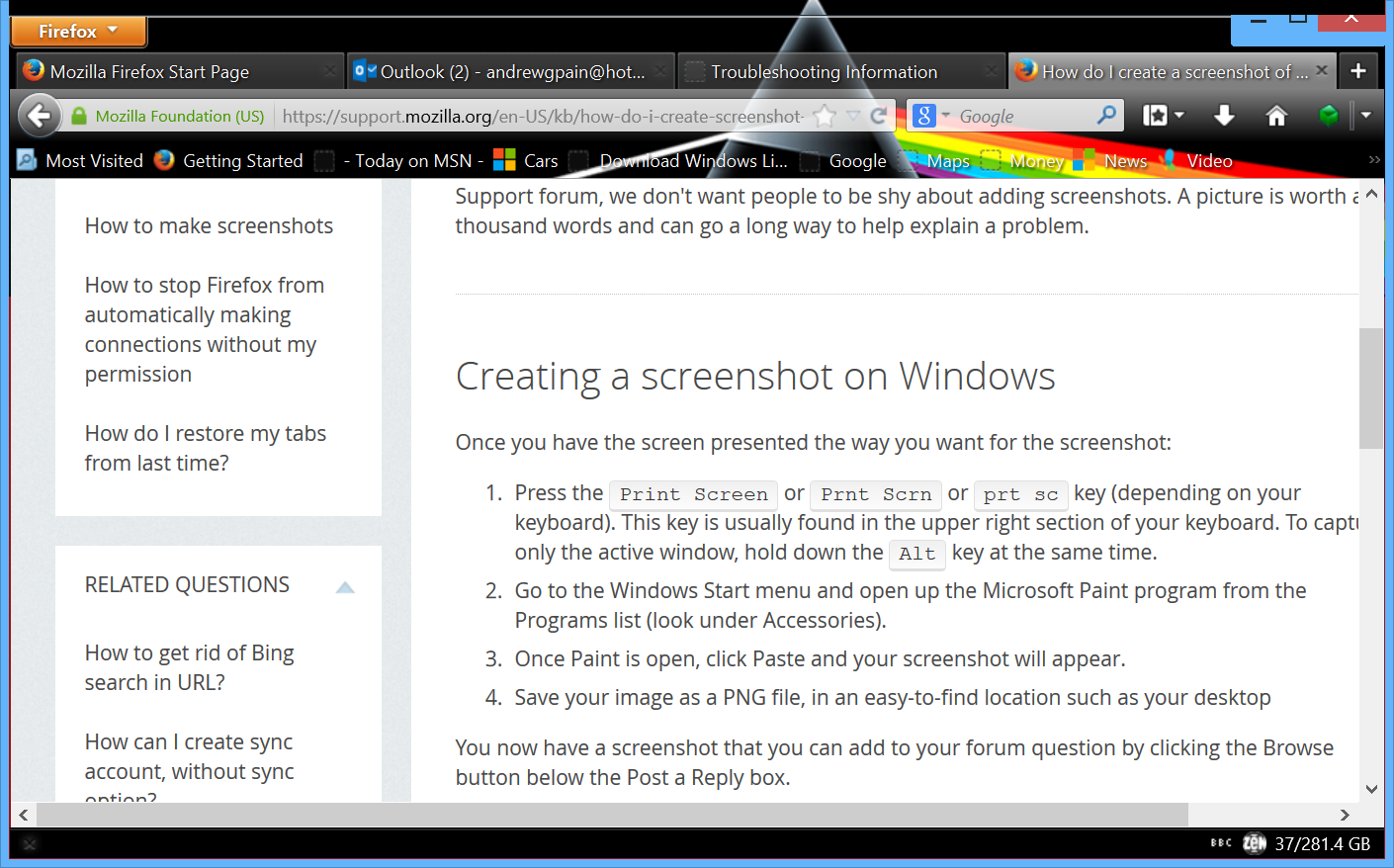
since my system updated two days ago, the top of the page appears to have moved down, partially hiding the minimise/restore button.

this seems to be connected to the changes in the layout of the toolbar, as with the "View menu" option ticked the screen returns to normal, but then my bookmarks icon disappears. if i deselect "view menu", i get the bookmarks icon back, but the minimise/close button almost disappears.
Wot andrewgpain změnjeny
Wubrane rozrisanje
Did you try to disable hardware acceleration in Firefox?
- Tools > Options > Advanced > General > Browsing: "Use hardware acceleration when available"
Does it has any effect whether the Firefox window is maximized?
You can also check for problems caused by a corrupted localstore.rdf file.
Wšě wotmołwy (6)
here's a screenshot to help explain the issue...
Start Firefox in Safe Mode to check if one of the extensions (Firefox/Tools > Add-ons > Extensions) or if hardware acceleration is causing the problem (switch to the DEFAULT theme: Firefox/Tools > Add-ons > Appearance).
- Do NOT click the Reset button on the Safe Mode start window.
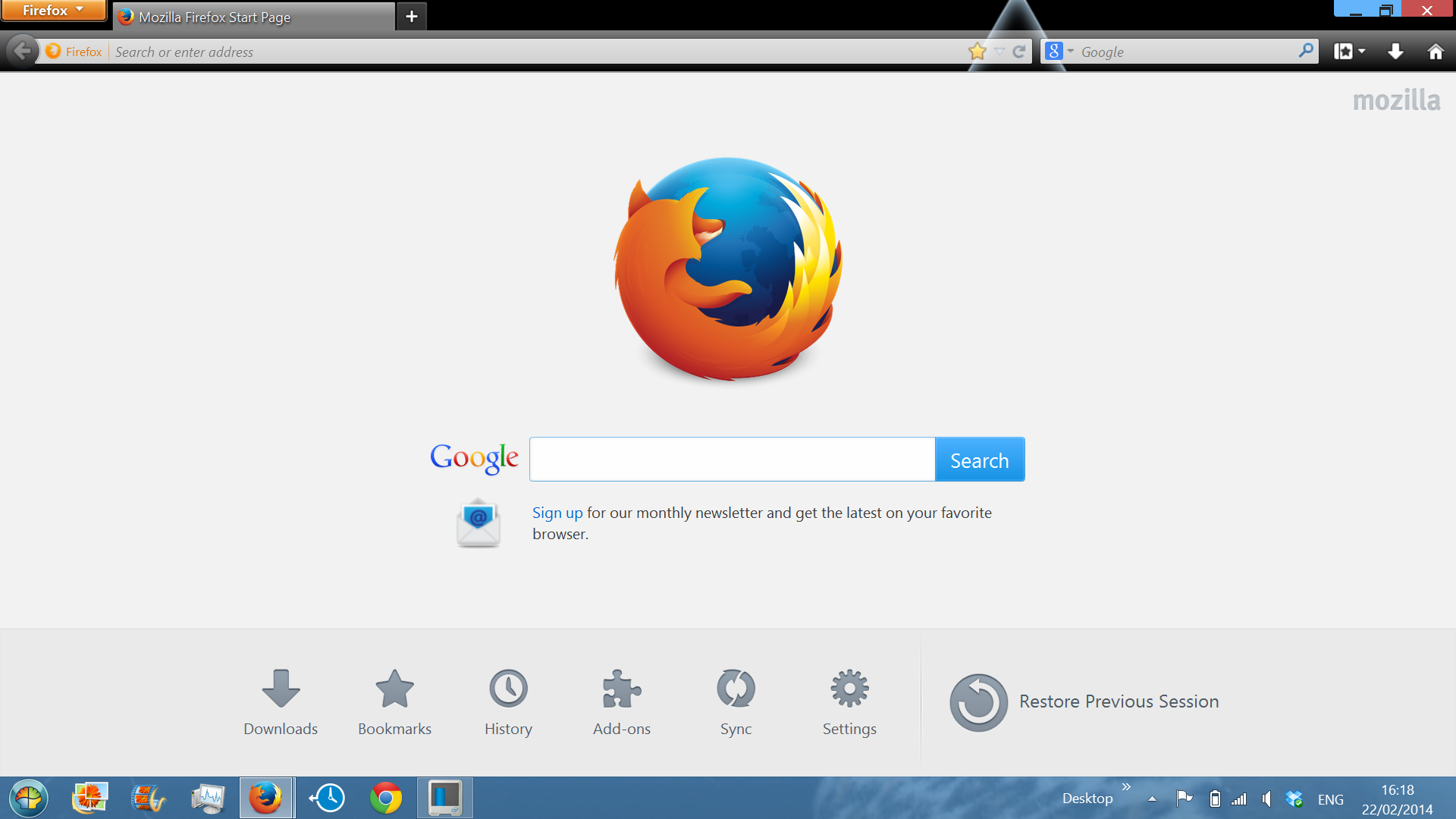
thanks for the idea: strangely, starting in safe mode restored the TOP of the minimise/restore button, but it seems to have shrunk from the bottom up this time...assume it's not the add-ons or extensions then, but something else. there doesn't seem any wway to resize just the navigation bar, just the entire window.
screenshot showing change to toolbar "shrinkage"
Wubrane rozrisanje
Did you try to disable hardware acceleration in Firefox?
- Tools > Options > Advanced > General > Browsing: "Use hardware acceleration when available"
Does it has any effect whether the Firefox window is maximized?
You can also check for problems caused by a corrupted localstore.rdf file.
many thanks Cor-el. did everything suggested, including the reset firefox, and it's all good now. very grateful for your help....andrew