


Over the last several months more and more Firefox functionality is breaking.

1) Read Aloud breaks. This forum tell me to contact the developer. I did. Got nowhere. I now use Chrome when I need articles read. 2) Minnesota Air pollution graphics no longer work. They work in Chrome, Opera, Safari, and two other browsers I tried but not Firefox. Here is the link https://www.pca.state.mn.us/air-water-land-climate/current-air-quality-conditions'
I now only use Firefox for the adblocker when I use Amazon and youtube. That is still important but it is a pain jumping from Firefox to Chrome and back and forth. I am not a developer and no longer want to waste time trying to debug this with no success. Firefox needs to get its act together. I am using an old Intel Mac Mini. If the ad blocker functionality stops working using the adone by by firefox.
Wšě wotmołwy (12)
Hi,
Read Aloud is a third-party extension, so there's not much we can do about it (unless it breaks for a really big number of users).
Let's focus on your Minnesota Air issue. For me, the air quality map loads successfully in Firefox. Here are some standard troubleshooting steps that may resolve the issue for you:
- Please check if you have Enhanced Tracking Protection (ETP) enabled. You can do that by clicking the shield
 icon in the left part of the address bar.
- If ETP is enabled, try disabling it.
- If the problem is not fixed, try clearing Firefox cache.
- If it does not help, try clearing cookies and data for the website you experience troubles with (warning: you will be logged out on this website).
- If it also does not help, try running Firefox in Troubleshoot Mode. If the problem doesn't persist, please follow the steps from this article to troubleshoot further.
- If nothing from the above helps, try creating a new Firefox profile and check if the issue persists there. If it doesn't, you can start copying files from your old profile to the new one to identify which one causes the issue. See this article on what files to copy.
Does any of the above help? Looking forward to your update on how it goes!
What is your macOS version, and is it officially supported by Apple? (or was the device "patched" to allow running versions not normally supported by the hardware?)
Deny: I tried your first 3 suggestions and they did not work. The last two are not worth my time. I will use Chrome instead. It seems to be the fastest of the alternatives.
Again Firefox needs to get its act together. 5 other browsers work. You said it worked. Do you have a old Mac or for that matter any Mac?
I don't know what you mean 'Was the device patched". Are you a developer?
Mac OS Monterey.
Again Chrome works, Brave works, Safari works, Opera works for both Read Aloud and the MN air pollution link. I use Firefox for the add blocker for Amazon(logging in) and youtube(Not logging in).
It is interesting that both Mullvad and Firefox are experiencing the same problems. I am beginning to wonder if the free browser software initiatives can no longer keep up. That said I seem to be getting updates to firefox almost every week.
J S said
Deny: I tried your first 3 suggestions and they did not work. The last two are not worth my time. I will use Chrome instead. It seems to be the fastest of the alternatives. Again Firefox needs to get its act together. 5 other browsers work. You said it worked. Do you have a old Mac or for that matter any Mac?
Suggestion 4 is the matter of pressing one button. It should test whether your extensions / themes / other customizations may be the cause.
I'm on Windows, but it would be weird if the OS mattered in this case.
PS And please let's keep Read Aloud out of this discussion. As I said, it's third-party, i.e. it's developed by a person unrelated to Mozilla. Obviously, versions for Chromium and Gecko have different code, and therefore may have different bugs.
Older Intel Macs that run unsupported systems (IOW incompatible hardware to what the macOS version requires as minimum) might need Firefox internal prefs changed not to rely on the system capabilities: support.mozilla.org/questions/1618457
If you run a supported macOS version for your given hardware/device, the above should not have to be necessary. But then again Troubleshoot Mode would disable hardware acceleration and similar web graphics rendering should be fine in that mode.
No, I'm not a developer. I currently only have M2 and M1 machines available with Sequoia being oldest:
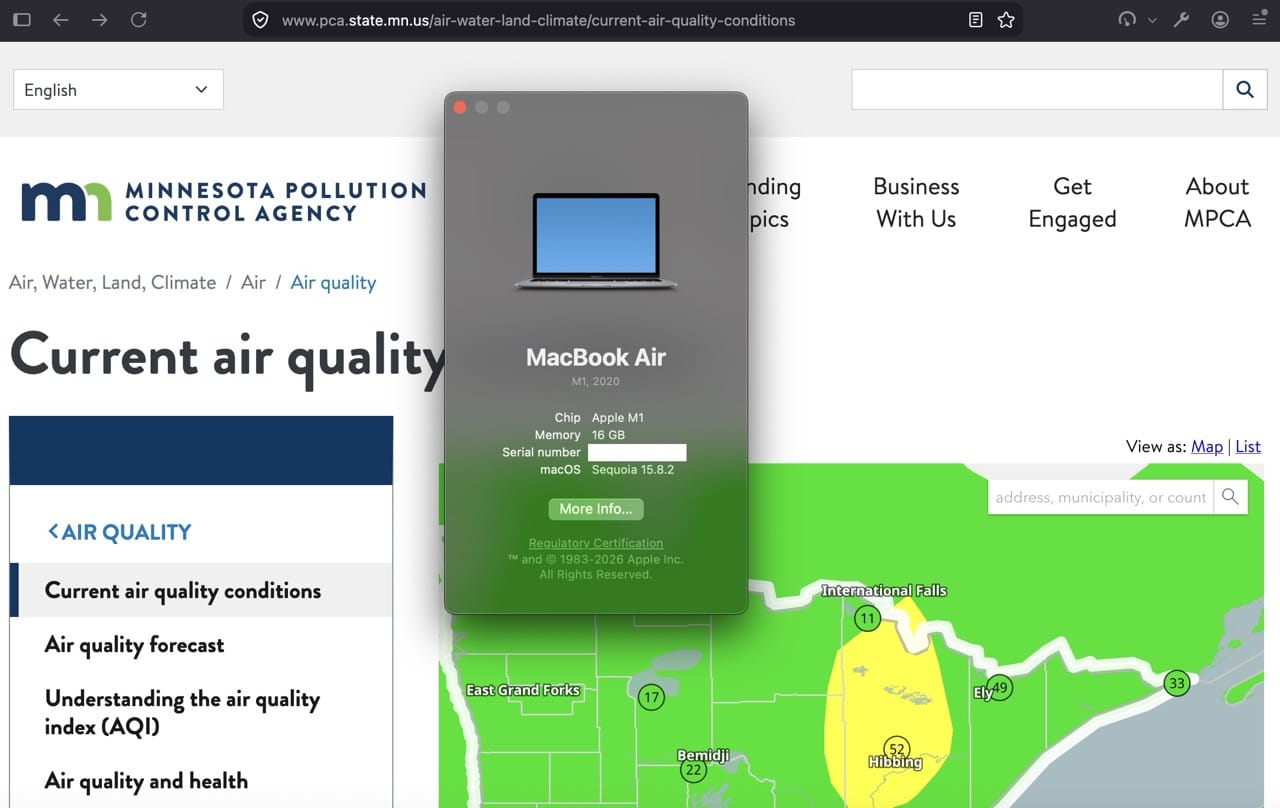
(Also checked Monterey remotely; I'm currently away from that device to tinker deeper, and it rendered there like above, but that might need some more looking into really, in case it's device–specific regarding Metal support as per support.apple.com/en-us/102894 device list from Apple.)
Since this thread was not submitted from the affected browser, potentially attaching its troubleshooter logs, I can only advise filing a bug for the map rendering on bugzilla.mozilla.org with your device/system details, and attaching your about:support data to help understand if the reason for the failure is logged there in the graphics section.
Neither Firefox nor Mullvad version is mentioned in this thread, so it's hard to point to anything specific (and whether that was a recent regression at some point).
I'd basically look into settings "Performance optimization" to uncheck the recommended preference there, and also the config mentioned in support.mozilla.org/questions/1618457 — but none of that changes the above — if there's a device that's not tweaked beyond the expected manufacturer specs, it should work, and learning more about the specifics if/when it doesn't could help work around the device specifics.
Denys: It is really not sinking in for you? Read Aloud works on 4 other browsers. That means it really is Firefoxes problem. For those that it does not work, they will chuck Firefox. So it is Firefoxes problem not to mention the fact that Firefox uses Read Aloud.
JBR, I appreciate the help, but I have spent enough time on this. Basically most people want things to continue working in a brower and are too busy to spend lots of time debugging. Thanks for your help. I was looking for a quick fix.
Quick fix: support.mozilla.org/questions/1618457 flip one pref+restart
Quick fix: (uncheck)
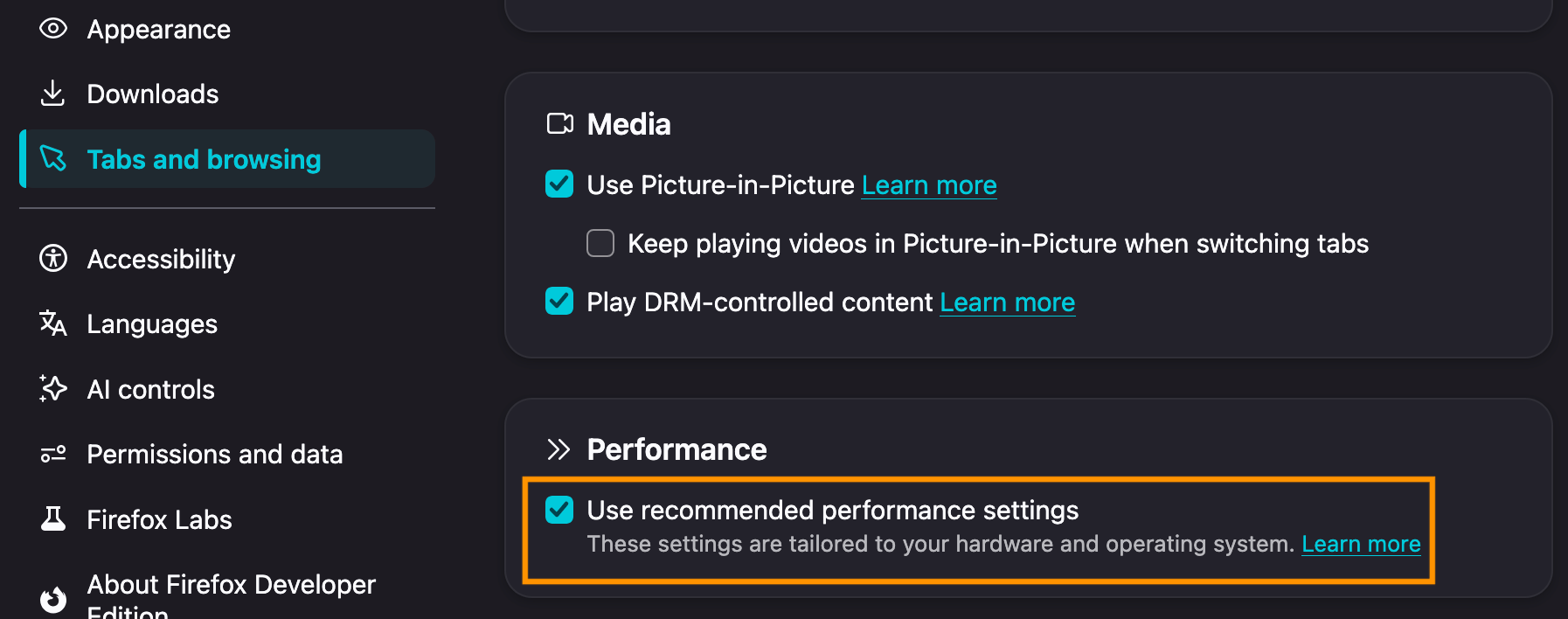
JBR: hardware acceleration disable etc. Did not work for either read aloud or the MN air pollution website. Thanks.
Then there's probably no quicker fix, if you're on the most recent update etc.
You can download the separate Firefox Nightly nightly.mozilla.org to check if running an isolated factory fresh profile makes any difference, and if not, filing a bug with the troubleshooter logs is the best course of action — they may contain potential hints for the engineers to work around any device–specific woes even without having been able to exactly reproduce the issue. 🤷
Monterey is deemed to be pretty well supported, so it would be helpful to understand what's the culprit.
(I have no visibility into extension compatibility and support; that's something the addon author must provide, given it's their code.)