


How to unfreeze Firefox on iphone 13 which is blocked by citadeltrf.com?

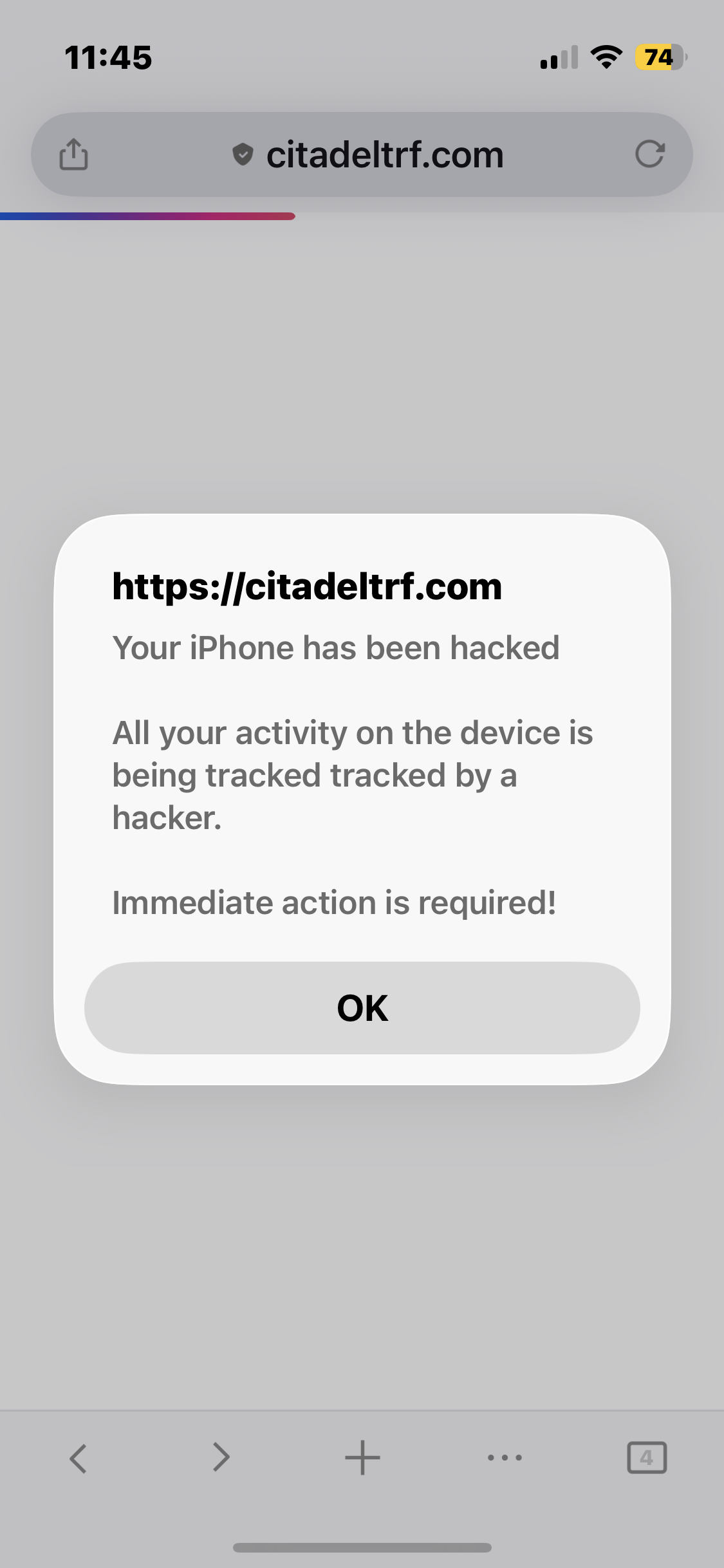
Firefox on iphone 13 is blocked by citadeltrf.com. I’ve searched for information on Google, Chrome and Safari for information as to how to remove citadeltrf.com without finding anything. I've switched power off on the iphone. The blockage on Firefox remains when I switch it on again. I can access everything else on the phone. From my laptop I've removed Firefox browsing data and cookies. There's nothing in Downloads. No new Apps have been installed. I've checked privacy and security setting in Google, Chrome and Firefox. I'm reluctant to go back to factory settings. Have you any suggestions or should I take my phone to Apple? Looking forward to receiving your help. Kind regards Frances
Wubrane rozrisanje
If you can't force–close the app, then power the iPhone off and on again — and when it starts back up, make sure the wifi and mobile data is still disabled in the control center — and try opening Firefox iOS back after restart with connection off. Chances are the malicious site won't be able to load, and you'd be able to just close its tab to stop nagging you.
Tutu wotmołwu w konteksće čitać 👍 0Wšě wotmołwy (5)
What happens if you ignore it, click "OK, and move on?
If you close the browser (swipe up from the list of running apps) and reopen, it does the same again?
If the site seems to be blocking your access to anything, do this: disconnect wifi and mobile data in iOS control center, so that no sites will be able to load. After force closing the browser you can then open it again and it will just show an error it's offline — so any malicious site can't load — and you can then just close the tab that's been getting in your way, enable all the internet back, and continue surfing.
Hi jbr Thank you for your prompt response to my problem. I took your advice to disconnect wifi and mobile data and attempted to force close the browser. After many attempts, all the site would do was to make itself small as I swiped it up to the top of the screen and put itself behind the Firefox icon on the phone's opening screen. This means that I still can't close the tab and that my phone is still disconnected from wifi and mobile data. As a matter of interest I notice when I opened my browsing history on the laptop this malicious site takes me to the app store to download an app. I did not download the app. I do hope you have a different suggestion as to how I can remove this malicious site. With many thanks and kind regards Frances
Wubrane rozrisanje
If you can't force–close the app, then power the iPhone off and on again — and when it starts back up, make sure the wifi and mobile data is still disabled in the control center — and try opening Firefox iOS back after restart with connection off. Chances are the malicious site won't be able to load, and you'd be able to just close its tab to stop nagging you.
Hi jbr Thank you for your quick reply. Unfortunately the malicious site remained loaded after using your suggestion. However, I decided to delete and reinstall the Firefox app on my iphone. Result ... the malicious site has gone!!! Many thanks for your support. Kind regards Frances
That would be my next recommendation anyways — with removal of the profile data and starting fresh, you'd effectively nerf any malicious site that kept blocking your device. Good instincts, Frances.
Glad to hear you're unblocked. Great job!