


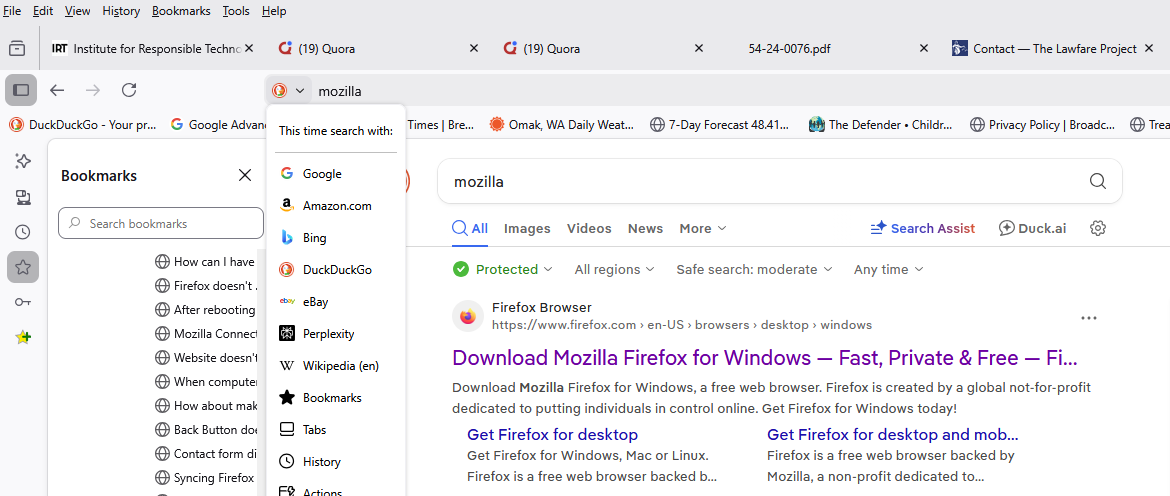
When using DuckDuckGo Search, I cannot drag and drop the search URL into my Bookmarks.

When using DuckDuckGo Search I cannot drag and drop the search URL into my Bookmarks. I can drag and drop a Google Chrome search URL into my Bookmarks as usual. Also, the correct URL is not shown for the search using DuckDuckGo. See attached screenshot.
Please resolve.
Wubrane rozrisanje
Try to go to Settings-> Search and turn off Show search terms in the address bar on results pages option.
Tutu wotmołwu w konteksće čitać 👍 0Wšě wotmołwy (3)
Wubrane rozrisanje
Try to go to Settings-> Search and turn off Show search terms in the address bar on results pages option.
Although this is not a Search term issue, but what is shown at the beginning of a URL, I tried it and it actually worked! This is strange because without the change, the Google Chrome Search worked as expected.
Wot Wayne Carpenter změnjeny
Its not necessary to drag the URL. Open the Task Bar right side 3 horizontal lines and open the bookmark tab, to bookmark. This link can then be moved anywhere you want. I use this on my Firefox Ubuntu Linux browser, and am using DuckDuckGo and TOR browsers on my 2 Windows PCs.