


Importing tabs from another machine

Hi, I've seen others ask this same question in archived posts with no proper answer.
How do I select all tabs to be imported from a synced machine? I have the list on my sidebar, I can import or close one tab at a time, but there is no menu available to select them all (there are many). Right-clicking on the device name etc. does nothing.
Windows 11, Firefox 141.0
Many thanks for any help!
Wšě wotmołwy (3)
On the new machine, just look at the synced tabs. see screenshot You should then see the other computer and then you can open all the tabs from that computer.
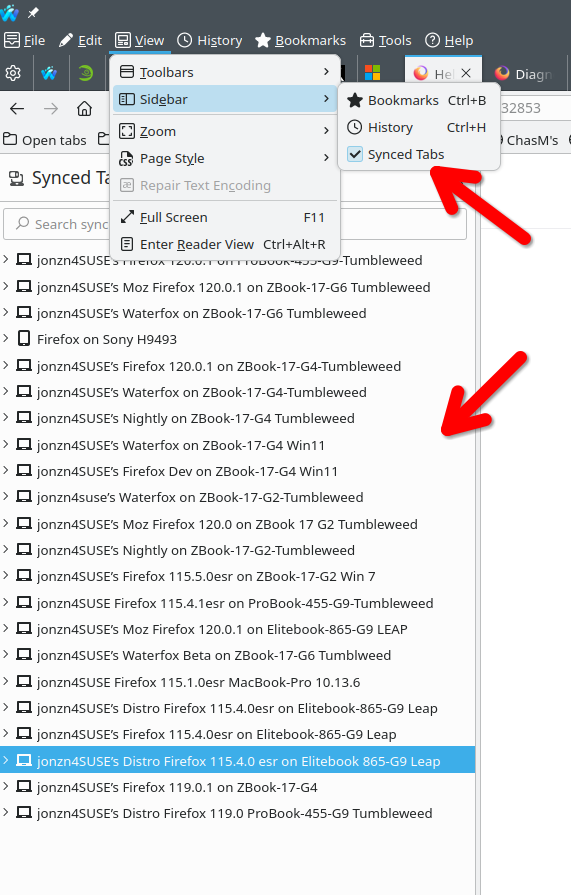
Hi, thanks for the quick reply.
It's a moot point now as when I went back to my older machine all the tabs disappeared. I presume it did a sync with the new one and discarded them all?
Anyhow, now that's happened, the menu to sync all tabs *does* appear, so I presume there's a limit to how many it can cope with and if it's higher than that it doesn't create the menu.
alan46 said
Hi, thanks for the quick reply. It's a moot point now as when I went back to my older machine all the tabs disappeared. I presume it did a sync with the new one and discarded them all? Anyhow, now that's happened, the menu to sync all tabs *does* appear, so I presume there's a limit to how many it can cope with and if it's higher than that it doesn't create the menu.
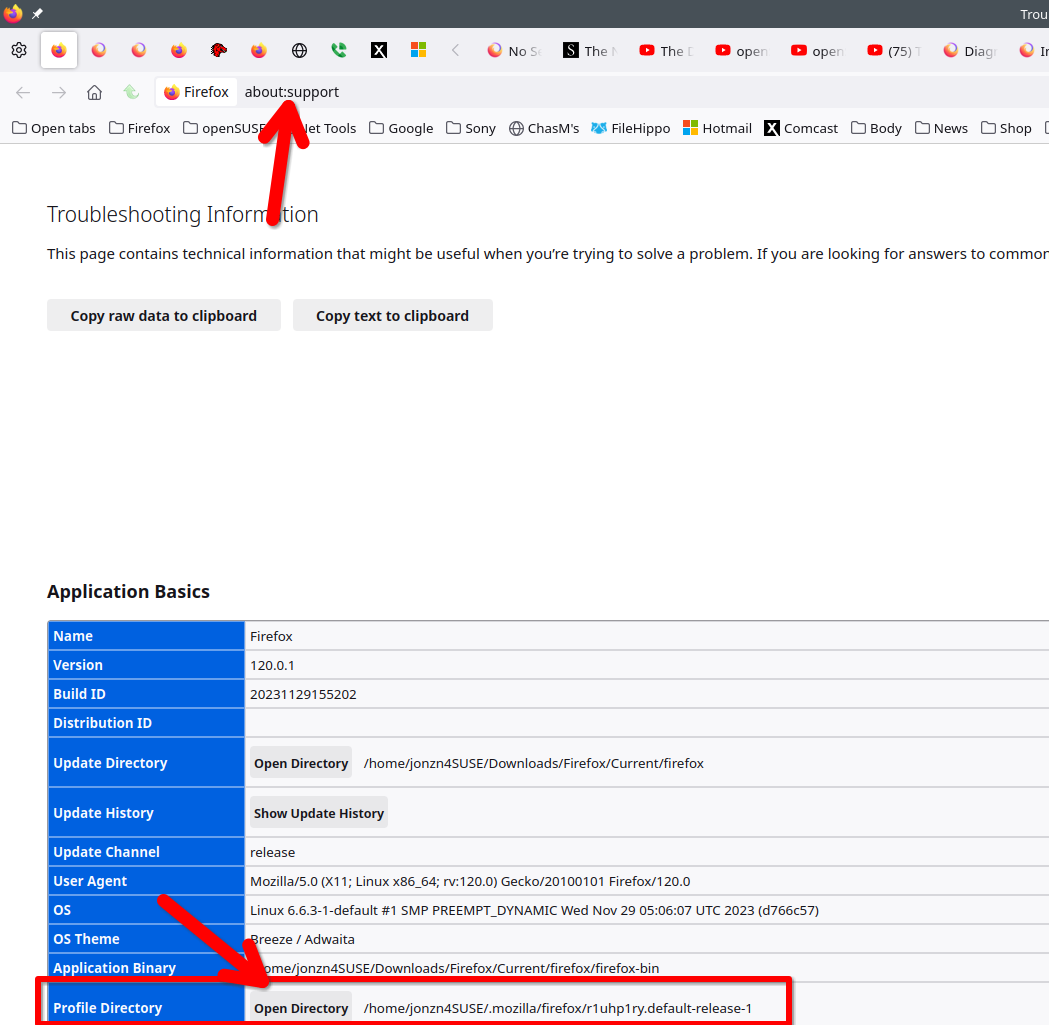
Not really. Have a look at my answer in this thread and post a screenshot of your files in the sessionstore-backups folder.
https://support.mozilla.org/en-US/questions/1524978#answer-1751968
The screenshot shows you how to get to your profile folder to see the session folder.
Wot jonzn4SUSE změnjeny