


How to remove thumbtack icon from quicklink icons on the homepage of Firefox.

How to remove thumbtack icon from quick link icons on the homepage of Firefox.
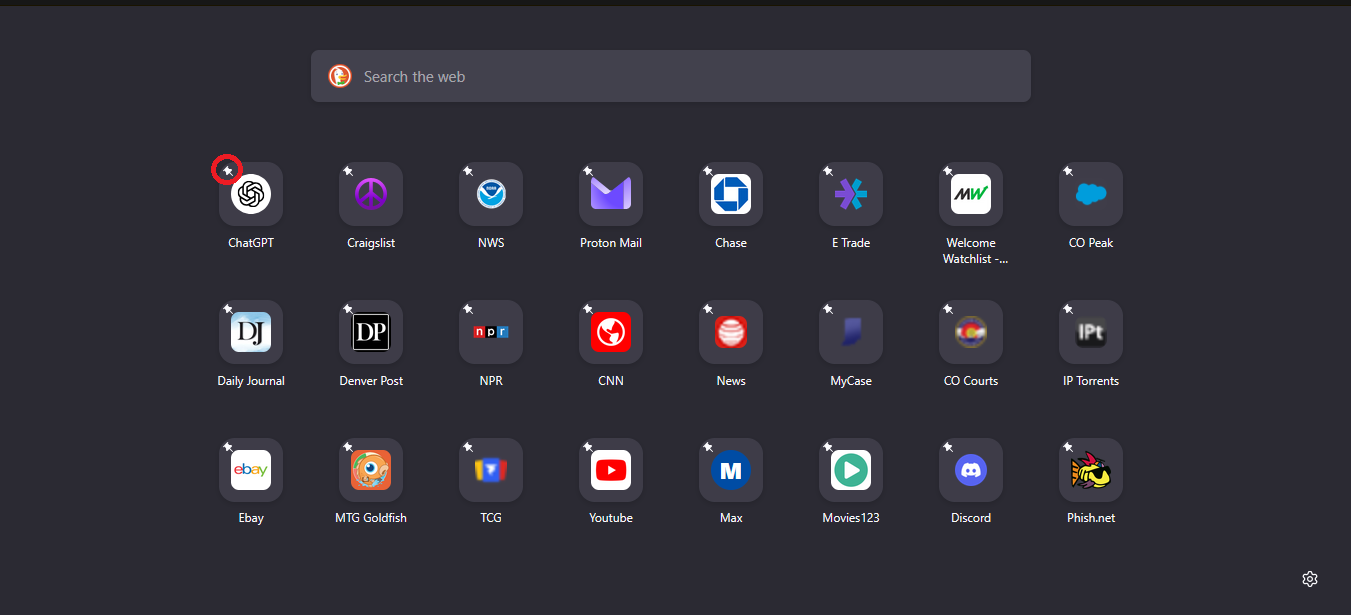
The little thumbtack icon was by the name of the quick link on my home page. I updated to 139.0.4 and now thumbtack in top left corner of quick link icon. I want the thumbtack gone.
Wšě wotmołwy (6)
Agent virtuel said
Hello An subject https://connect.mozilla.org/t5/ideas/new-tab-page-move-the-quot-pin-quot-icon-back-down-to-the/idi-p/97221
This does no remove the thumbtack.
Have you tried browser.newtabpage.activity-stream.newtabShortcuts.refresh
https://connect.mozilla.org/t5/discussions/feedback-for-the-new-tab-layout-variants-in-the-home-page/m-p/97301/highlight/true#M37934 If you wish to test userContent.css
Wot Agent virtuel změnjeny
Agent virtuel said
Have you tried browser.newtabpage.activity-stream.newtabShortcuts.refresh https://connect.mozilla.org/t5/discussions/feedback-for-the-new-tab-layout-variants-in-the-home-page/m-p/97301/highlight/true#M37934 If you wish to test userContent.css
Does not remove thumbtack
The thumbtack indicates that the shortcut is pinned in place.
You can unpin the shortcuts and let Firefox control the sequence. When you hover the shortcut, you should see a ... menu button to do that. (See the "Pin, unpin, or remove a Shortcut" section of Customize items on your Firefox New Tab page)
But if you want a cosmetic fix, I think the two suggestions from Agent virtuel are the only options:
(A) Roll back to the earlier design with the pin next to the title by going into about:config and toggling the browser.newtabpage.activity-stream.newtabShortcuts.refresh preference to false. This probably is a temporary workaround.
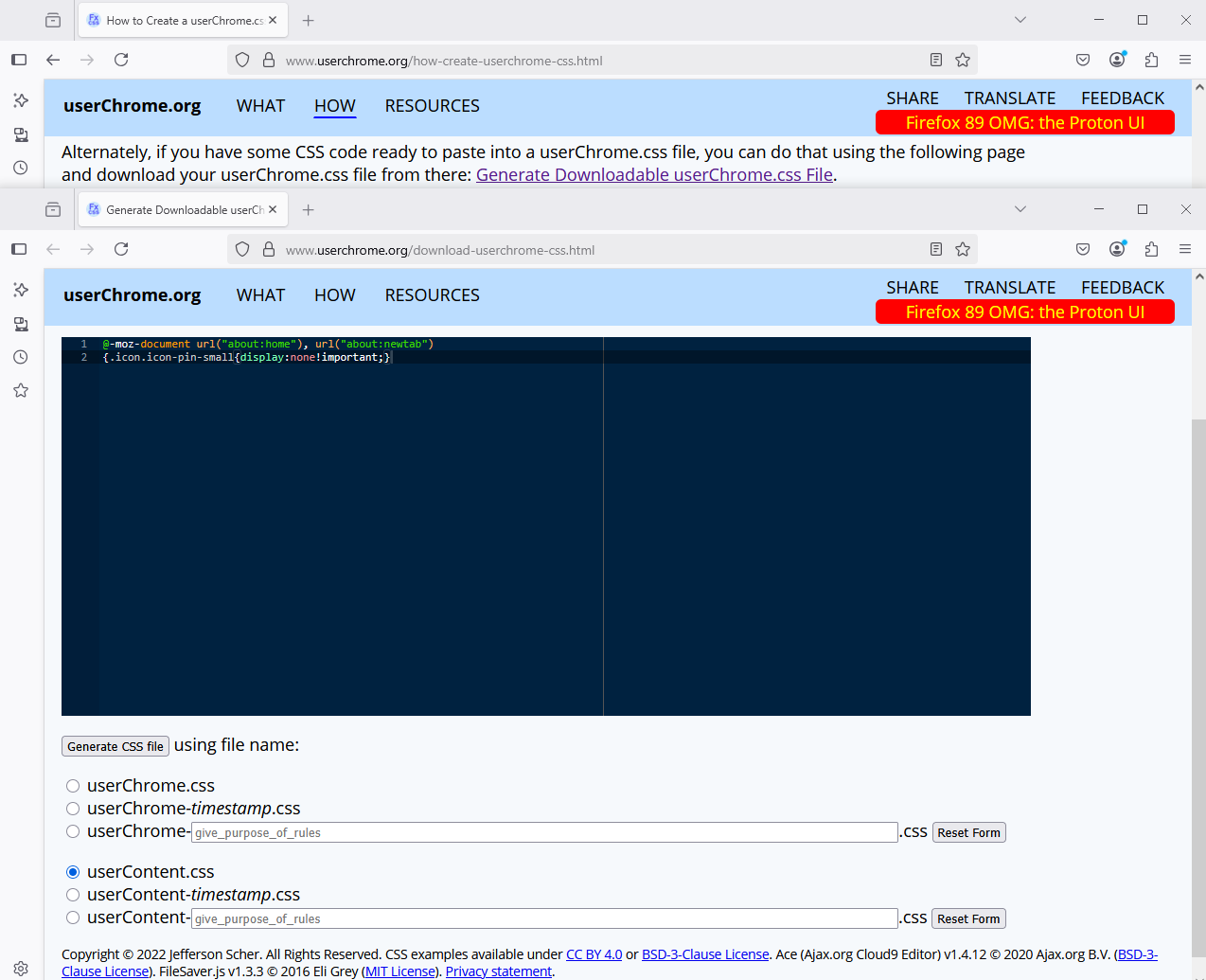
(B) Hack the page styles using a custom rule in a userContent.css file (please note, not a userChrome.css file). If your Firefox seems to be ignoring the file, make sure you have gone into about:config and toggled toolkit.legacyUserProfileCustomizations.stylesheets to true so Firefox reads the file at startup.