Import doesn't include email

I converted my Outlook .pst file to an mbox file using SysTools PST converter When I try to import it into Thunderbird, it permits me to import only a .zip file from a previous backup, or a calendar file, or an address file. I need it to import the whole thing, especially the emails. How?
Wšě wotmołwy (4)
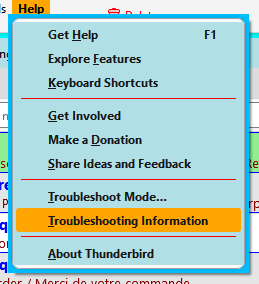
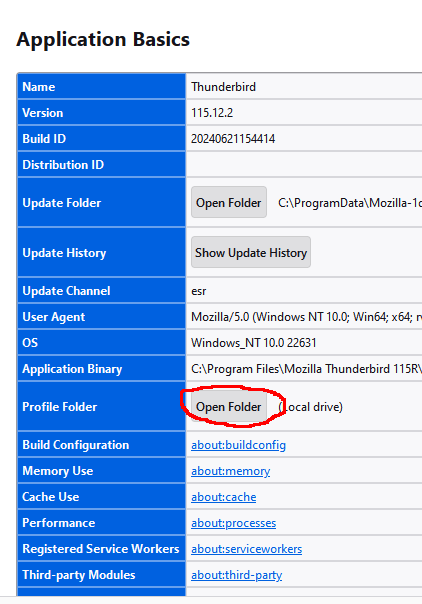
Help/More Troubleshooting, Profile Folder, Open Folder, close TB, copy the mbox file into Mail/Local Folders, restart TB, find the folder under Local Folders in the Folder Pane.
When I open Help, there is More Troubleshooting option. If choose Troubleshooting Mode, it asks me if I want to restart. I could do that but I don't know how to copy the mbox file into Mail/Local Folders after closing TB.
Also I have many mbox files. Isn't there some way to import them all at once?
There is no More Troubleshooting option.
The menu item is actually Help/Troubleshooting Information. That will open in a new tab. Look under Application Basics for Profile Folder.