


Ability to search for a specific folder in 'add bookmark' menu
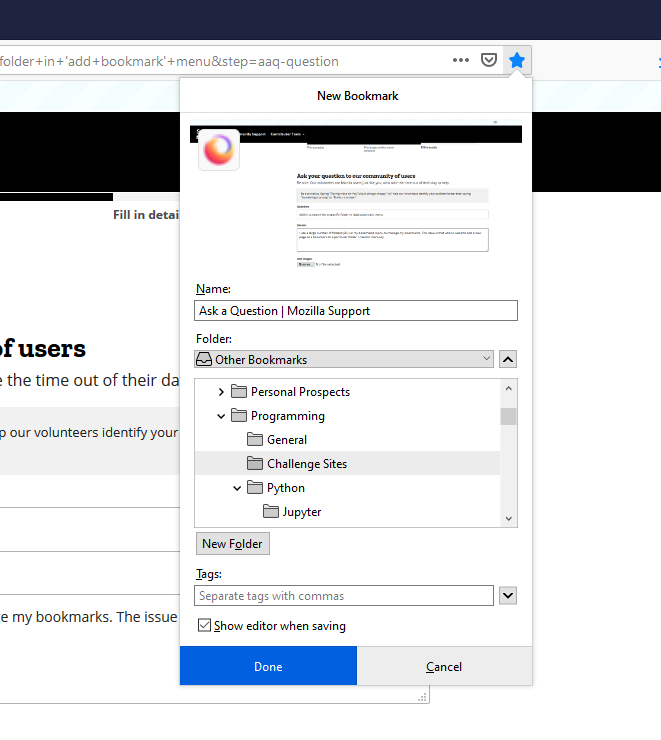
I use a large number of folders (20+) in my bookmarks menu to manage my bookmarks. The issue is that when I wand to add a new page as a bookmark to a particular folder, I need to manually go "Choose" and then pick the right folder or subfolder from the list inside a small window (attached), which is inconvenient. Would it be possible to add a feature to this window to search for a particular folder by name?
I use a large number of folders (20+) in my bookmarks menu to manage my bookmarks. The issue is that when I wand to add a new page as a bookmark to a particular folder, I need to manually go "Choose" and then pick the right folder or subfolder from the list inside a small window (attached), which is inconvenient. Would it be possible to add a feature to this window to search for a particular folder by name?
Wšě wotmołwy (1)
You can click in the folder tree area to set focus this area and then press first letter(s) to jump to the next occurrence. For multiple letters you need to type rather quickly, but two letters should be possible.