


Windows 10 reached EOS (end of support) on October 14, 2025. If you are on Windows 10, see this article.

Pretraži podršku

Izbjegni prevare podrške. Nikad te nećemo tražiti da nas nazoveš, da nam pošalješ telefonski broj ili da podijeliš osobne podatke. Prijavi sumnjive radnje pomoću opcije „Prijavi zlouporabu”.

Saznaj više
Open

Can't find outgoing server after login following Win 11 sleeps

david replied
Irwin D

Thunderbird functions normally (sends/receives), except after Windows 11 goes to sleep, I log back in without difficulty., but attempting to use Thunderbird to send email fails with the message

"Sending of the message failed. The message could not be sent because connecting to Outgoing server (SMTP) smtp.mail.me.com failed. The server may be unavailable or is refusing SMTP connections. "

There's no prompt to re-enter the primary password, and the only way to restore normal Thunderbird operation is by rebooting WIN 11. Is this a known bug with a workaround? The failure occurs whether the outgoing server is smtp.mail.me.com (Apple), smtp.comcast.net, or smtp.gmail.com
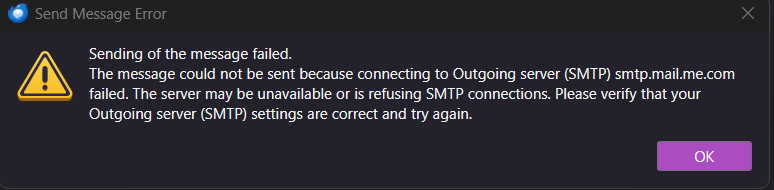
Thunderbird functions normally (sends/receives), except after Windows 11 goes to sleep, I log back in without difficulty., but attempting to use Thunderbird to send email fails with the message "Sending of the message failed. The message could not be sent because connecting to Outgoing server (SMTP) smtp.mail.me.com failed. The server may be unavailable or is refusing SMTP connections. " There's no prompt to re-enter the primary password, and the only way to restore normal Thunderbird operation is by rebooting WIN 11. Is this a known bug with a workaround? The failure occurs whether the outgoing server is smtp.mail.me.com (Apple), smtp.comcast.net, or smtp.gmail.com
Priložene slike ekrana

Svi odgovori (1)

THis may be a Windows issue, where some components do not awaken. Thunderbird just rides on that horse and is dependent that it works.

Postavi pitanje

Za odgovaranje na poruke moraš se prijaviti na tvoj račun. Postavi novo pitanje, ako još nemaš račun.