


Page summary tab doesn’t show in settings

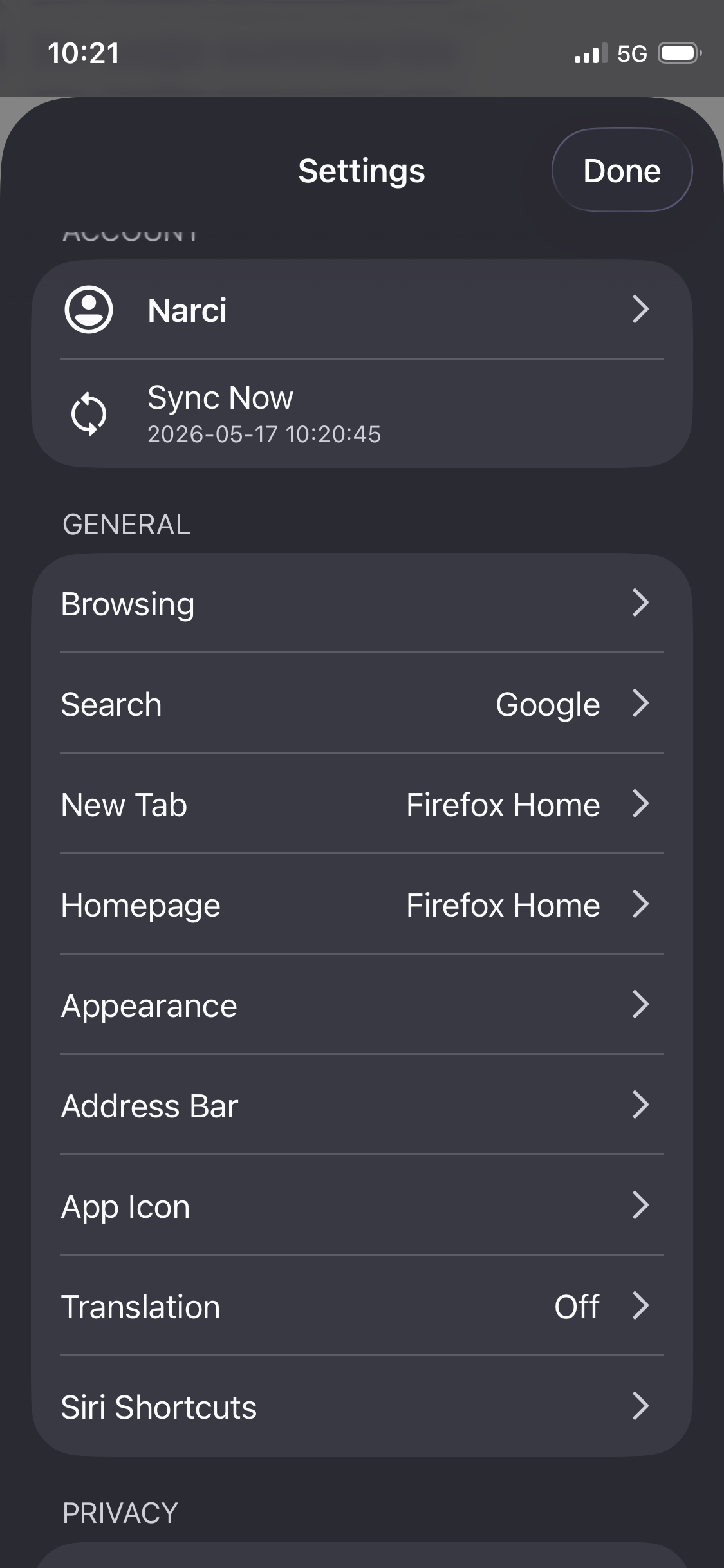
Despite having page summary as a feature, my client doesn’t have a “Page Summary” tab in the settings where I can tweak it. Where can I access that tab?
Odabrano rješenje
This is strange. I see you're on the latest version — do you remember it ever be visible there for you and this is a recent regression, or you never really recall seeing it there?
(Honestly, there's not much in that menu — ON/OFF toggle, and a toggle to disable the "shake" gesture, nothing more granular so you're not missing out too much.)
Maybe when you update to one of the next versions, you'll get the "AI controls" settings that disable similar functionality — if you try turning all AI off, and after restarting the browser turning it back on… and see if that brings back the summarizer setting row?
What are your current settings for Telemetry? ("Remote Improvements", "Feature Studies"… in the main menu? In case some of that interferes with the logic.)
Svi odgovori (4)
Hey Narcy,
This feature is currently being rolled out gradually, so it’s possible that it hasn’t reached your client yet. You can check out Use Firefox to summarize webpages to learn more about how the feature works and its availability.
Kiki said
Hey Narcy, This feature is currently being rolled out gradually, so it’s possible that it hasn’t reached your client yet. You can check out Use Firefox to summarize webpages to learn more about how the feature works and its availability.
Hello! I had already checked it and it did not help. I have access to the feature with the shake gesture but then I have no access to its settings, which feels very strange.
Odabrano rješenje
This is strange. I see you're on the latest version — do you remember it ever be visible there for you and this is a recent regression, or you never really recall seeing it there?
(Honestly, there's not much in that menu — ON/OFF toggle, and a toggle to disable the "shake" gesture, nothing more granular so you're not missing out too much.)
Maybe when you update to one of the next versions, you'll get the "AI controls" settings that disable similar functionality — if you try turning all AI off, and after restarting the browser turning it back on… and see if that brings back the summarizer setting row?
What are your current settings for Telemetry? ("Remote Improvements", "Feature Studies"… in the main menu? In case some of that interferes with the logic.)
Thank you very much! The issue was that I had remote improvements on. For some reason when it is on, it allows me to use the feature, but not to access the settings tab for it. Toggled it off so the feature is just unavailable (i wanted to turn it off so a win is a win!)