


Join us to show up for other Firefox users 🦊. Earn fun badges and Mozilla swag vouchers! Find out more: https://mzl.la/askafox150

Windows 10 reached EOS (end of support) on October 14, 2025. If you are on Windows 10, see this article.

Pretraži podršku

Izbjegni prevare podrške. Nikad te nećemo tražiti da nas nazoveš, da nam pošalješ telefonski broj ili da podijeliš osobne podatke. Prijavi sumnjive radnje pomoću opcije „Prijavi zlouporabu”.

Saznaj više

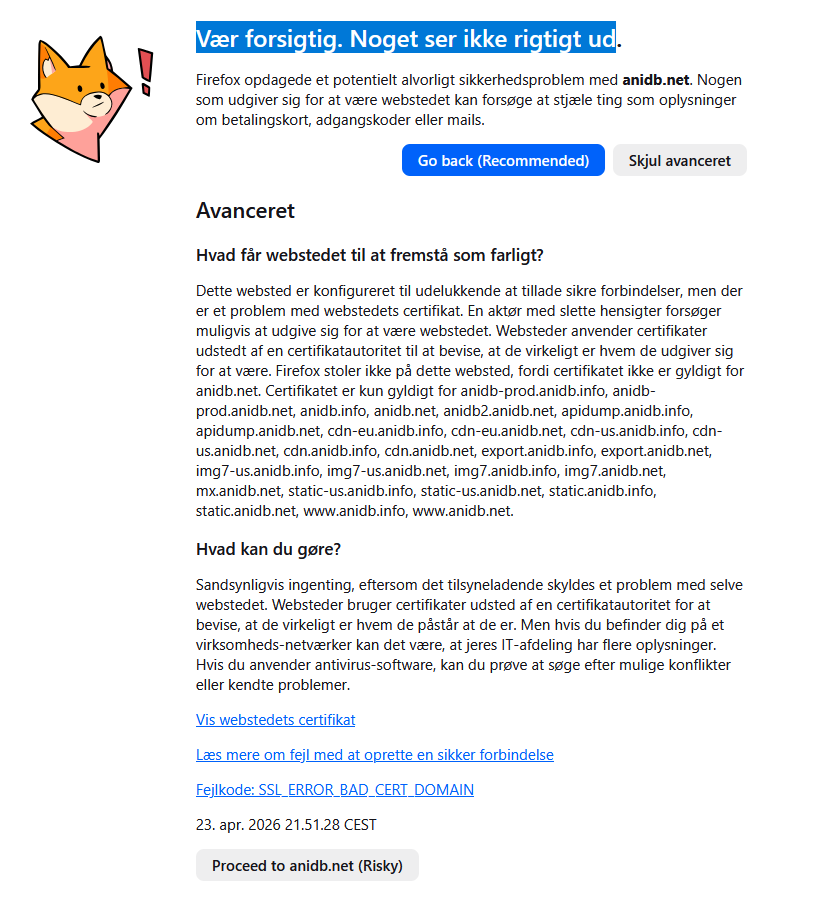
Be careful. Something doesn't look right

To be honest. Firefox is starting to be a big pain to use. I'm starting to see more and more of this screen where it say's "Be careful. Something doesn't look right" Even when i go to the advance and say proceed. Nothing happens and i'm getting no where. I know many of the sites don't have anything to do with asking for credit card, Scam or even having popup's. I test the sites in other browsers and there work without any issues. But Firefox is starting to lock me out of many sites due to this. How can i make this stop. As i used Firefox for many years.

The sample that is in the screenshot is a Anime data base that i have also used for years. But today shows this. But was working fine yesteday. What is going on and how can i fix it. So i can start using the browser that i love on the sites i want to.
To be honest. Firefox is starting to be a big pain to use. I'm starting to see more and more of this screen where it say's "Be careful. Something doesn't look right" Even when i go to the advance and say proceed. Nothing happens and i'm getting no where. I know many of the sites don't have anything to do with asking for credit card, Scam or even having popup's. I test the sites in other browsers and there work without any issues. But Firefox is starting to lock me out of many sites due to this. How can i make this stop. As i used Firefox for many years. The sample that is in the screenshot is a Anime data base that i have also used for years. But today shows this. But was working fine yesteday. What is going on and how can i fix it. So i can start using the browser that i love on the sites i want to.
Priložene slike ekrana

Svi odgovori (2)

Hmm.. A hole week and nothing. Still skeeking help to solve the issue.

Hi

I can access anidb.net with no warning

The error in your screenshot, SSL_ERROR_BAD_CERT_DOMAIN, specifically means the name on the security certificate doesn't match the name in your address bar.

1. Clear Your Firefox Cache

  • Go to Menu > Settings > Privacy & Security.
  • In the Cookies and Site Data section, click Clear Data.
  • Check Cached Web Content and click Clear.

2. Check for Antivirus "SSL/HTTPS Scanning or Web Shield"

3. Disable HTTPS-Only Mode (If Enabled)

4. Verify Your System Clock

 Ensure your computer's date and time are correct.

What do the security warning codes mean?

Postavi pitanje

Za odgovaranje na poruke moraš se prijaviti na tvoj račun. Postavi novo pitanje, ako još nemaš račun.