Can Thunderbird open heic attachments
I occasionally receive HEIC as attachments. Opening the attachment defaults to my Adobe Acrobat which also cannot open HEIC. Is it possible to set the default open to Paint or something in Win11? Thanks.
Svi odgovori (8)

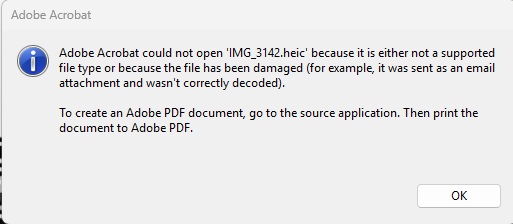
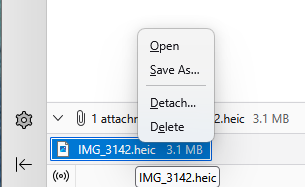
Hello and thank you for this information. However, something must be interfering with the described process even though I have gone into Troubleshooting mode. When I double click on the attachment listed in the Attachments pane, Thunderbird tries to open the HEIC file in Adobe Acrobat which also does not work for HEIC files as I get the message Adobe Acrobat could not open {file name.HEIC} because it is not a supported file type. When I right click the attachment, I get very few options as shown in the uploaded images.
I'm likely not looking in the right place for the solution, thanks for the assist.
At the top right of the Thunderbird window, click the menu button ≡ > Settings > General > Files & Attachments. You need to adjust the desired action for the HEIC content type.
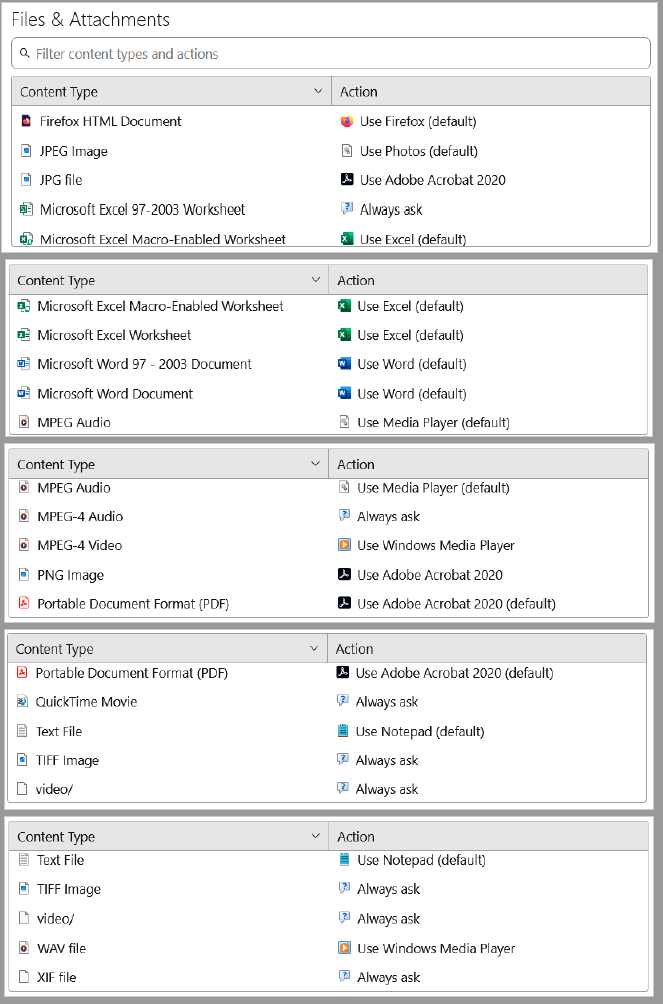
Still having trouble with the settings. I've compiled the total list of Content Types and Actions I see and have pasted below.
1. I don't see HEIC as a content type. Is it known as something else? 2. Can HEIC be added somehow?
Apologies if I'm missing something obvious. . . Thanks again for the help.
Before anything else, with which application do you want to open .HEIC files? The .heic file extension stands for High Efficiency Image Container. It is the file format used by Apple for photos on iPhones and iPads (running iOS 11 or later) and Macs. To open it with Windows 10/11 it requires the "HEIF Image Extensions" from the Microsoft Store. So you'd need to get this sorted first. To test it, you can save the .heic attachment to your local disk, and open it with whatever application is needed. Once you can open .heic files successfully on your Windows computer, we can get back to the Thunderbird issue.
Hello, from File Explorer I open HEIC files regularly with the Photos app. It appears my challenge here is getting the proper linkage between Thunderbird attachment content type and Windows Photos app, for example. Somehow, the current linkage is to Adobe Acrobat where HEIC is an unsupported file type.


Yeah are we dealing with yet another case is file extensions are meaningless and folks just do not understand that? I am guessing the answer to that is yes.
HEIC is a proprietary file format as Christ has stated of Apple computers, unfortunately most Apple users are unaware the rest of the world struggles with it just as historically most Outlook users were unaware they sent proprietary email formats that arrived in folks inboxes as winmail.dat attachments. Only outlook could read them.
For the internet and Thunderbird (windows is another state and your reference to file explorer is Windows not email or the internet where media types rule. For a file to be recognized as a particular type the file type must be declared correctly in the attachment, not in the file extension.
The list of media type is here https://www.iana.org/assignments/media-types/media-types.xhtml
The media types for HEIC are given as image/heif [ISO-IEC_JTC_1][David_Singer] heif-sequence image/heif-sequenc
I have no idea what either actually is and do not need to. What is relevant here is to open the source of your received email (ctrl+U) and find (ctrl+F) HEIC and see if the media type of the attachment in the message source is correctly stated or some garbage value that denoted the file type as say a binary stream (exceedingly common where windows programmers are asked to do email because the concept of media types in not in the Microsoft vocabulary IMO.) If the media type is not correctly stated there is nothing to be done, except perhaps find on of the open by extension Thunderbird addons if such exist for your version of Thunderbird such as https://services.addons.thunderbird.net/EN-us/thunderbird/addon/openattachmentbyextension/ or you could get the email sender to correctly encode their emails.

Progress is being made. When I opened the Email source and searched for HEIC I did find that it appears the media type of the attachment is correctly stated:
Content-Type: image/heic; name="IMG_3143.heic" Content-Disposition: attachment; filename="IMG_3143.heic" Content-Transfer-Encoding: base64 Content-ID: <19b2f0b7679caba132c1> X-Attachment-Id: 19b2f0b7679caba132c1
Since clicking the attachment tried to open the HEIC attachment with Adobe Acrobat, I went into settings for Content Type and removed all mention of Adobe Acrobat and set these items to Always Ask. I then clicked an HEIC attachment and was prompted for the app to use to open. After some searching, I found both Paint and Photos and set Paint as the app to use and also selected Always Use this app.
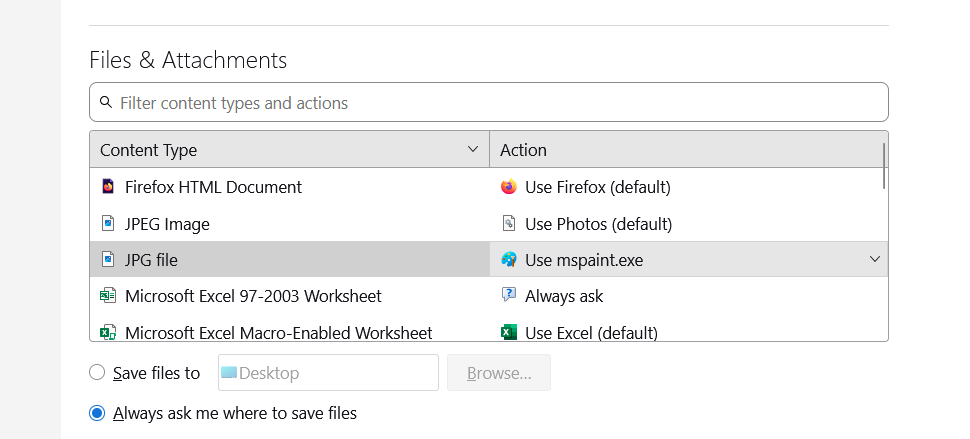
When checking back in the Thunderbird Content Type table, I found that Content Type JPG File has been changed from Always Ask to Use mspaint.exe as shown in the attached image. I'm not sure why the JPG File content was chosen but HEIC files now always open with Paint when clicked. Is this a bug? Should not the JPG File content type remain Always Ask and a "new" content type of HEIC be "added" with Action of Use mspaint.exe? I'm confused as to why this works as it does. Any recommendations? Thank you.
I am using TB 145.0 (64 bit) and Win11.
So far, I can open the HEIC file with Paint as desired but I suppose all JPG files will now open with Paint which is not what I desire for the longer term.