


Tbird for Android emails don't send

I've used Tbird for PC for years with no problem. A month back, I installed it on my Android, then used the desktop "Export for Mobile" option to recreate all my emails (I have several) on my phone. The setup worked and I receive emails. But realized last week that no one receives emails I send from my phone from my domain emails.
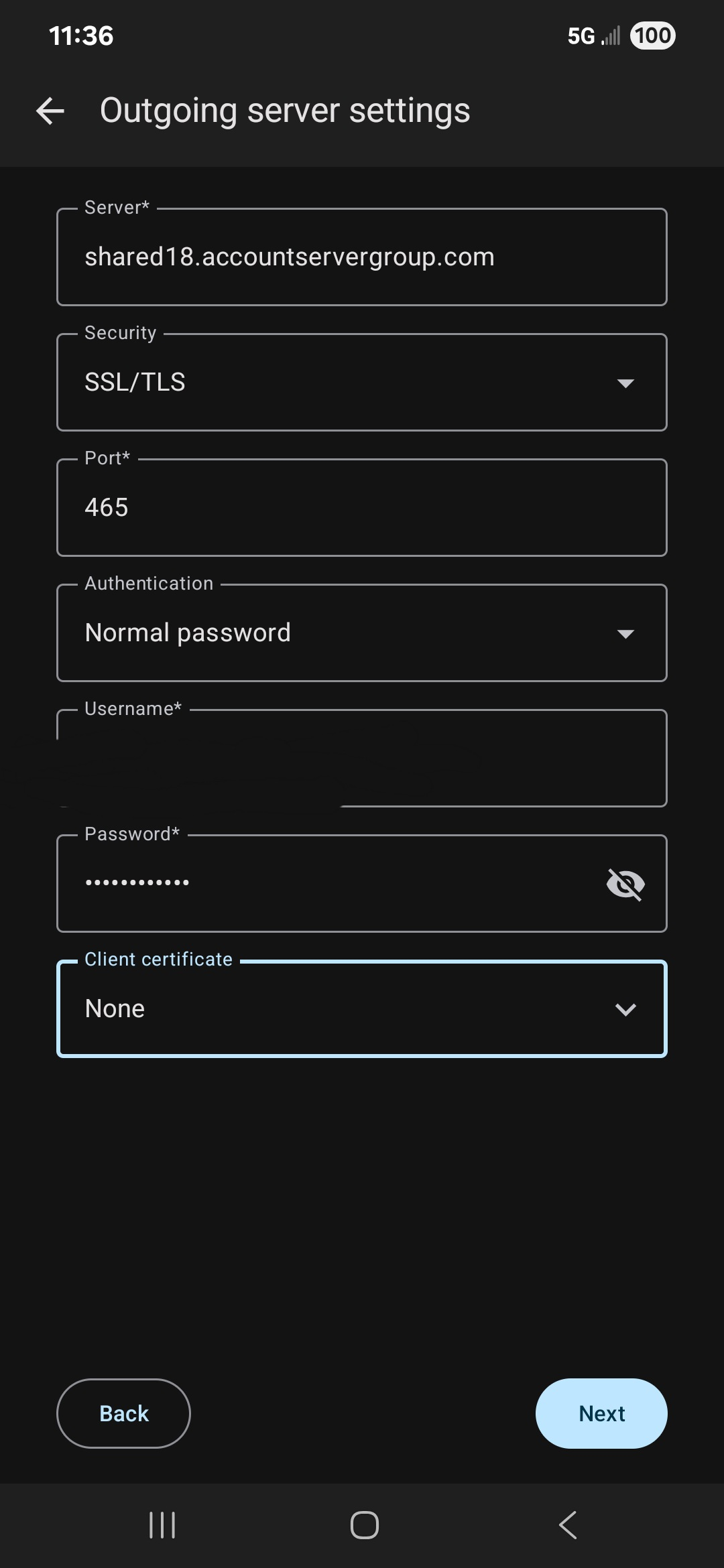
No error messages, no bounces, and email ends up in Sent folder. Plus, bcc'ing myself, I receive them. I double-checked outgoing servers. These match what is on the desktop Tbird.
However, emailing from my gmail account in Tbird on Android works--email received. Just the emails from my domain don't go through.
versions: TB for Android 10.1, Verizon (samsung) android (v 15) set to cellular (vs wifi) for internet, I have emails via my domain on shared hosting service.
See attached image.
Thank you!
Svi odgovori (3)
What happens if you click next on the screen you showed? Can you to hit next and then send a message?
Hi--hitting Next works. In other words, the server thinks it's set up fine to send and receive mail. I'm trying to work with my ISP now to see why mail isn't going through from my phone. They were telling me it was being blocked from leaving their servers by their new-ish outgoing spam filter. But they weren't getting that I can send same email from desktop and it goes through. Plus, ANY email I've sent from phone in past month has not been received. Waiting for another reply from them.
I note in these forums that I'm not the only one with this problem, so I have a feeling it has to do with the way Thunderbird accesses the internet via an Android...? I'm on a Verizon cell plan if that would make any difference. If my ISP (Site5 that's been bought by Network Solutions) solves this I'll let you all know a solution.
> ANY email I've sent from phone in past month has not been received. Waiting for another reply from them.
mozi3, sorry you were having difficulty. If you still see this problem please post a new question at https://support.mozilla.org/en-US/questions/new/thunderbird-android, because it is not possible to reopen your original posting here.