

Ova tema je arhivirana.
Postavi novo pitanje ako trebaš pomoć.

Arhivirano
Way the message list is displayed

Refer to two images below.
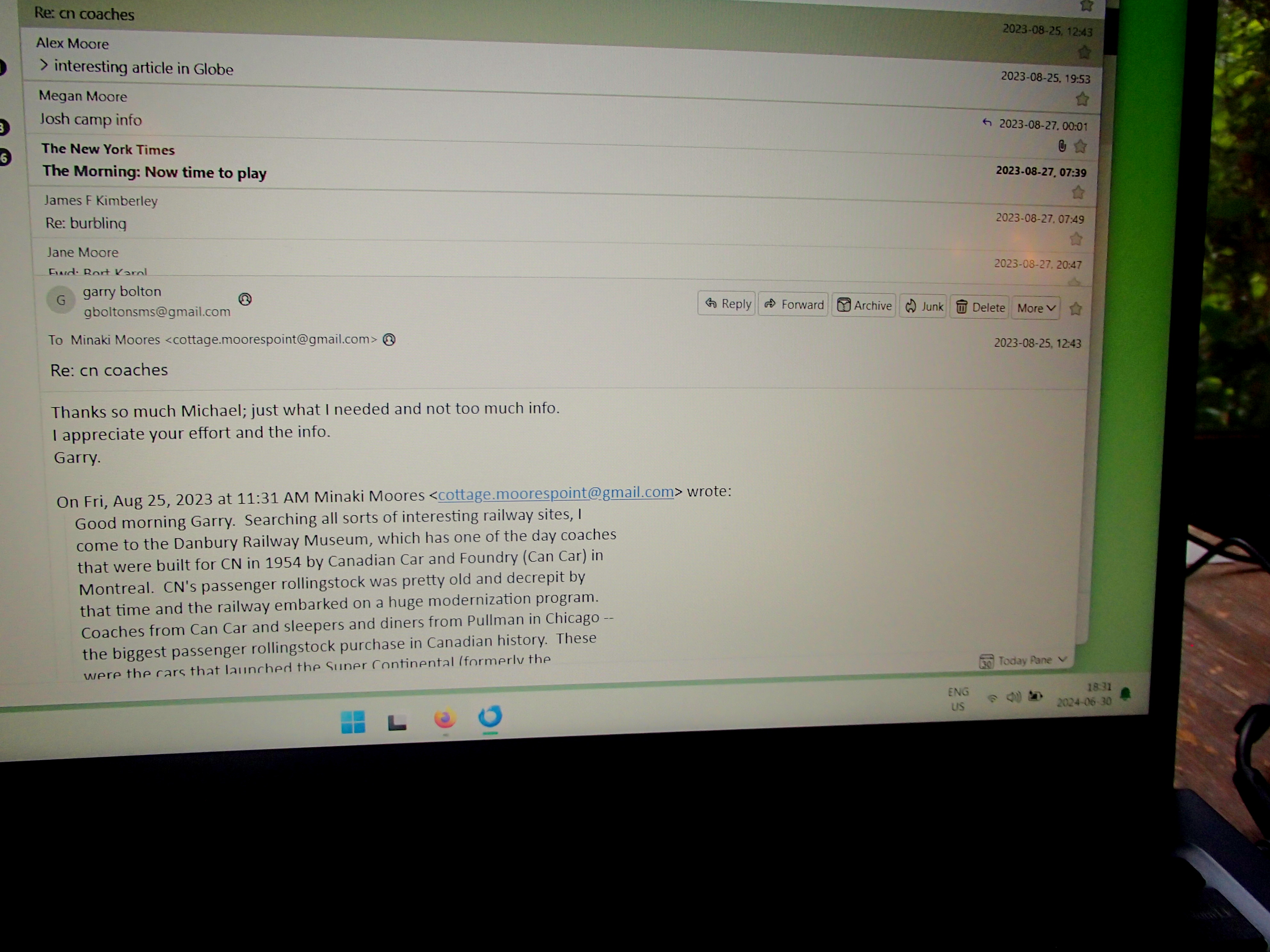
Just loaded Thunderbird on a new laptop. It displays a list of messages with no headings, each message listing in two lines and acres of wasted space in the middle. See Image 1 (6300040).
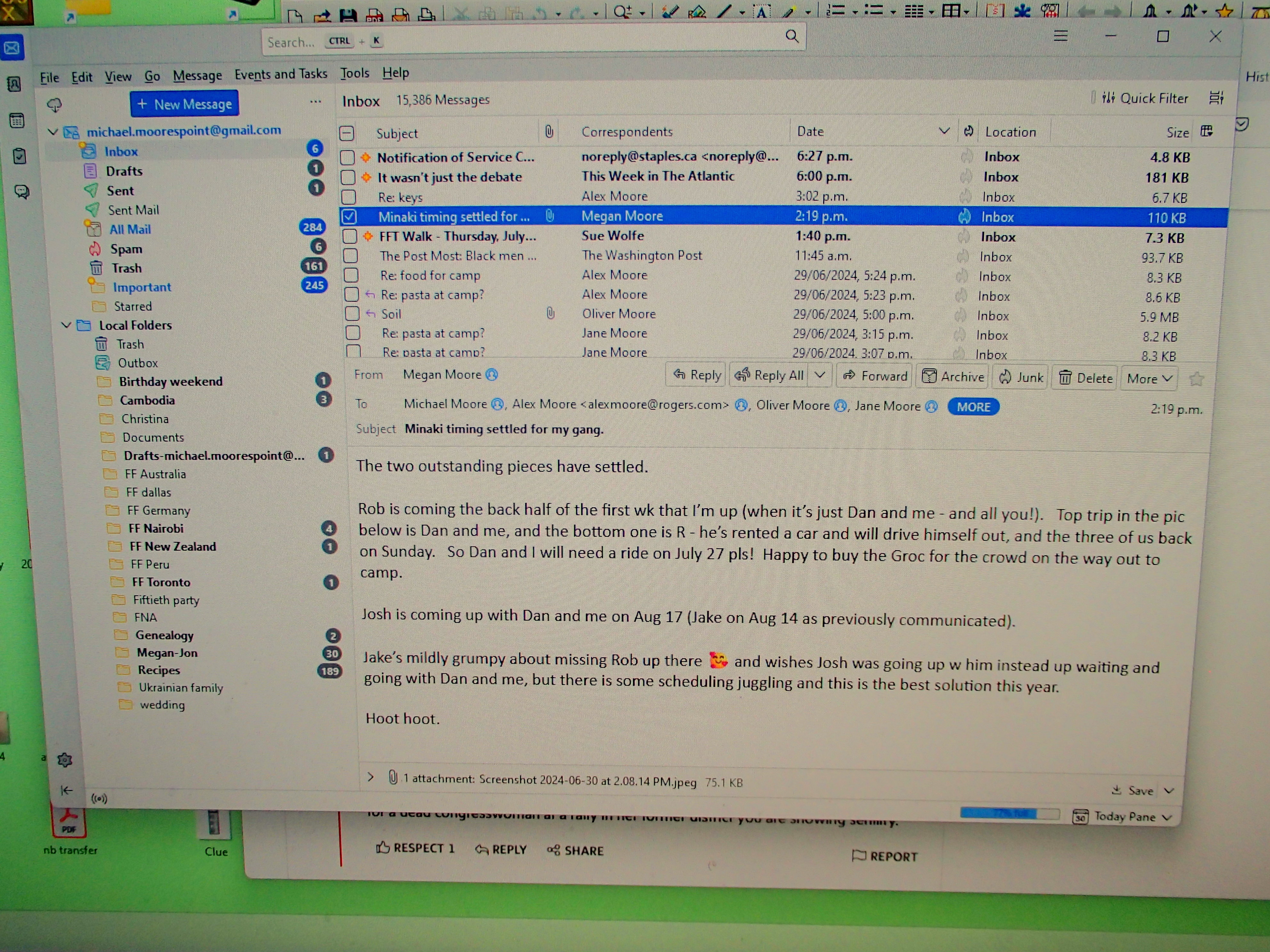
How do I get back to a list of one-line entries with headings at the top of each of the columns (which lets me change the sorting direction)? It works so much better for me. See Image 2 (6300039).
Thanks in advance for your help.
Long-term fan
Refer to two images below.
Just loaded Thunderbird on a new laptop. It displays a list of messages with no headings, each message listing in two lines and acres of wasted space in the middle. See Image 1 (6300040).
How do I get back to a list of one-line entries with headings at the top of each of the columns (which lets me change the sorting direction)? It works so much better for me. See Image 2 (6300039).
Thanks in advance for your help.
Long-term fan
Svi odgovori (1)
On one of your screenshots in upper right is 'quick filter' with a tiny icon to its right. Click that and select 'table view'