


Video stopped working

I upgraded Firefox to 109.0 on OpenSUSE Linux today as an update. Firefox no longer plays videos. Chrome is still playing the videos, so the codecs are on my machine. Is there anything I can do to fix this?
Izabrano rješenje
Examples of the video(s) not working would be nice. Have you ever tried this site? https://www.opensuse-community.org/ Are you on Leap or Tumbleweed? X11 or Wayland? What desktop?
Pročitaj ovaj odgovor u kontekstu 👍 0Svi odgovori (11)
I forgot the error information from Firefox. It is
There was an issue during media playback with the content that was playing. The sub-error code will contain additional information about the underlying cause. | NS_ERROR_DOM_MEDIA_FATAL_ERR (0x806e0005) - Error no decoder found for video/avc
Make sure you have the latest FFmpeg and libavcodec packages installed.
After the video stopped working I reinstalled the codecs using those from the packman repo. I assume they are the newest ones. Maybe I missed the libdvdcss repo.
I am not at that computer, I am using my home computer where I did not install the newest Firefox. Tomorrow I will check the libdvdcss repo.
Izmjenjeno od jay.treiman
Odabrano rješenje
Examples of the video(s) not working would be nice. Have you ever tried this site? https://www.opensuse-community.org/ Are you on Leap or Tumbleweed? X11 or Wayland? What desktop?
jonzn4SUSE,
Thank you for answering.
1) I tried several videos on cnn.com. None of them worked. All gave the same message as above. On Amazon I tried Jack Ryan, season 1, episode 7 with the same result.
2) After the failure I used a set of command line commands to reinstall the codecs and switch them to packman. After that Chrome worked for playing the videos.
3) I am using Leap 15.4 with KDE. No guarantee, but I think it is X11. Some of the hardware: Nvidia GTX 1050, AMD 3600, and 16 GB DDR4 ram.
4) I also checked the OPENSUSE forums and did not find any posts about this problem.
I will try reinstalling the codecs again tomorrow.
Izmjenjeno od jay.treiman
jonzn4SUSE,
Thank you for answering.
1) I tried several video segments from CNN and Jack Ryan, season 1, episode 7 from Amazon. All gave the same error as above.
2) I used a set of command line commands to change all of the codecs to packman. Chrome ran the videos with no errors.
3) I am using Leap 15.4 with KDE, and, I believe, X11. Some of the hardware Ryzen 5 3600, Nvidia GTX 1050, and 16 gb of DDR4 ram.
4) I checked the openSUSE forum and did not find this problem there.
I will try a cold start tomorrow to see if that helps.
I have an older laptop running 15.4. Let me get on it and see what happens. Do you have the same issues with Firefox in Safe Mode? https://support.mozilla.org/en-US/kb/diagnose-firefox-issues-using-troubleshoot-mode
Izmjenjeno od jonzn4SUSE
No issues for me on 15.4. see screenshot

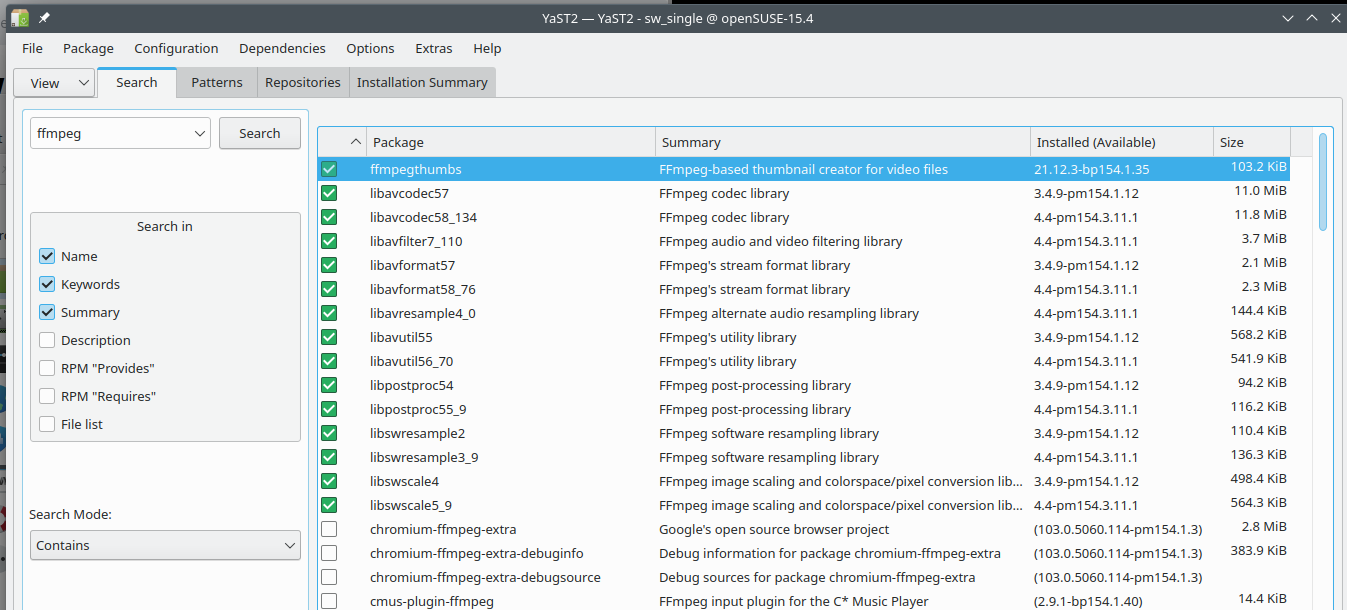
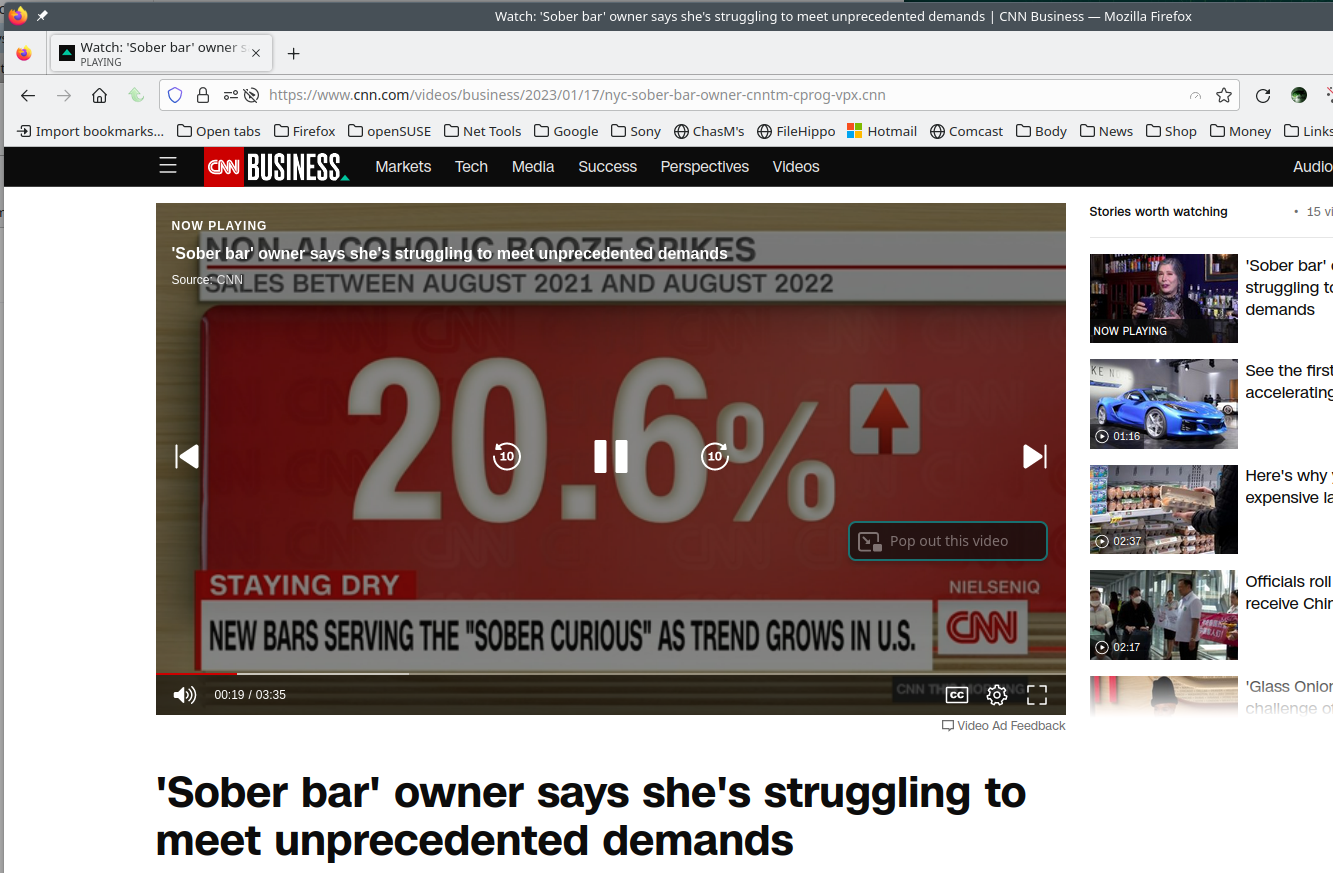
Izmjenjeno od jonzn4SUSE
I tried the link you sent. It did not work. It is now working after using YAST to switch the codecs to packman manually.
Thank you for your help and patience.
I would try a VM and see if you have the same issue. It could be another app you have installed causing the issue. I have 5 laptops, 4 running Tumbleweed and 1 running 15.4 and have no video issues.
It could be, but I have too much junk on the computer to track it down now. Thank you for the help.