


Howto copy a link from a tab history ?

Hello,
I know that it's possible with Chrome, but I cannot do it with Firefox. Is there preferably) a trick to do it or any add-on ?
Access the history from a tab and then copy one of the link. It's very useful to keep current page open and paste old link (in a mail, a new tab, etc...).
History > Manage history doesn't show anything (but might be normal due to my settings).
Thanks !
Behd
Izabrano rješenje
You can possibly file an enhancement bug report and indicate that Google Chrome has this feature to copy the URL in the tab back/forward history.
See Tabbed Browser:
Pročitaj ovaj odgovor u kontekstu 👍 0Svi odgovori (6)
I don't think that Firefox supports this feature. As a possible workaround you can open the link in the tab history drop-down list in a new tab in the usual (Ctrl+ left-click or middle-click).

removed
Izmjenjeno od Terry
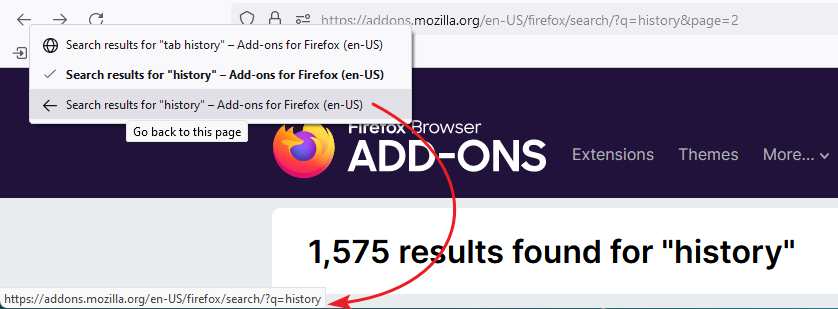
This is not about the normal browsing history, but about the list you get if you hold down the left mouse button or right-click the enabled Back/Forward toolbar button. Items in this list are not responding if you right-click.
removed
Izmjenjeno od Terry
cor-el said
I don't think that Firefox supports this feature. As a possible workaround you can open the link in the tab history drop-down list in a new tab in the usual (Ctrl+ left-click or middle-click).
Thanks for your answer... I was hoping for another solution even if open in a new tab could be part of the solution (and would avoid going back and forth).
It's not fully solving my problem. I need to retrieve and copy links that are redirect (so even if I open them in new tab, they won't stay in the url bar and directly go to history).
Do you know if this is something that we could suggest to dev ? (and do they care about suggestions ?) If yes, can I abuse, and ask you where or how to do that ?
Best regards, Behd
Izmjenjeno od BE HD
Odabrano rješenje
You can possibly file an enhancement bug report and indicate that Google Chrome has this feature to copy the URL in the tab back/forward history.
See Tabbed Browser: