


Facebook cookie and data storage removal

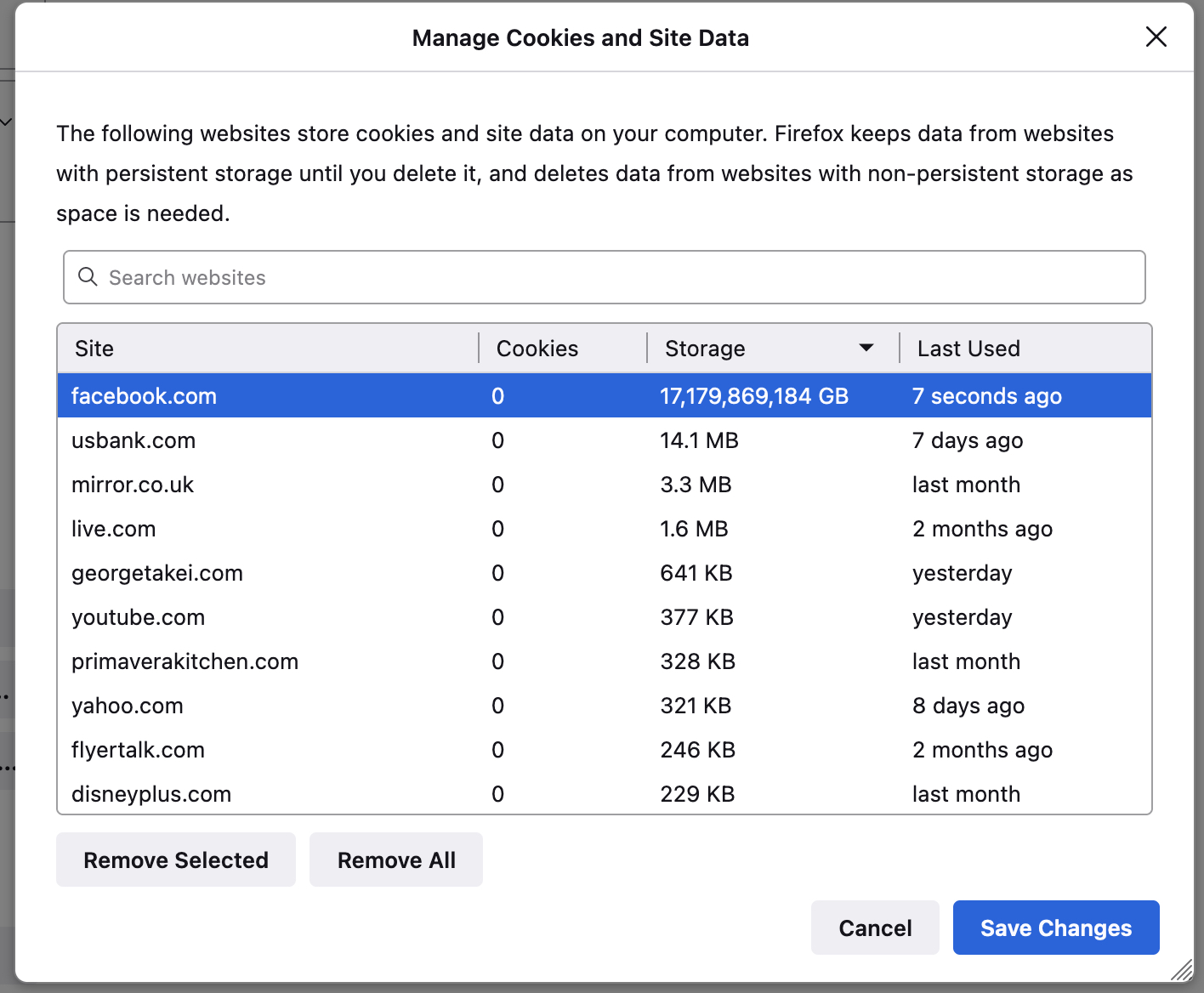
I am having problems clearing Facebook cookies and data storage. I have cleared the cache numerous times and always FB is at the top of the list with 0 cookies but 17,179,869,184GB Data Storage. I delete that as well and it comes back. I have run my Smartscan and optimized. This showed up recently and it makes Firefox very, very slow. What are some other options to try
I am having problems clearing Facebook cookies and data storage. I have cleared the cache numerous times and always FB is at the top of the list with 0 cookies but 17,179,869,184GB Data Storage. I delete that as well and it comes back. I have run my Smartscan and optimized. This showed up recently and it makes Firefox very, very slow. What are some other options to try
Svi odgovori (1)
How did you clear this data ?
Did you use built-in means like via Settings -> Privacy & Security
Cookies and Site Data: "Manage Data" or "Clear Data" or did you use external cleanup software ?
You can check for issues with Storage (indexedDB) in case storage is broken.