

Ova tema je arhivirana.
Postavi novo pitanje ako trebaš pomoć.

Solved
Arhivirano
Classis View

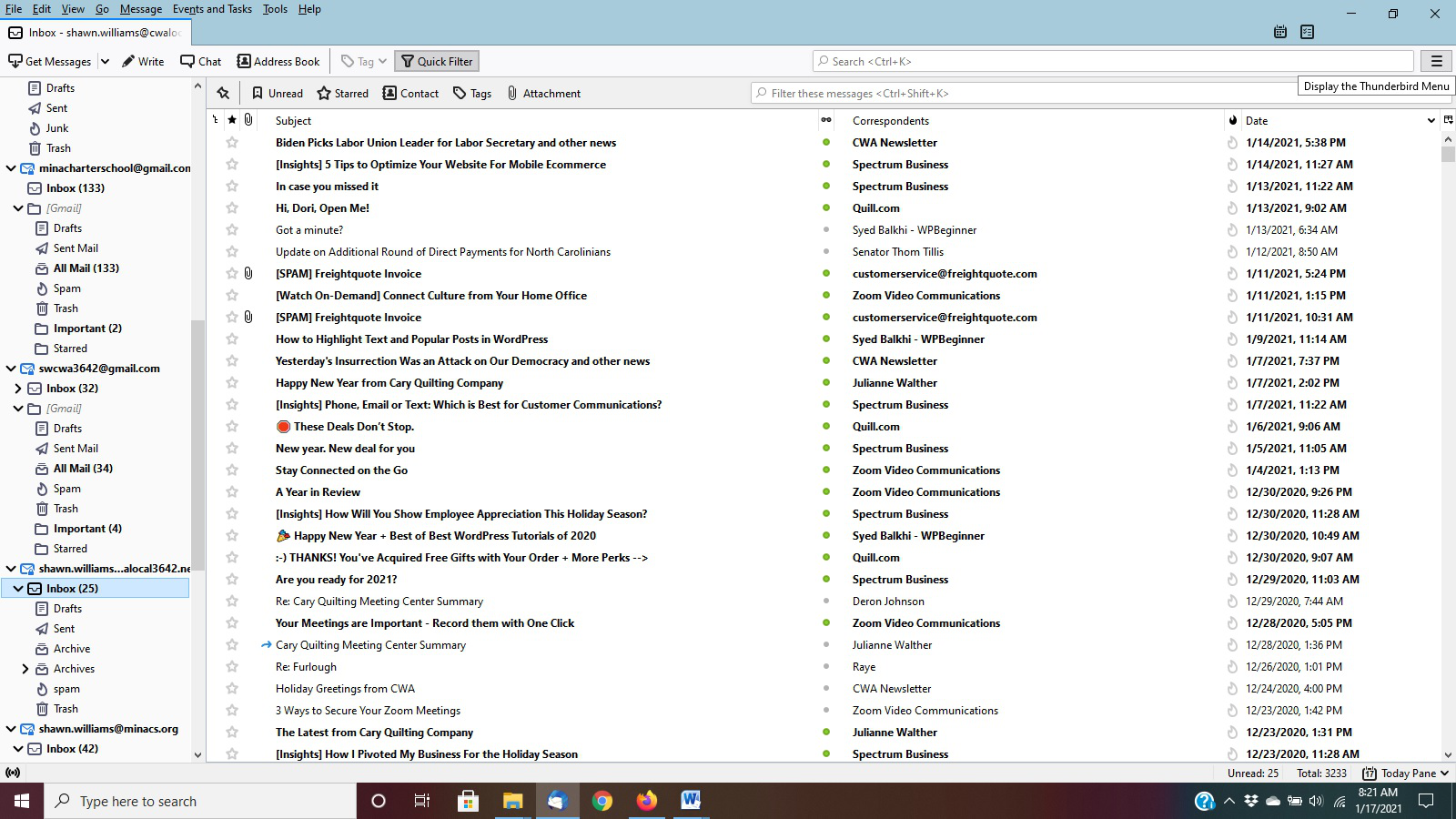
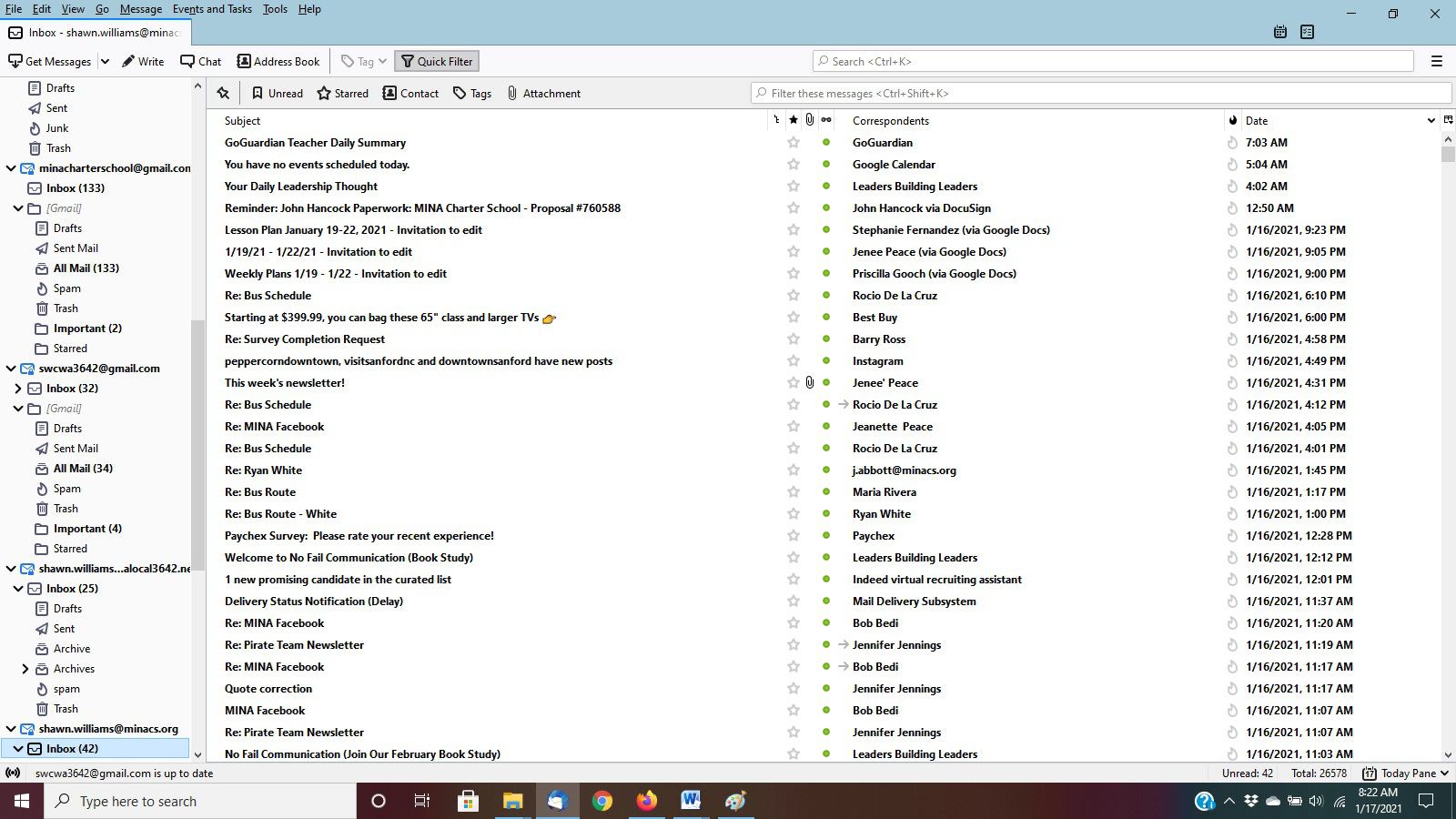
I have several different email accounts in Thunderbird. I have attached two screen shots. Screenshot 1 is the classic view that I want on the other account, but when I go into change to classic view nothing happens. I have attached screen shot 2 to show the other view which I don't like because my attachments are not with the name. Can you assist me in getting back to the classic view?
I have several different email accounts in Thunderbird. I have attached two screen shots. Screenshot 1 is the classic view that I want on the other account, but when I go into change to classic view nothing happens. I have attached screen shot 2 to show the other view which I don't like because my attachments are not with the name. Can you assist me in getting back to the classic view?
Svi odgovori (2)

Odabrano rješenje
The only difference I'm seeing between the two screenshots is the order of columns in the Threads Pane (messages list). To rearrange the columns, simply drag their respective headers to the left or right to achieve the desired order.
Wow - I feel really slow - thanks.