

Ova tema je arhivirana.
Postavi novo pitanje ako trebaš pomoć.

Solved
Arhivirano
Web site fields cannot remove

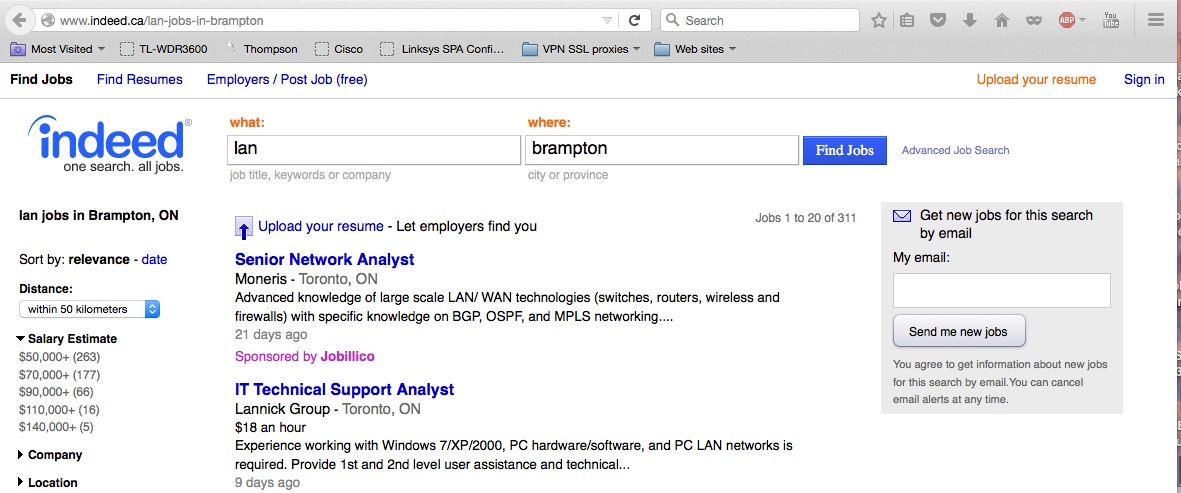
When I open the site "http://www.indeed.ca/lan-jobs-in-brampton" the fields "what" & "where" are automatically populated with "lan" and "brampton" see enclosed.
I have removed cookies for the site, set Firefox 41.02 privacy settings to keep cookies until I close firefox, closed Firefox and reopened as well as well as run in privacy browser mode. In all cases the fields are automatically populated. How can I find and clear this stored information?
When I open the site "http://www.indeed.ca/lan-jobs-in-brampton" the fields "what" & "where" are automatically populated with "lan" and "brampton" see enclosed.
I have removed cookies for the site, set Firefox 41.02 privacy settings to keep cookies until I close firefox, closed Firefox and reopened as well as well as run in privacy browser mode. In all cases the fields are automatically populated. How can I find and clear this stored information?
Svi odgovori (2)
I think the site just copies words from the URL into the page, for example:
http://www.indeed.ca/lifeguard-jobs-in-paradise
So it's not you, it's them.
Odabrano rješenje
I found the answer. The information is stored in the bookmark