


"Entry point could not be located in xul.dll"; Firefox crashes on startup after update, installer also fails.

The full error message is: "The procedure entry point ?WindowsBCryptinitialization@mozilla@@YA_NXZ could not be located in the dynamic link library C:\Program Files\Mozilla Firefox\xul.dll."
After accepting that, I get another message that says: "Couldn't load XPCOM." Then, it just quits, with no Crash Reporter dialog.
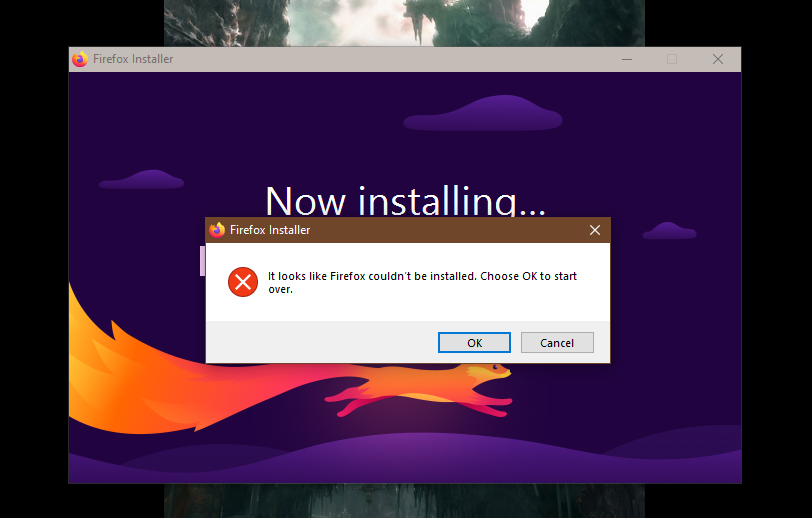
I downloaded a fresh installer, but it takes a couple minutes to even launch, and then just sits there for a long time on the initial screen doing nothing before saying the installation failed. I've restarted my computer twice hoping it was a one-off issue, but there's no change.
According to the file information, xul.dll was last changed September 3rd, so it may not be the source of the issue. Perhaps whatever name mangling is responsible for the above entry point changed and now they don't match?
I have automatic updates set to "download but don't install", so it downloaded it a few days ago and I just restarted it this evening and the issue occurred. I could understand that maybe something got corrupted during the update, but I have no idea how the installer could also be failing.
All Replies (3)
It means that it's maybe running out of space, or doesn't have permissions to write things etc.
If you download the full installer from firefox.com/download/all/desktop-release directly for your system, is there any change?
चयनित समाधान
jbr said
It means that it's maybe running out of space, or doesn't have permissions to write things etc. If you download the full installer from firefox.com/download/all/desktop-release directly for your system, is there any change?
Well about an hour after I made this post, it mysteriously just worked without me trying anything new. I have no idea what could've fixed it, any more than what could've caused it.
I definitely didn't have any issues with space or permissions, though. Perhaps it was just a one-off thing.
anubis1101 द्वारा सम्पादित
Yeah it might be just an antivirus scan making the files busy and having them conflicting or locked or something… Glad it's resolved for you!