


Amazon pages don't load on Firefox 146.0.1 (64 bit). I cleared the cache but still have the problem. Please advise.

Amazon pages don't load on Firefox 146.0.1 (64 bit). I'm using a Windows 11 Desktop PC. I cleared the cache but still have the problem. Please advise. I've used Firefox as my primary browser for decades but if this issue is not resolved, I may be forced to switch to a new primary browser. Anthony
פתרון נבחר
Glad it's working. Mark this as resolved if no other questions have nice day.
Read this answer in context 👍 0כל התגובות (3)
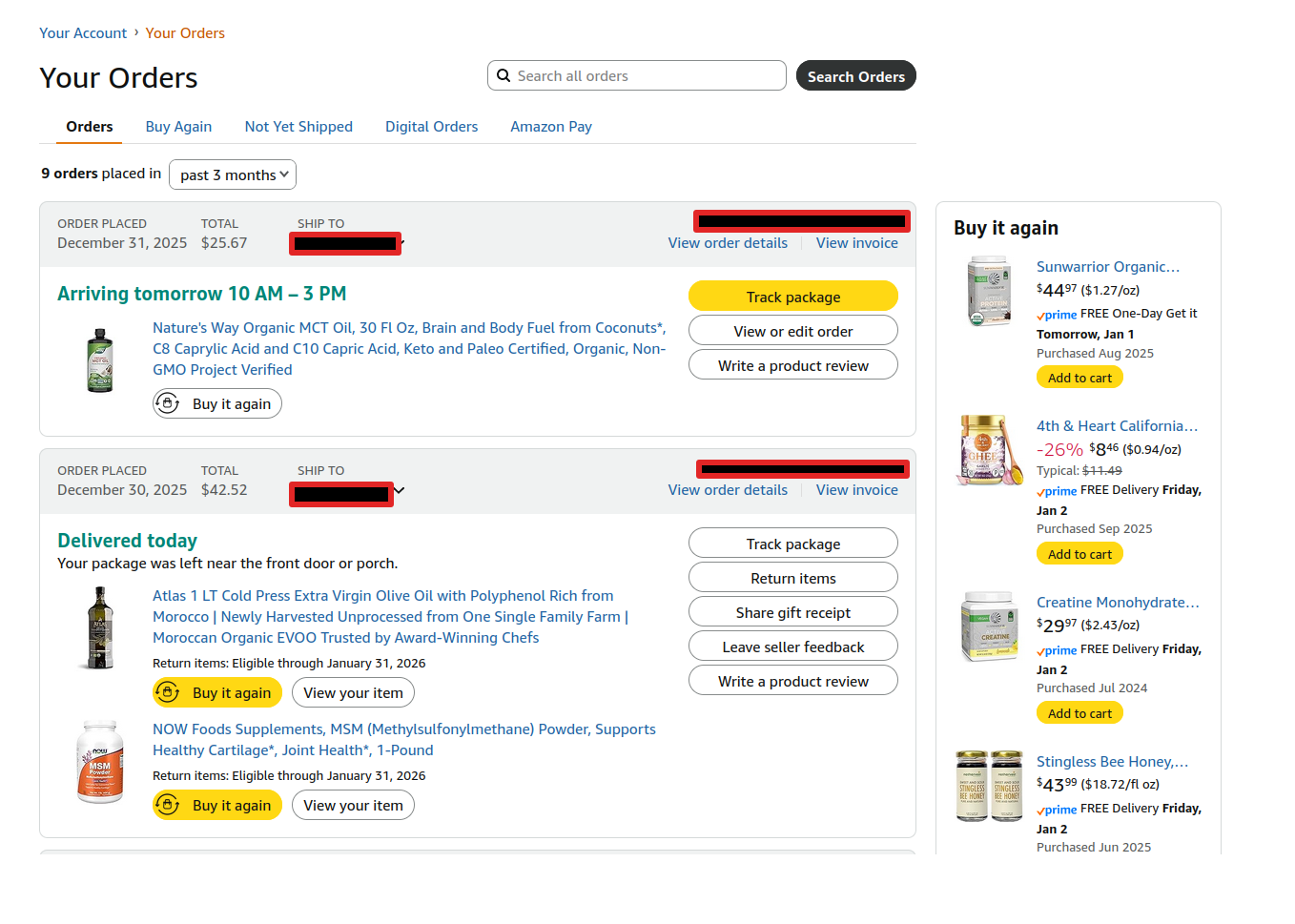
I just logged into my account to check on my order with no issue. see screenshot
Did you try with Firefox in Troubleshoot Mode? https://support.mozilla.org/en-US/kb/diagnose-firefox-issues-using-troubleshoot-mode#w_how-to-start-firefox-in-4troubleshoot-modesf5safe-modesf
Are you running any security software besides MS Defender?
Windows home or pro? If Windows Pro version, try testing in Windows Sandbox (VM) to see if you have the same issue. https://www.howtogeek.com/399290/how-to-use-windows-10s-new-sandbox-to-safely-test-apps/
השתנתה ב־ על־ידי jonzn4SUSE
Thanks for your reply and your suggestions. Sorry for the delay in responding. I've had a busy New Year!
In the last 24 hours or so Firefox is now properly loading pages that weren't loading before. I'm pleased about it but can't explain why. Any ideas? I'm using Windows 11 Home and I have AVG Internet Security. I've never used Windows Sandbox.
Anthony
פתרון נבחר
Glad it's working. Mark this as resolved if no other questions have nice day.