


How do I set Firefox as the default email app in Windows 10?

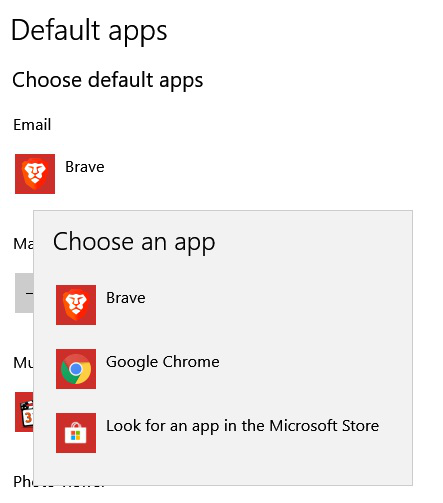
In Windows 10 Settings-Apps-Default Apps, Firefox isn't listed as an option for default email app. In my case, I don't have any email clients installed, so my only choices are Chrome and Brave (another Chromium-based browser). How is it that the Chromium browsers are given as an option for the default email app, but Firefox isn't?
In Firefox's settings, I have chosen Gmail as my default app for mailto: links.
In Windows 10 Settings-Apps-Default Apps, Firefox isn't listed as an option for default email app. In my case, I don't have any email clients installed, so my only choices are Chrome and Brave (another Chromium-based browser). How is it that the Chromium browsers are given as an option for the default email app, but Firefox isn't?
In Firefox's settings, I have chosen Gmail as my default app for mailto: links.
כל התגובות (1)
+1 I also have this question. Just trying to migrate from chrome and it's little inconveniences like this that are making me think of switching back