


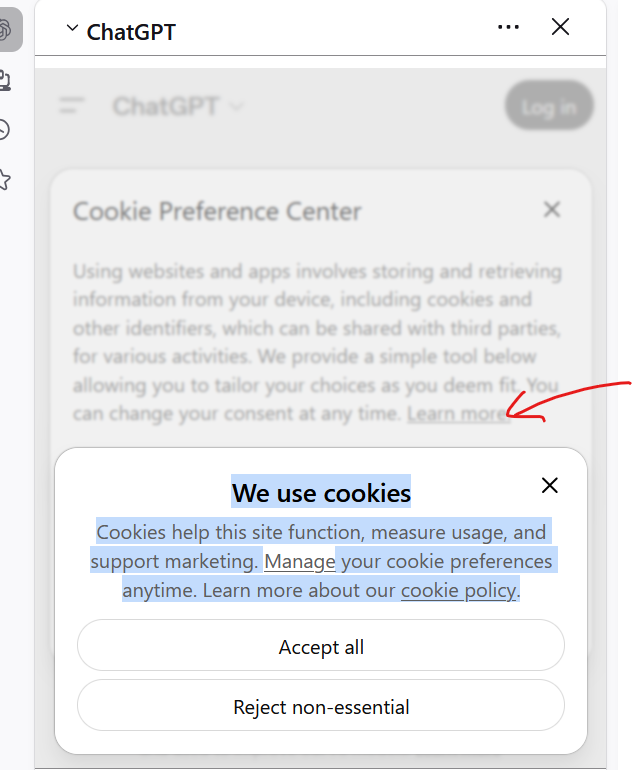
The ChatGPT chatbot in the sidebar, We Use Cookies bos has a Manage link which opens but remains fogged and partially hidden

Opening ChatGPT in the AI sidebar, the We use cookies box opens and shows:
We use cookies Cookies help this site function, measure usage, and support marketing. Manage your cookie preferences anytime. Learn more about our cookie policy.
The word Manage is a link to "Cookie Preference Center."
The link opens the "cookie preference centre", but it is fogged out and the expected tool to tailor my preferences (instead of just the 2 accept or reject), and the "Learn More" link are not accessible.
All Replies (2)
If you first go to customize your preferences with them opening the site in the normal window, would that then stick later for signing in via the sidebar too?
I expect so, because the account will have an associated election to work with. I would need to remove my election to get back to the erroneous screen, not just make a change to it.
So the problem will still exist, it wont be resolved.