


Download panel sorting

Firefox 150.0.1 Ubuntu 22.04
Problem: When downloading a file from a web page, the list of files and folders in the Download Panel are sorted such that file names and folder names are intermingled, rather than the "standard" folders first, then files.
Discussion: This problem has been happening for a bit now (probably 2 - 3 months or more). Unfortunately, I don't recall exactly which version of Firefox this originally showed up in. At some point recently, the default sort for the Download Panel changed, so that instead of listing folders at the top of the list of download targets, then listing files, now all items are interspersed. For example, previously selecting to download a file from a web page would give the Download Panel contents as:
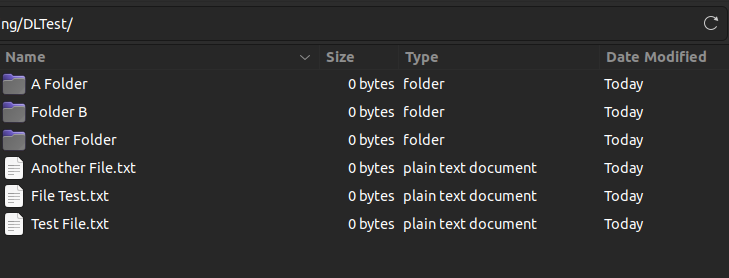
AFolder BFolder CFolder AFile.txt BFile.pdf CFile.jpg
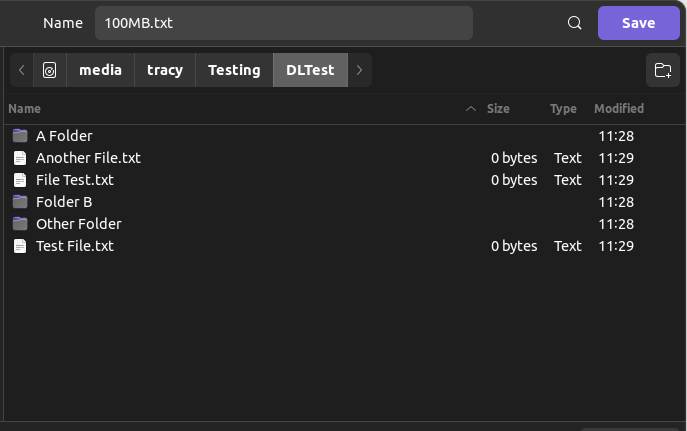
Now, the list presents as:
AFile.txt AFolder BFile.pdf BFolder CFile.jpb CFolder
I would like to go back to the previous sorting behavior, but I cannot find a way to do this. I have searched the Mozilla help articles without turning up relevant information, and I have searched the internet for web sites that might list relevant information, but either the information I am seeking is not out there (unlikely) or I am not coming up with search terms that locate the information (much more likely).
I am not even 100% sure that this is a Firefox problem (it is within the bounds of possibility that it is an OS problem), but none of my other regularly used programs show the symptom, so it would seem odd to me for it to be something other than a Firefox problem.
I would appreciate any pointers (web pages, help articles, or even just "change this in about:config) on how to resolve this.
All Replies (5)
Is this about the File Picker window where you set how and where to save a downloaded file?
Yes. I have attached two screen captures - the first is how the files and folders show in my file manager (and the way I want them to show in the Download Panel for Firefox), and the second is the way they actually show in the Download Panel.
An gyara daga tracyspda
So, after a week with no replies, I assume that either no one else has encountered this problem, or that no one else is bothered by the problem?
Looks like time to head back to Google and see if I can find some kind of answer there.....
Ok just downloaded a few items, I usually clear often so there was nothing to compare, all are not in alphabetical order. See image attached. They are in the order I downloaded them. Not really much of a history. Oh! when I close Fx I auto delete history . . .
This is Raspberry Pi 5 with FX 150.0.1
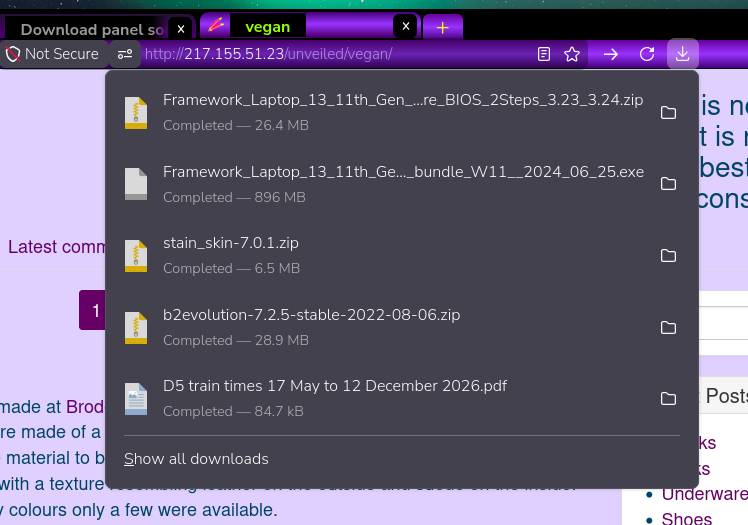
An gyara daga amoun
Your screen shot shows exactly the problem I am trying to solve - folders and files are intermingled in the list of download targets. I want them to display with folders all grouped above files (this is how it was in the past, but I don't know what changed or exactly when).