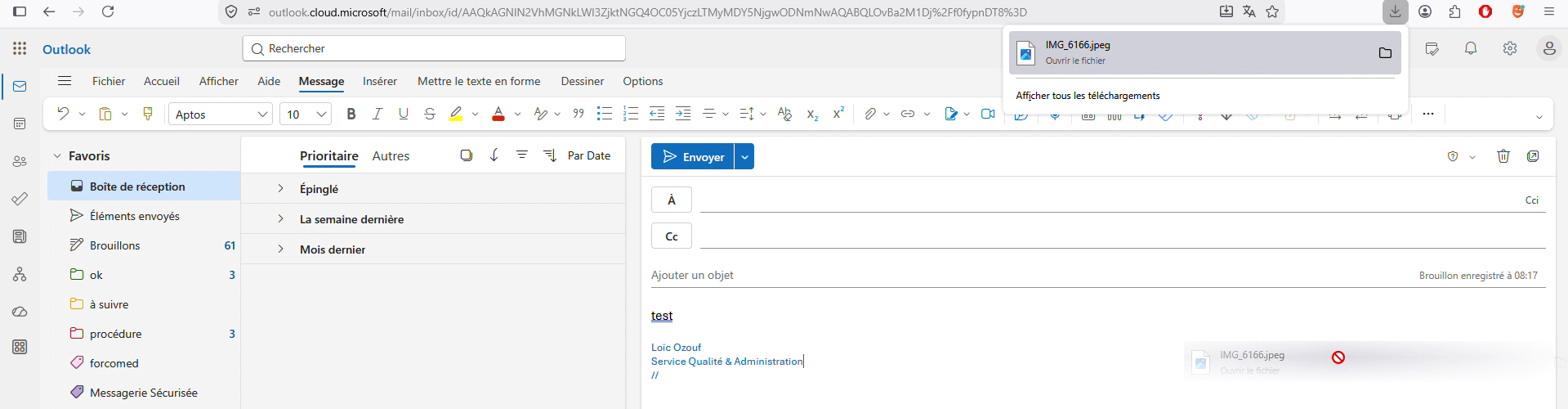
Drag and drop from downloads panel to Outlook Web broken since recent update

Hello,
Since a recent update, I can no longer drag and drop files from the Firefox downloads panel directly into Outlook Web (webmail) as an email attachment. This used to work fine before.
Steps to reproduce: 1. Download a file (e.g. a PDF) 2. Open the downloads panel (the arrow icon in the toolbar) 3. Try to drag the file from the panel into the attachment area of a new email in Outlook Web 4. The file does not get attached — nothing happens
Expected behavior: the file should be attached to the email, as it was before.
Workaround: I have to open the downloads folder via the folder icon in the panel, then drag from Windows Explorer instead.
Firefox version: 150.0.2 (64-bit) OS: Windows Webmail: Outlook Web (outlook.office.com or outlook.com)
This is a regression, it worked in previous versions. Is there a fix planned?
Thank you.
Semua Balasan (4)
TyDraniu said
Could you install the Chrome mask extension and activate it for that website as a test? Thank you.
same result
We've made some web compatibility changes to the drag&drop module in 150, but:
- Activating the “Chrome mask” extension should resolve the issue,
- There won't be a “fix”; websites will need to adjust their code. Previously, we had a separate code path, but now it works in Firefox just like in any other browser.
TyDraniu said
We've made some web compatibility changes to the drag&drop module in 150, but:
- Activating the “Chrome mask” extension should resolve the issue,
- There won't be a “fix”; websites will need to adjust their code. Previously, we had a separate code path, but now it works in Firefox just like in any other browser.
alright, I’ll keep the extension enabled in case it fixes the issue in the future, but unfortunately it doesn’t solve it today. i hope outlookweb will eventually make this shortcut functional it’s a real loss of efficiency to add extra clicks just to attach a file that was downloaded only seconds ago thanks anyway for your reply