


Hello. I have tried to copy my Thunderbird account to my MacBook. This has happened but it has only copied an empty saved e mail Folder. I was hoping for all my e mails, being my records.

I have saved relevant e mails to local folders in my Thunderbird account on my Applemac. I opened up Thunderbird on my MacBook and downloaded my Thunderbird account but it did not copy those local folders, merely 1 empty folder. Without these also shown in my Thunderbird account when I am away from home, I cannot see those records. I am struggling to find a solution. Are you able to help please? Alan Dowler
All Replies (20)

I suggest that you copy that same profile folder to your desktop. Are you comfortable doing that or would you like instructions?
I am good with copying folders I thought but I don’t know which folder to copy. I would have copied the local file. Alan
Copy that same profile folder that you found earlier, the one that is 5 GB in size. This is in the file system, Finder, not inside Thunderbird.
Rick I would consider copy and pasting to move to the desktop. Are you saying that I use the Profile (shown in blue) in the profiles area of Finder. It does not look anything like files I usually move around. Alan
Good morning, Alan.
Did you mean to attach a screen image? I do not know what you are calling the profiles area of Finder.
We're using the same process to find the folder that we used before.
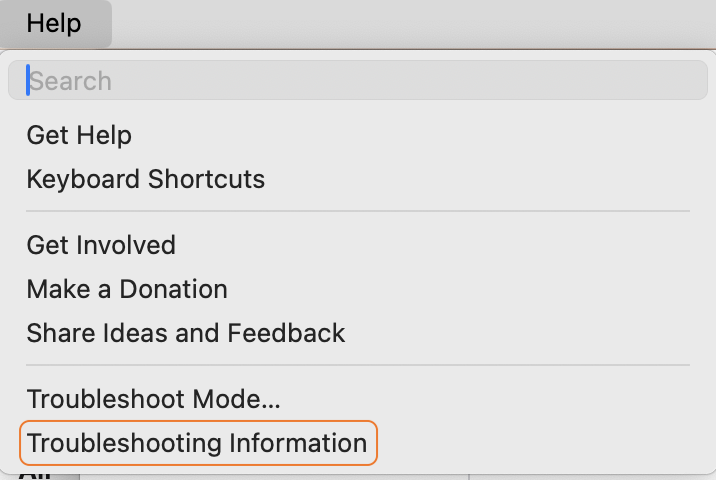
- In Thunderbird, go to "Help" (menu) > "Troubleshooting information".
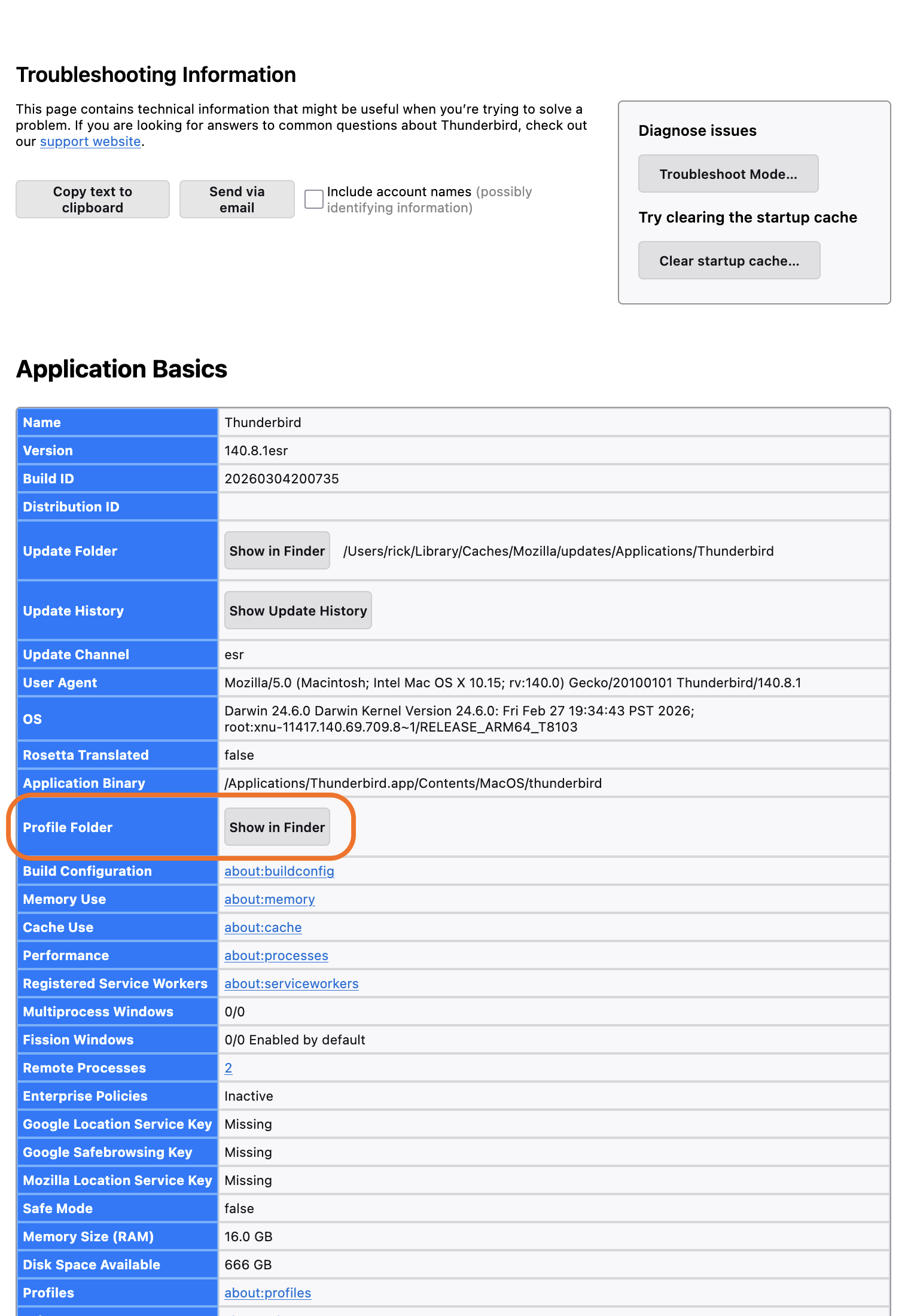
- [edited] Look down for a row labeled "Profile Folder". Click on "Show in Finder" to the right of that label.
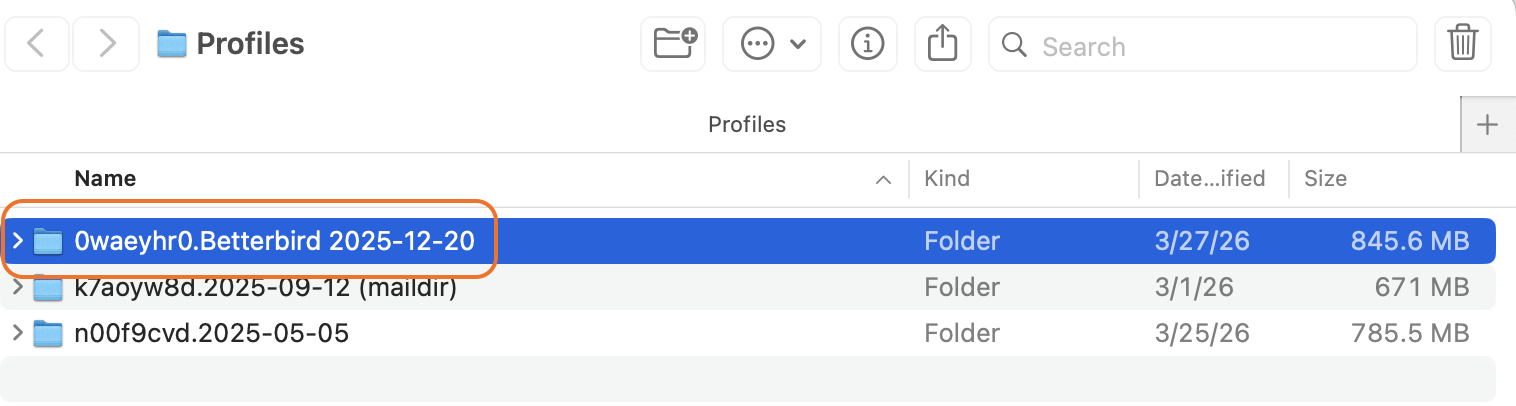
What you see next in Finder is the folder that we want to copy, highlighted. Would you please confirm that that is the folder that you said was 5 GB in size? Before you copy it, close Thunderbird.
To copy that folder, I would hold down the <option> key while dragging the folder to the desktop. Make sure that the original folder remains where it was.
See the attached screen images for what you should see on your computer.
I have copy and pssted it into the desktop. It is labelled 148hsdtk.default-release. I have checked and it remains in finder.
Good!
We are on to step #2: determine how many folders of what size are going to be copied/moved to the server.
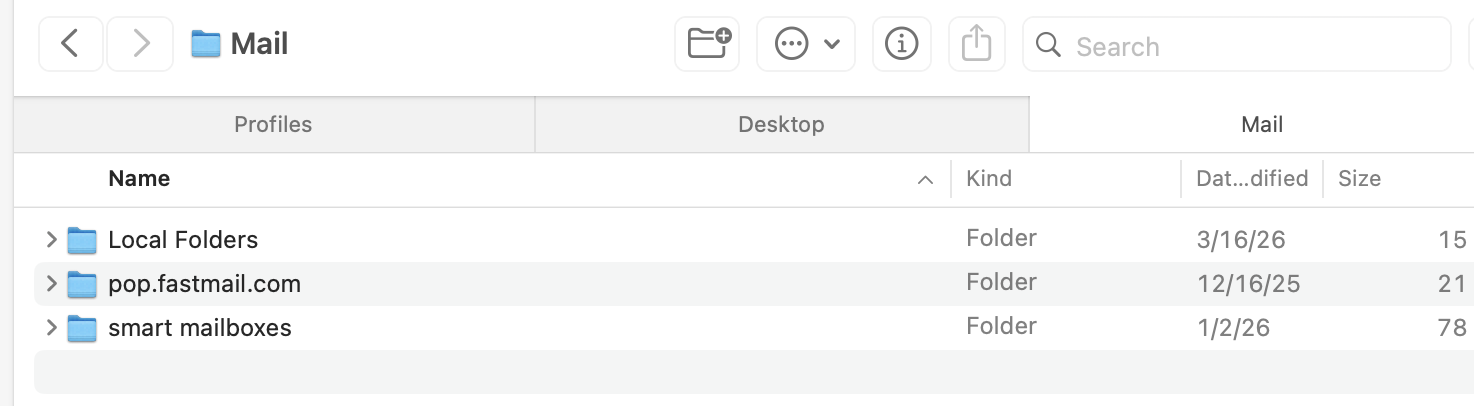
Open that folder called "148hsdtk.default-release". Scroll down if you must to find the folder called "Mail". You should see something like my first attached screen image. Ignore "smart mailboxes". Do you have a POP folder from which you want to copy messages to the server? Or only "Local Folders" in addition to the smart mailboxes?
If you want to copy any folders from the POP account, press the arrow (chevron, disclosure trangle, guillemet, whatever you want to call it) next to the POP folder to see what is in. What is the size of each folder that you want to copy to the server?
Now press the arrow next to "Local Folders" to see what is in it. What is the size of each folder that you want to copy to the server?
Ok. There are 82 items in the folder, no smartmail, only mail and imapmail. The only folders I want to copy are my local folders. I don’t have any other i don’t think. I thought pop folders were local folders. Do I find local folders in the 148hsdtk.default-release folder?
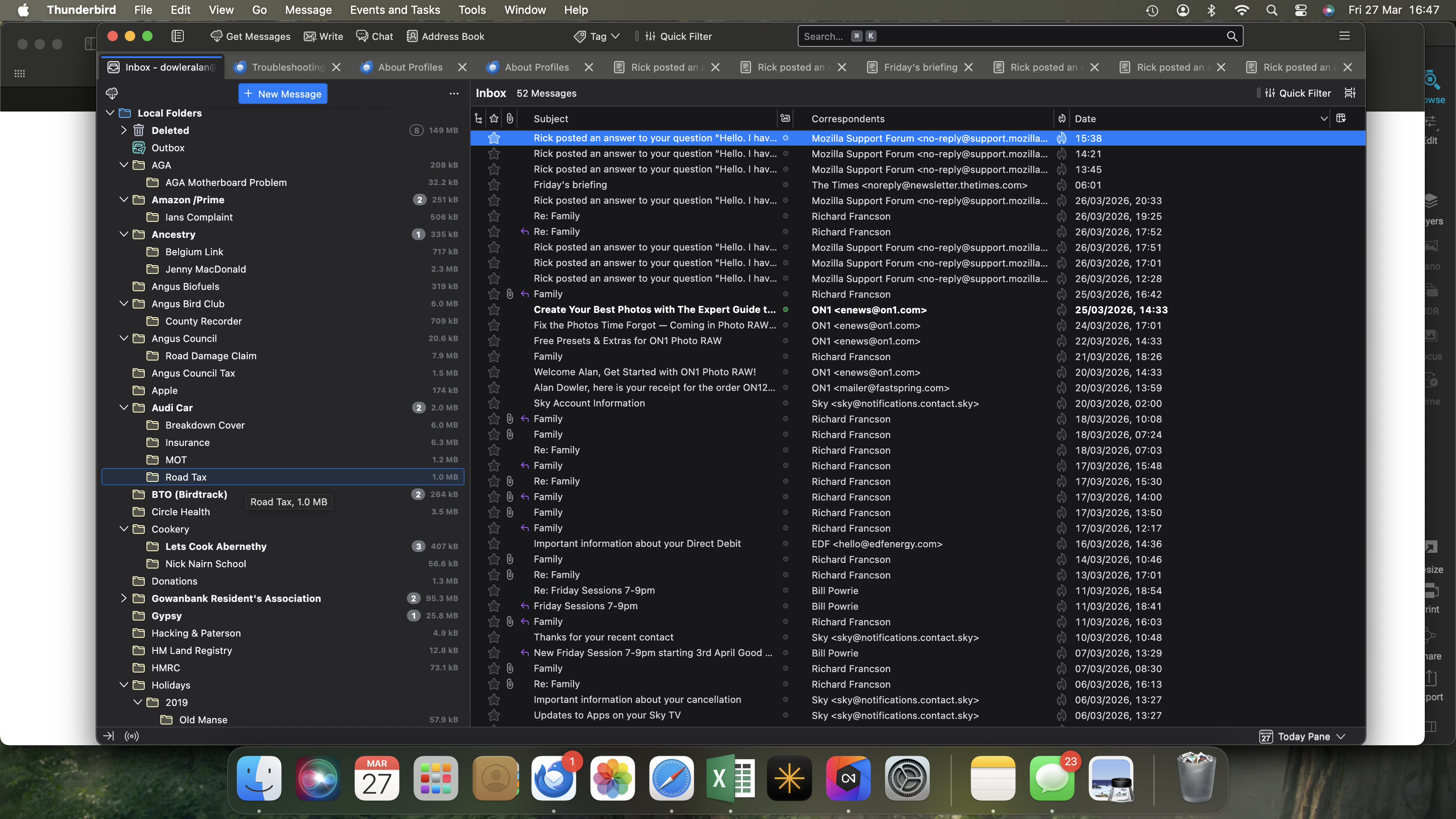
I see what you are asking now from the Thunderbird application. There are numerous small folders, the largest 95 mb but mostly they are in the kb range.
We're not seeking information from the Thunderbird application. We are seeking it in Finder. (There is a way to get folder sizes from the Thunderbird application. Maybe you used that.)
Yes, POP accounts store messages locally, but in their own folders, not in the "Local Folders" account. So, if you have a POP account and want to copy messages from it to the server, we need to know what.
I am concerned about the size of folders because, although you have reported that the largest one is 95 MB, your profile is 5 GB in size. That implies many messages somewhere. Where are the messages that are using all that space? In your IMAP account? In the local folders account? In POP accounts?
It's' not clear to me that you opened the "Mail" folder that is within the "148hsdtk.default-release" folder and looked at the contents of both the local folders account and any POP accounts that you have. Did you? And you did not see any folders bigger than 95 MB?
An gyara daga Rick
I don’t think I have a pop account. All my messages are in my local folders account. They consist of saved e mail messages. The Mail folder in 148 hsdtk etc consists precisely of the e mails I have saved so that seems ok. In fact these are the messages that need to go on the server so I will get them on my new macbook. As for size, it consists of an index of numerous headers and sub headings and that is why it is so large. Can I send you a photoshot of the local files.
I was hoping that you could just tell me the contents of your "Mail" folder and your "Local Folders" folder. If you are willing to post images of those contents, please do.
Rick said
Yes, POP accounts store messages locally, but in their own folders, not in the "Local Folders" account.
There is one exception to consider for this rule: if a user has chosen the "Global Inbox (Local Folders)" for his POP accounts, his messages will be stored exclusively in Local Folders. There are still people around who did this years ago but don't remember ....
Just my 2 cents: Alan wants to migrate his "Local Folders" from the "Applemac" to his MacBook. Why not consider to copy only the entire "Local Folders" folder from the Applemac and paste it in the "Mail" folder on his MacBook?
Mapenzi The only problem of merely copying files across is that if I add files either of my Mac or MacBook it would not show on the other device. But thanks for your help. Alan
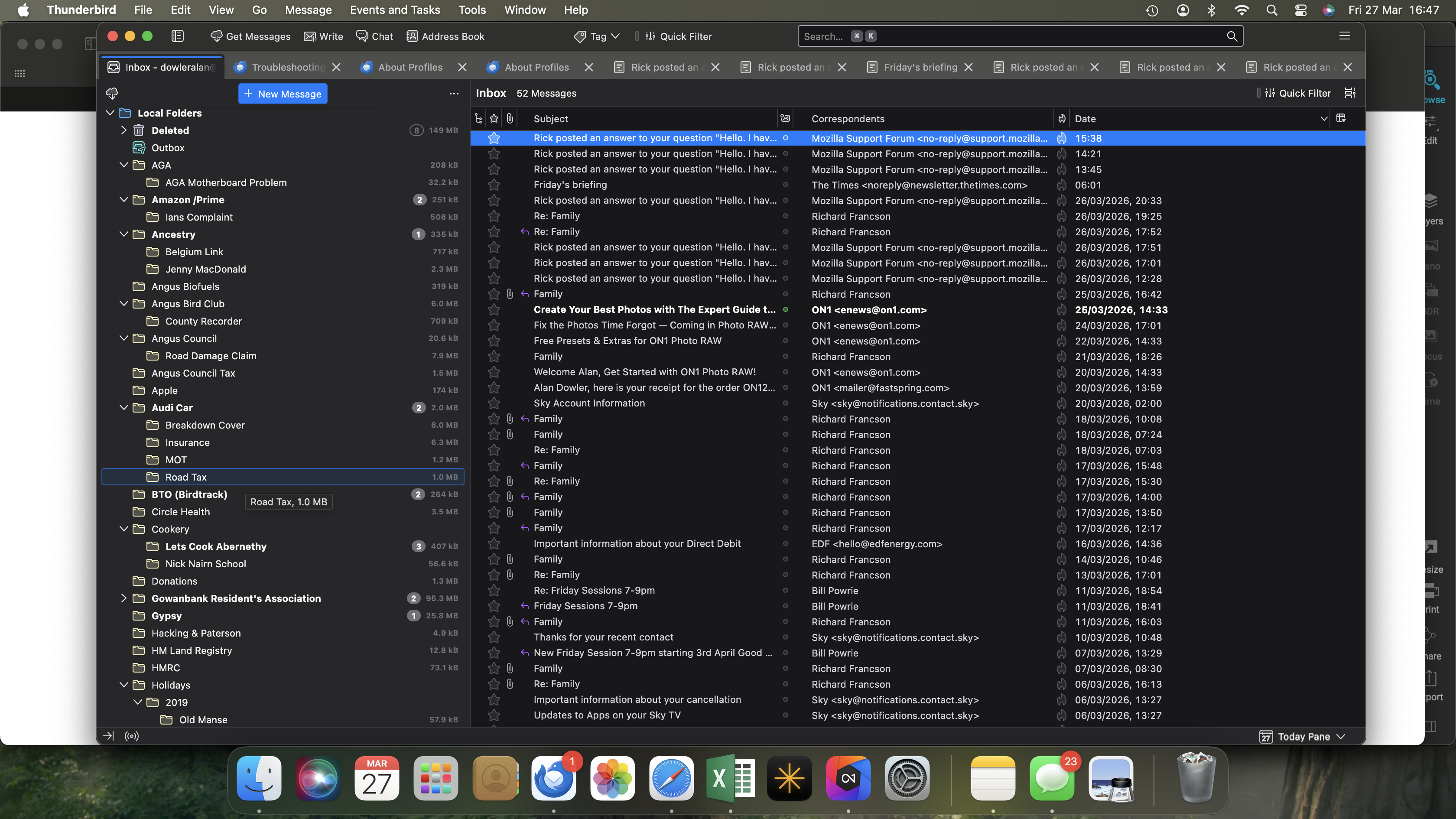
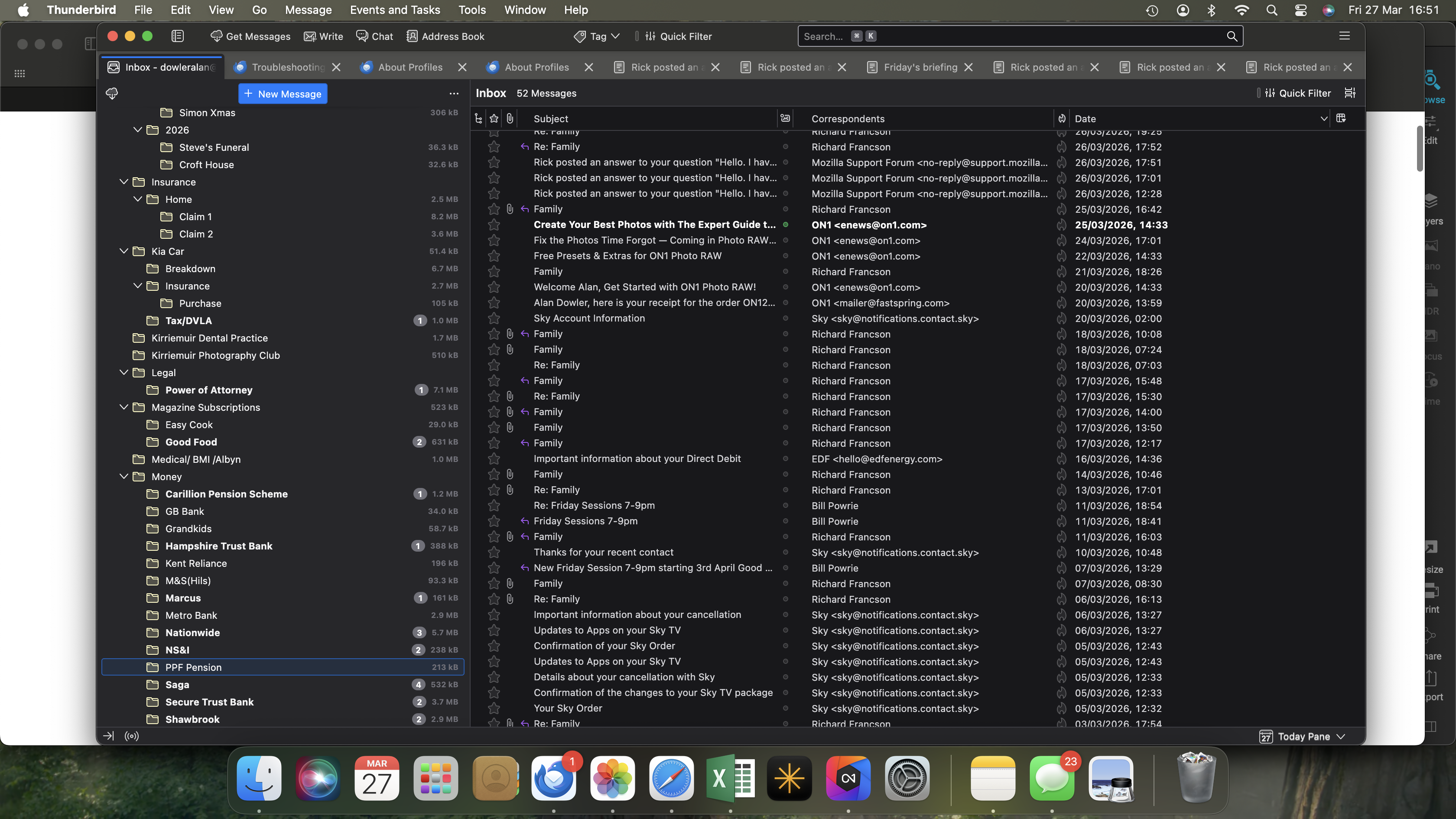
Rick I attach a couple of screenshots of some of the folders involved. Alan
Mapenzi said
Hi Rick,Rick said
Yes, POP accounts store messages locally, but in their own folders, not in the "Local Folders" account.There is one exception to consider for this rule: if a user has chosen the "Global Inbox (Local Folders)" for his POP accounts, his messages will be stored exclusively in Local Folders. There are still people around who did this years ago but don't remember ....
Just my 2 cents: Alan wants to migrate his "Local Folders" from the "Applemac" to his MacBook. Why not consider to copy only the entire "Local Folders" folder from the Applemac and paste it in the "Mail" folder on his MacBook?
Hi, Mapenzi. Thanks for the information about POP accounts. I have not used a POP account in 25 years and do not know everything about how Thunderbird uses them.
Alan doesn't want to migrate his folders. He wants access to his folders from both computers so he can work with them when he travels with his laptop computer and when he is at home with his desktop computer. So IMAP is more appropriate.
Alan Dowler said
Rick I attach a couple of screenshots of some of the folders involved. Alan
Thanks, Alan. That helps. I see now where you are getting the folder sizes. I never show them in Thunderbird, so I forgot that one could.
OK. Let's copy some folders. Let's start with one folder so you can see the process and start to become comfortable with it.
Here's the process:
- Show the activity manager so you can monitor the copying. Tools menu > Activity manager.
- Study my attached screen image. It shows what you will do. Right click on the "AGA" folder. In the drop-down menu that appears, select "Copy To", then your IMAP (server) account, then your IMAP (server) account again.
- Watch the activity monitor until it reports that all the messages were copied. Then select the copied folder under your IMAP (server) account and its sub-folder and inspect the messages. This is a quick check so you can feel confident that everything was moved and is usable. I don't mean that you should look at every message.
Please stop there. How did that go?
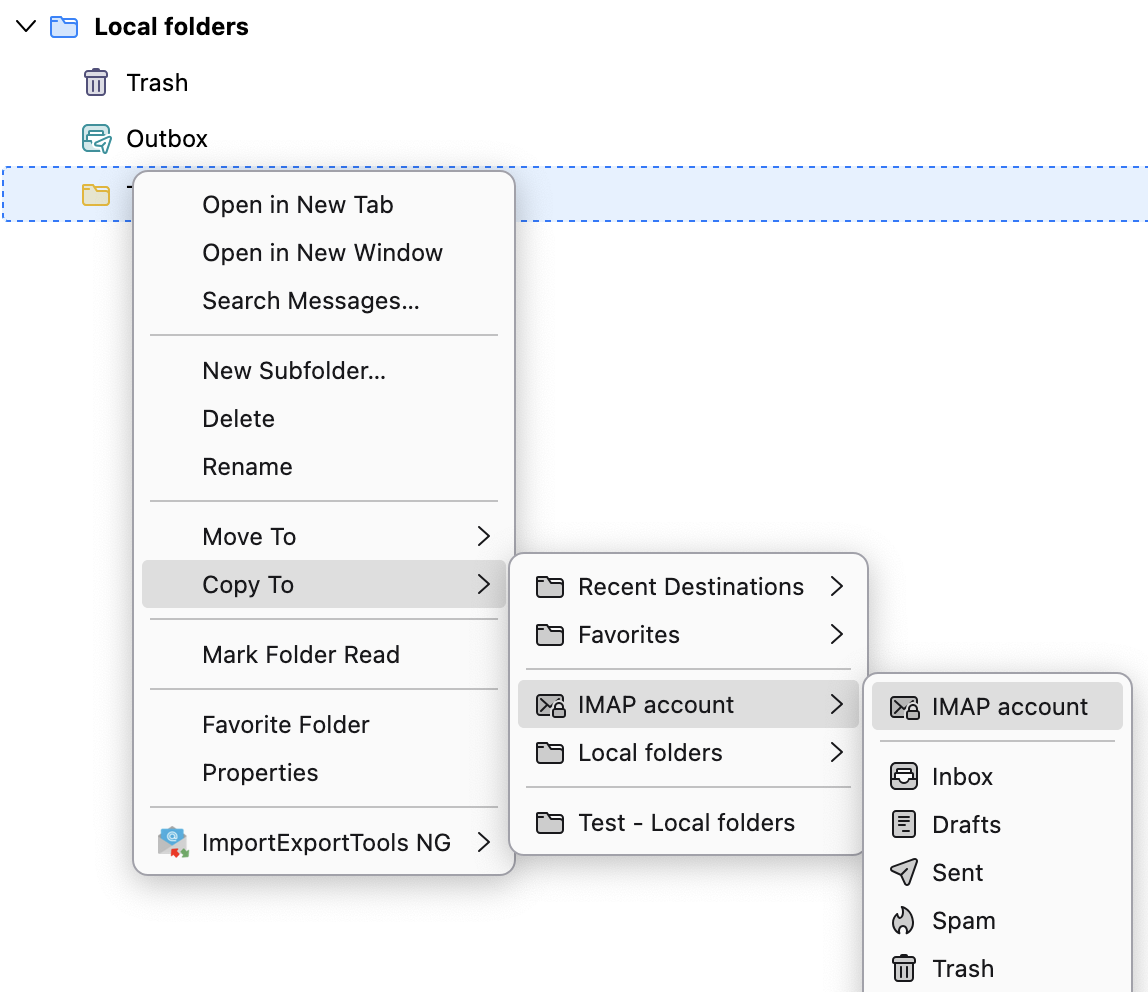
Right. I have opened activity manager. I have right clicked on Aga and on copy to; the options I have are recent destinations, favourites, dowleralan@gmail.com, local folders and Belgium link.
dowleralan@gmail.com is your IMAP (server) account. That's what you want to select.
Of course, you should copy AGA only if you want it on the server. If you don't, copy the first folder in alphabetical order that you want on the server.
Do you know if you have enough space on the server for all the messages that you want to copy? How much space does your plan provide? How much are you using now?