


Windows 10 reached EOS (end of support) on October 14, 2025. For more information, see this article.

Search Support

Avoid support scams. We will never ask you to call or text a phone number or share personal information. Please report suspicious activity using the “Report Abuse” option.

Learn More

"print or clip" option on Edge but not Firefox

  • Babu amsoshi
  • 0 sa na da wannan matsala
more options

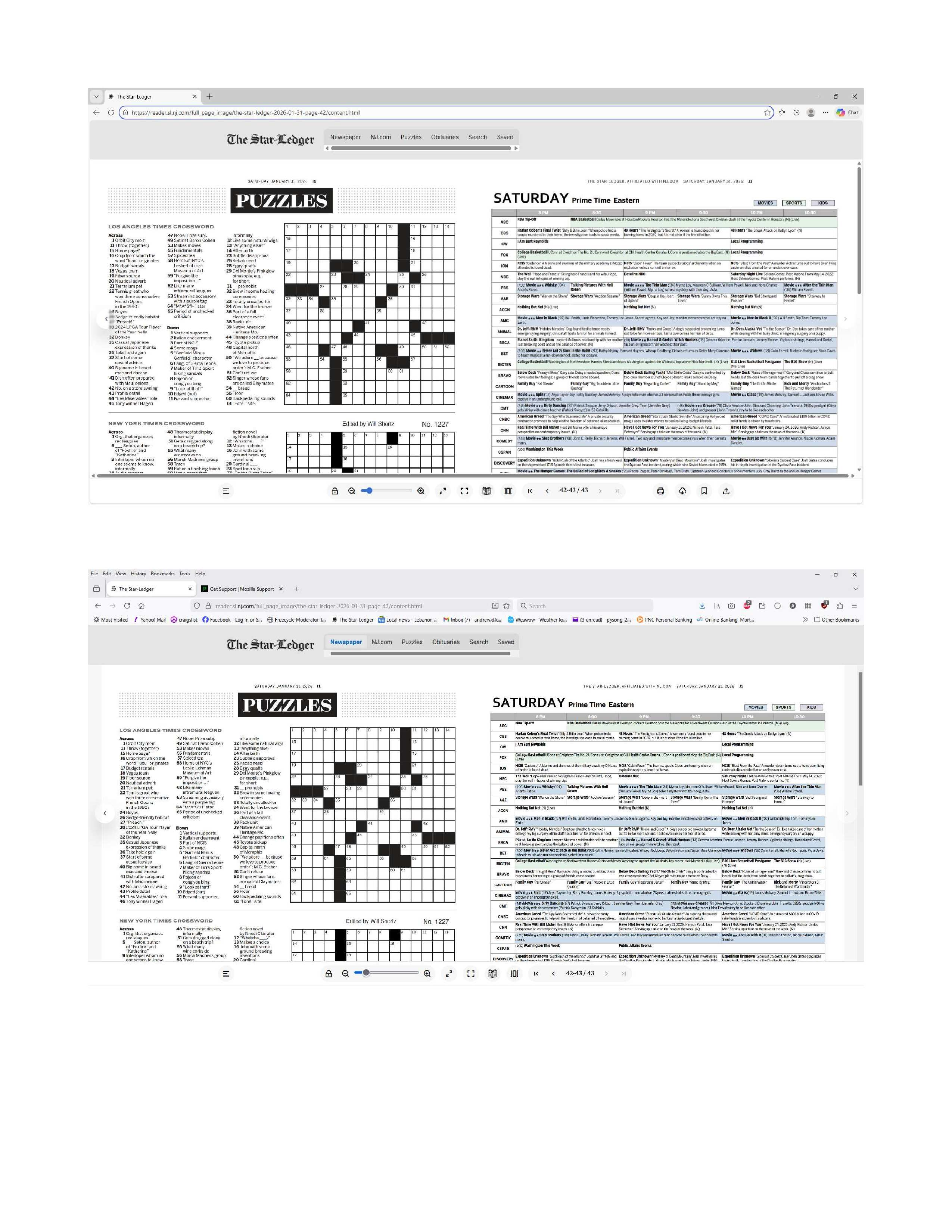
My local newspaper has gone only digital, which I actually like. But, there is an option on the bottom of the reader that is available when using Edge and is not available when I use Firefox. A mouseOver on Edge displays "Print or clip". Yes, it's a snipping tool and/or print option. But it really right-sizes the snipped area perfectly for printing crossword puzzles. The Windows snipping tool (Windows 11) makes it too small so I need to go to Edge for only this one task. My first preference would be to get the function on the Firefox screen, and my second choice would be to figure out how to use the Windows snipping tool to print without leaving Firefox. Firefox 147.0.1 (64-bit) The reader if your allowed to open it: https://reader.sl.nj.com/full_page_image/the-star-ledger-2026-01-31-page-42/content.html There are Edge and Firefox screenshots in the attached file. The icon(s) of which I speak is the first of the four on the bottom right of the Edge screenshot ( the first screenshot).
My local newspaper has gone only digital, which I actually like. But, there is an option on the bottom of the reader that is available when using Edge and is not available when I use Firefox. A mouseOver on Edge displays "Print or clip". Yes, it's a snipping tool and/or print option. But it really right-sizes the snipped area perfectly for printing crossword puzzles. The Windows snipping tool (Windows 11) makes it too small so I need to go to Edge for only this one task. My first preference would be to get the function on the Firefox screen, and my second choice would be to figure out how to use the Windows snipping tool to print without leaving Firefox. Firefox 147.0.1 (64-bit) The reader if your allowed to open it: https://reader.sl.nj.com/full_page_image/the-star-ledger-2026-01-31-page-42/content.html There are Edge and Firefox screenshots in the attached file. The icon(s) of which I speak is the first of the four on the bottom right of the Edge screenshot ( the first screenshot).
Hoton allon fuska da aka liƙa

You must log in to your account to reply to posts. Please start a new question, if you do not have an account yet.