


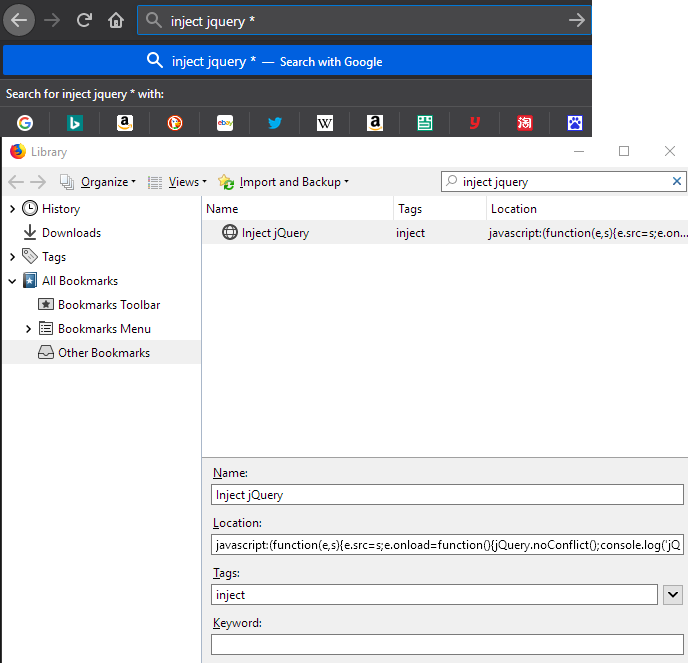
Can't search javascript injection bookmark in searchbar

Bookmark Detail
Name: Inject jQuery
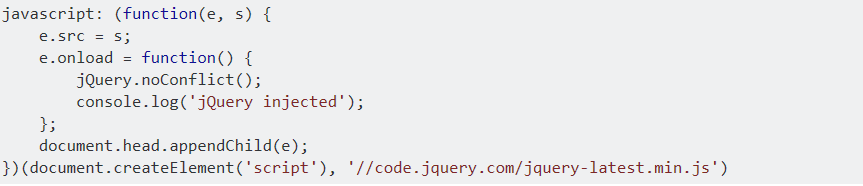
Location: javascript:(function(e,s){e.src=s;e.onload=function(){jQuery.noConflict();console.log('jQuery injected')};document.head.appendChild(e);})(document.createElement('script'),'//code.jquery.com/jquery-latest.min.js')
But i can search in the bookmark manager! help
An gyara daga three
Mafitar da aka zaɓa
Yes, it seems the address bar "autocomplete" function does not show bookmarklets (javascript: protocol addresses) as bookmark matches.
This will roll that back:
(1) In a new tab, type or paste about:config in the address bar and press Enter/Return. Click the button promising to be careful or accepting the risk.
(2) In the search box above the list, type or paste javas and pause while the list is filtered
(3) Double-click the browser.urlbar.filter.javascript preference to switch the value from true to false
Source: "Firefox blocks JavaScript in address bar by default" on gHacks Tech News.
Does that help?
Karanta wannan amsa a matsayinta 👍 1All Replies (2)
Zaɓi Mafita
Yes, it seems the address bar "autocomplete" function does not show bookmarklets (javascript: protocol addresses) as bookmark matches.
This will roll that back:
(1) In a new tab, type or paste about:config in the address bar and press Enter/Return. Click the button promising to be careful or accepting the risk.
(2) In the search box above the list, type or paste javas and pause while the list is filtered
(3) Double-click the browser.urlbar.filter.javascript preference to switch the value from true to false
Source: "Firefox blocks JavaScript in address bar by default" on gHacks Tech News.
Does that help?
Thanks bro, work :)