


i have lost the toolbar at the top of screwen how do i get it back

i have google as home page, but seemed to have lost the toolbar at top of my screen which has bookmarks and other info stored up there to make it easier for me to get to frequently used sites. Iam not real computer savvy so all this has been set up for me to make it easier to operrate on my behalf
All Replies (3)
Steps: Click on Firefox button. Go to Options. Select the bars you want.
Check the screenshot if you are confused.
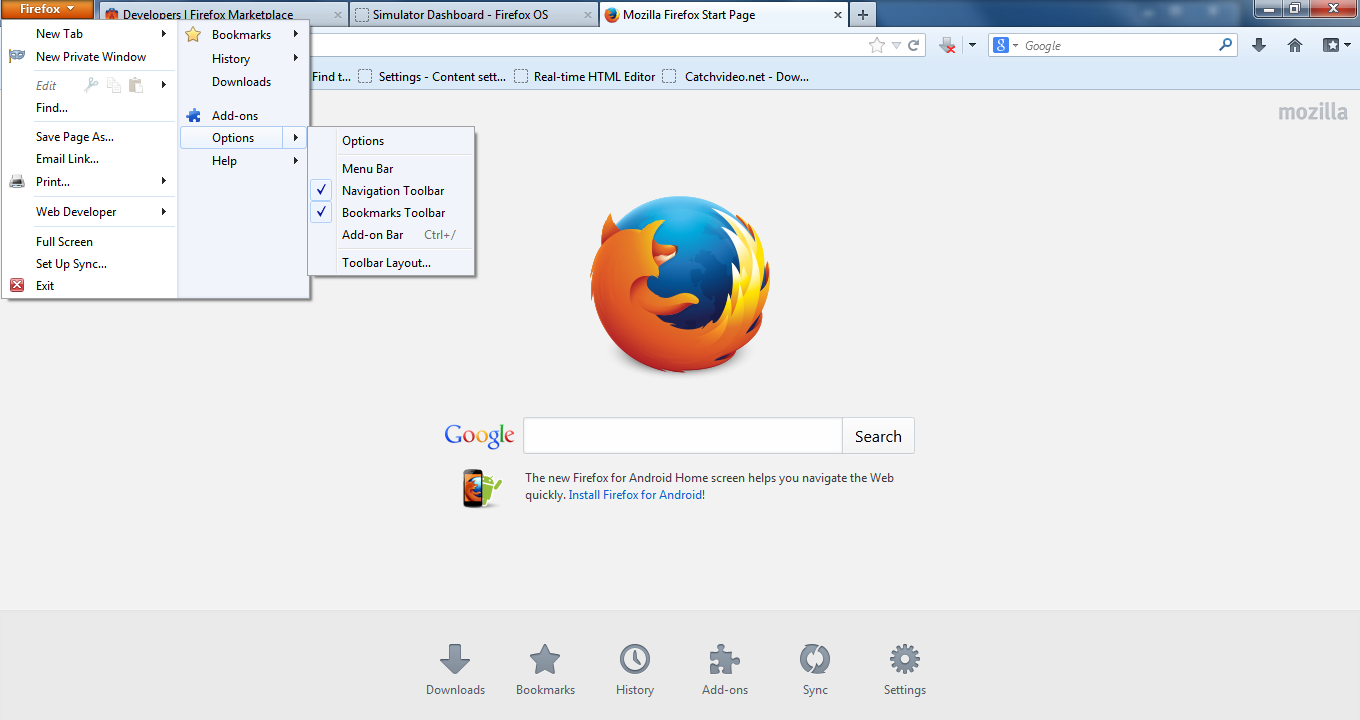
Modified by Manojit Ghosh
Screenshot:
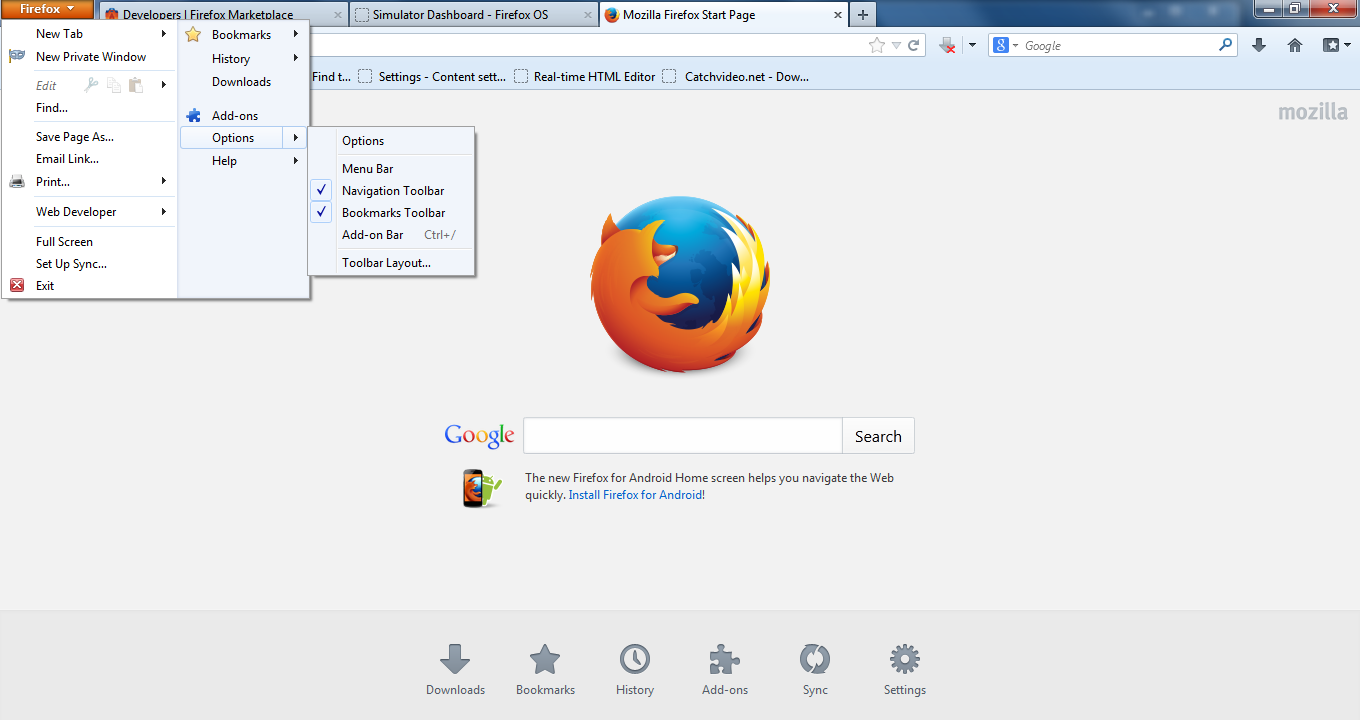
Make sure that you do not run Firefox in full screen mode (press F11 or Fn + F11 to toggle; Mac: Command+Shift+F).
Make sure that toolbars like the "Navigation Toolbar" and the "Bookmarks Toolbar" are visible.
- Firefox menu button > Options
- View > Toolbars (press F10 to display the hidden Menu bar)
- Right-click empty toolbar area
Use Toolbar Layout (Customize) to open the Customize window and set which toolbar items to display.
- check that "Bookmarks Toolbar items" is on the Bookmarks Toolbar
- if "Bookmarks Toolbar items" is not on the Bookmarks Toolbar then drag it back from the toolbar palette into the Customize window to the Bookmarks Toolbar
- if missing items are in the toolbar palette then drag them back from the Customize window on the toolbar
- if you do not see an item on a toolbar and in the toolbar palette then click the "Restore Default Set" button to restore the default toolbar setup
- https://support.mozilla.org/kb/How+to+customize+the+toolbar
- https://support.mozilla.org/kb/Back+and+forward+or+other+toolbar+items+are+missing