


With an email search - how do I see what folder the email is on in the search results?

Love Thunderbird - thanks!
Can't seem to find what folder an email is in doing a search. The list of results doesn't show it and can't see it in the email. Maybe missing something. I sort emails by folders so not knowing the folder makes it hard to find what folder it is in (such as I may want to move that email).
Jim
Chosen Solution
Thanks - I see how that works now. Also have the icon so the right of QUICK FILTER button to switch between TABLE and CARDS view. That helps too.
Still would be nice to have the folder name show up in the email like if it's TAGGED IMPORTANT. But this suffices so when I do a search I can find where that email is if I want to move it or do something else with it.
Thank you and take care!
All Replies (6)

Can I assume you're talking about the Global Search function?
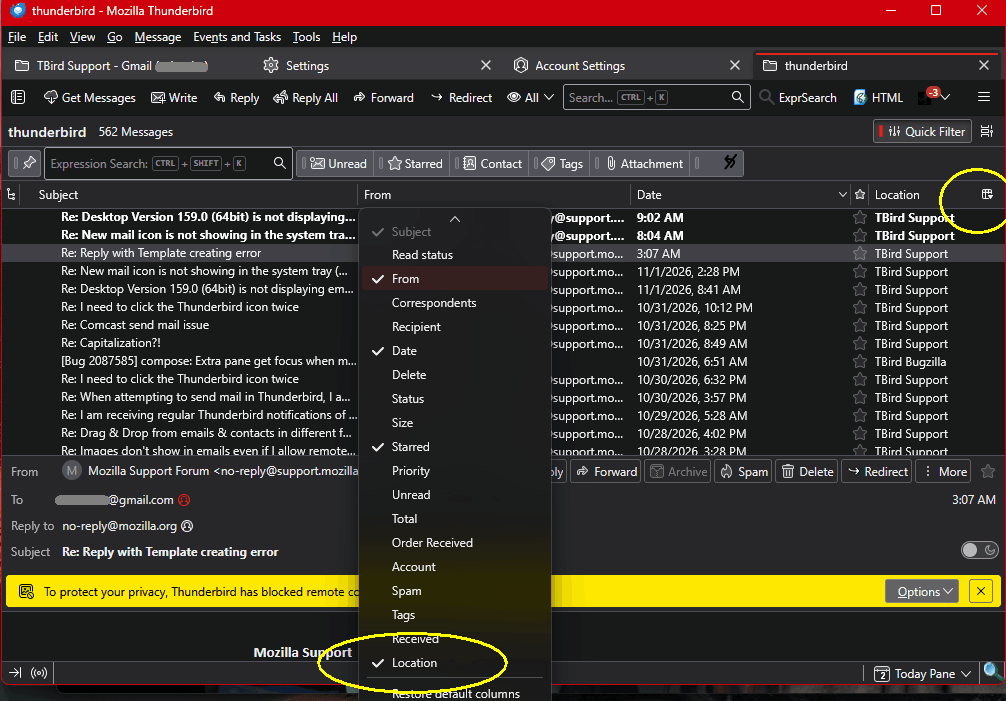
When you run a search, by default you get that odd "graph" results tab. At the top is a link called "Show results as list". Clicking that gets you a table view of the results, just like a folder messages Table View. As with that view, you can right-click on the headers line and add other columns if they're not showing, one of them being "Location", which is the folder name.
Similarly, the "Find Messages" search (<Ctl-Shift-F>) function can also show the Location.
Yes the GLOBAL SEARCH function - sorry.
The Show Results as List changes the view but I cannot find anywhere to add another column. There is a CUSTOMIZE TOOLBARS option for that header which shows a bunch of buttons to click on to change things. When I click on File Location nothing changes so cannot save anything.
Curious when I pop up that email in the GLOBAL SEARCH why wouldn't it just show the FOLDER? It shows if it's tagged IMPORTANT. I think OUTLOOK did that.
Didn't know about the <Ctl-Shift-F> function but sadly useless to me as I didn't realize I didn't set up my folders below the INBOX so the search won't grab all my different folders as only can pick INBOX or a specific folder. So need to use the GLOBAL SEARCH function.
So still not able to see the folder. Thanks.
I think you skipped part of my instructions. Did you right-click on the header line in the list of results? You will get a pop-up menu with a list of columns to display. You can also get the menu by clicking on the little icon at the right of the column names. See the attached image.
You have a different list view than I can find. Played with options under VIEW but couldn't replicate. Here is what I see.
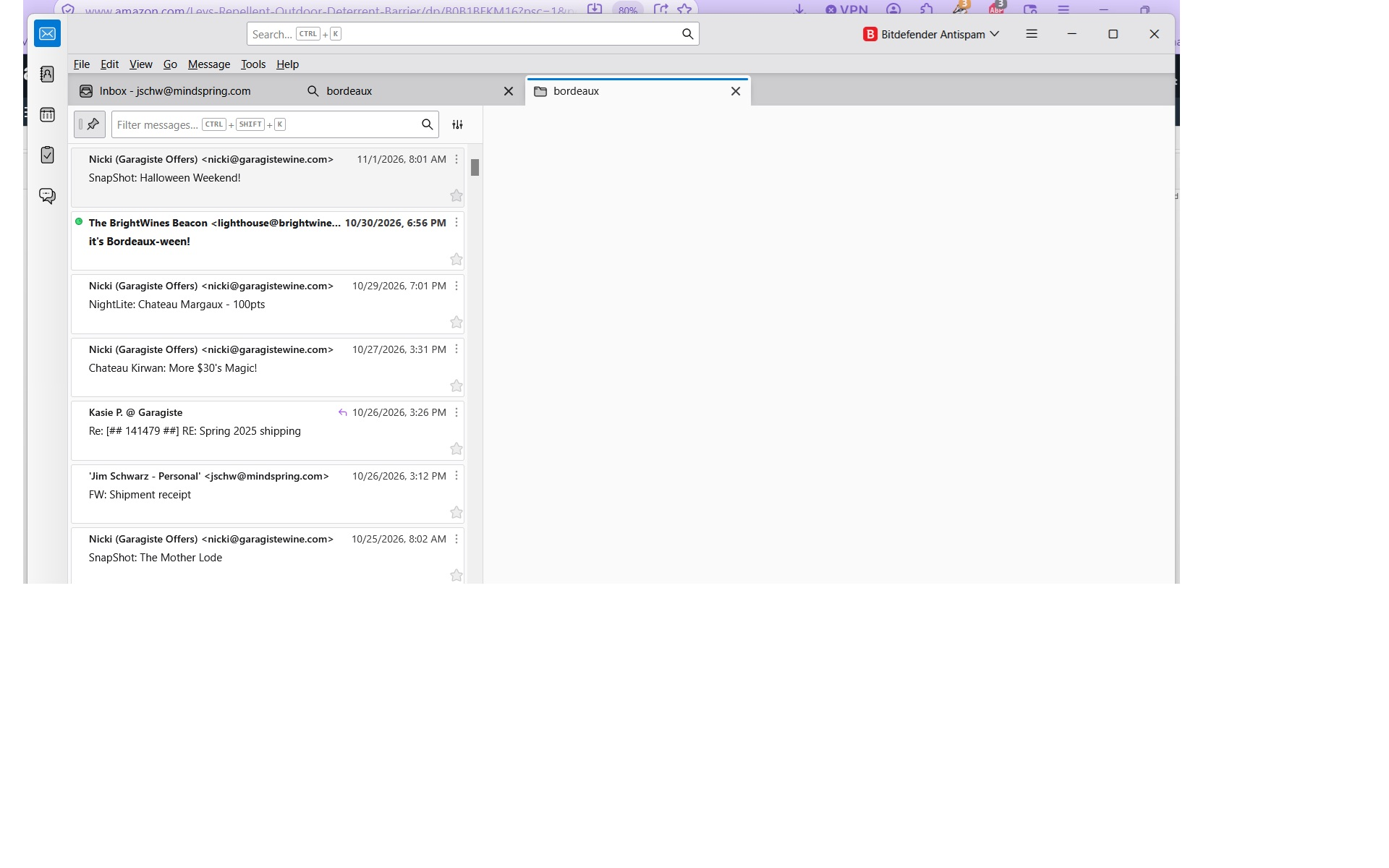
Ah, OK, I see what's going on. You're displaying the results in Cards View. To see the results in a spreadsheet-like view with columns you can display and sort on, you need to use Table View. To switch between the two views, go to <Settings | Appearance | Message List> and change from Cards View to Table View.
You can see in my image a small icon to the right of the Quick Filter button. Clicking that icon reveals the option to more easily switch between Cards and Table View. You don't seem to have that icon. I don't know why.
Chosen Solution
Thanks - I see how that works now. Also have the icon so the right of QUICK FILTER button to switch between TABLE and CARDS view. That helps too.
Still would be nice to have the folder name show up in the email like if it's TAGGED IMPORTANT. But this suffices so when I do a search I can find where that email is if I want to move it or do something else with it.
Thank you and take care!