


On TB 140.12.0esr, prompting with message enter credential for the account

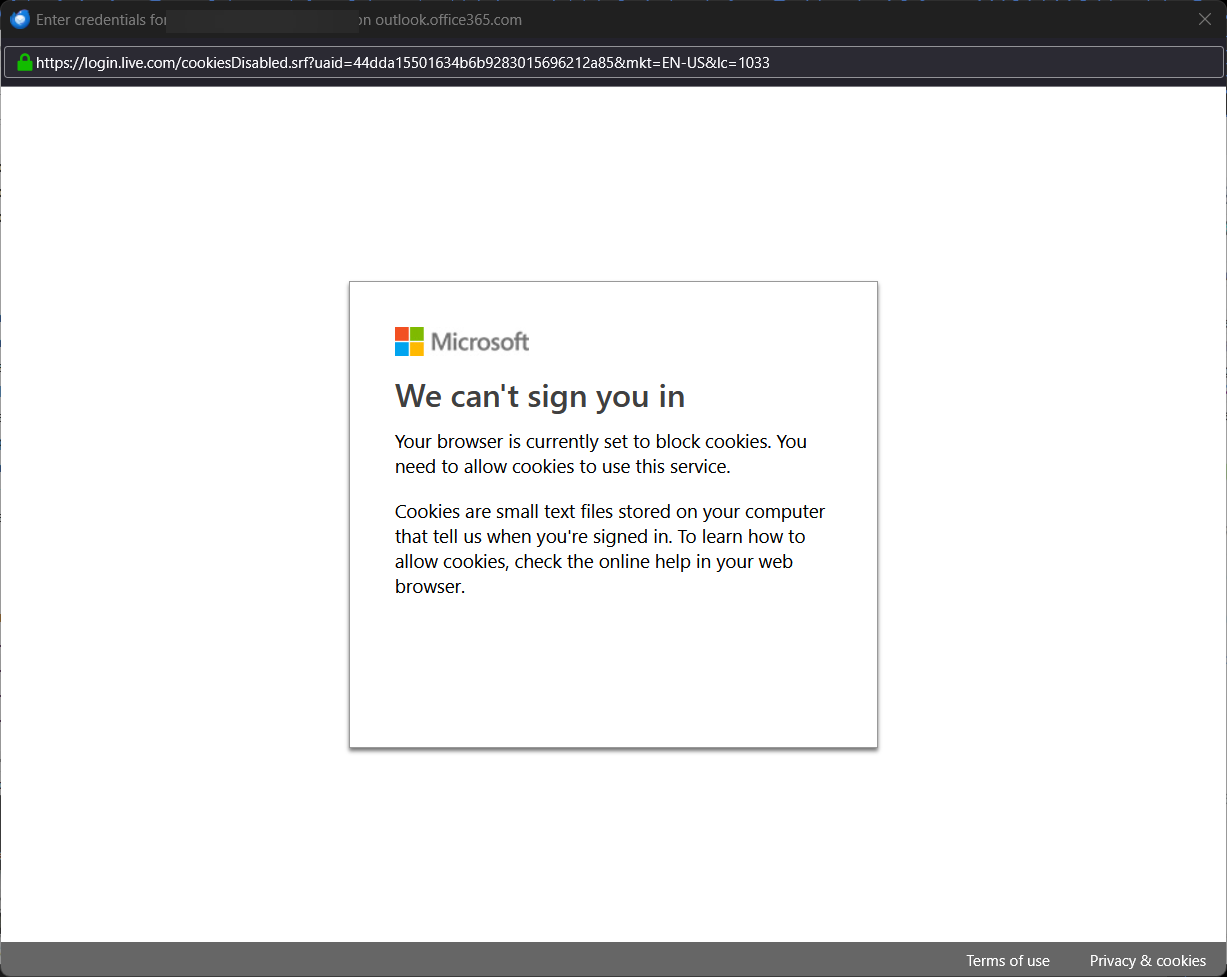
I keep getting prompt with this message stating the current config is set to block cookies (attached screenshot) and is occurring every interval. I had updated the app yesterday, some how after restarting the computer, it's popping up with the message.
All Replies (7)
That message appeas to be coming from the Microsoft browser (Edge?). go to the privacy setting and then to the cookie setting and tick the option to allow reading cookies. This is a browser thing, not Thunderbird.
Modified by david
I don’t understand. Please correct me if I'm wrong here, but the Thunderbird is prompting with this message. From what I can recall, I don’t have anything linked to Microsoft Edge, its not set as the default browser
Modified by Rastapopoulos1
The logo on your screenshot is of Microsoft, not Thunderbird. Thunderbird uses the default browser set by the user.
Are you saying the logo on the top left hand side, its Microsoft, not Thunderbird? There might be some miscommunication, I understand the underlying account context is Microsoft, but I was referring to the dialog box that appeared when I launched Thunderbird
I was responding to your screenshot, which has a Microsoft logo and the word 'Microsoft.'
I understand, What I was trying to imply was that this was happening inside thunderbird. Correct, the message is indeed from microsoft which I recognize. This is my first time encountering this
I found a similar topic on the support page, would this be another way to approach it, by going into Settings > Privacy & Security under Web Content section, checking “Accept cookies from sites”?
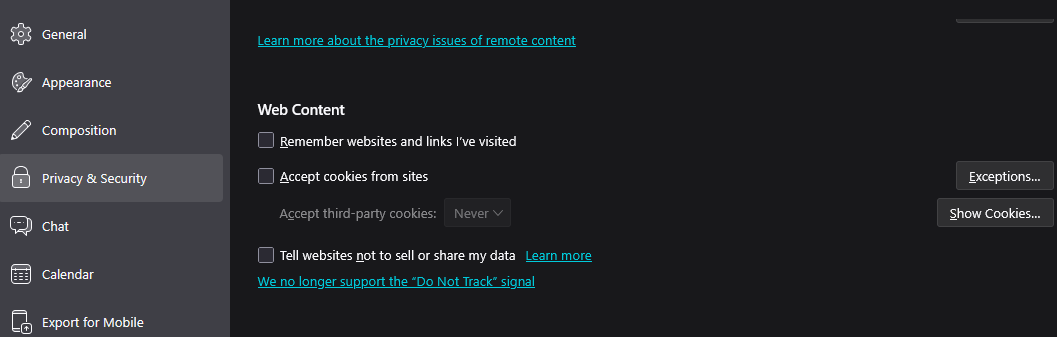
Yes. you need to accept cookies or the account will not be approved for setup.