


Recent Folders

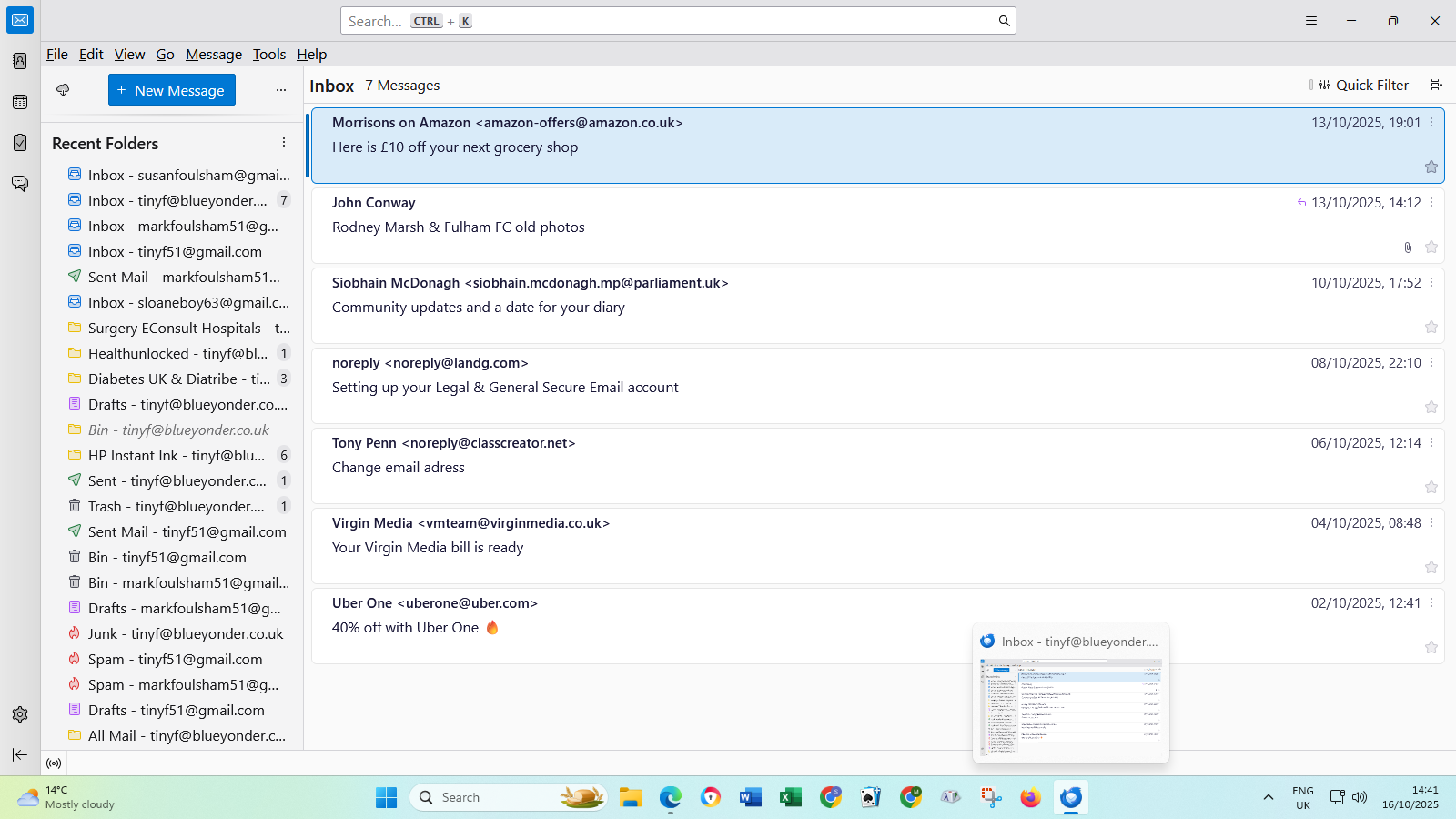
When I open Thunderbird now I suddenly see a whole load of 'Recent Folders' at the bottom of my All Folders list.
All of my folders are suddenly all over the place. Please can someone help?
All Replies (8)
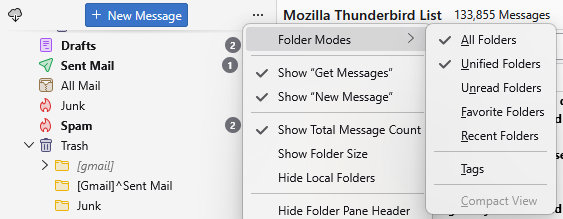
Thank you, Matt. Please forgive my ignorance but I don't quite understand how I go about doing what you're asking me to do as I'm getting on in years. Please be patient with me and give me step by step instructions.
Thank you.
Matt, I've worked out what to do up to the point where what I'm viewing looks like the screenshot you showed me. Where do I go from there please?
Matt, I think I've worked out that I should untick the Recent Folders. Is that correct?
Thanks. tinyf
Matt, thank you again. Should I now untick Unified Folders that is showing in my All Folders column?
tinyf
Thanks, once again, Matt. Should I now delete the Unified Folders heading that is showing in my All Folders column
@tinyf, you can check or uncheck any of the folder mode choices as you needs require.
Let's know if you have trouble unchecking any of them.