


Why there is no contrast in themes?

I have a problem with contrast-free Firefox. I cannot see what tab is active what is passive. I tried to get better contrast by changing the theme with those available for Firefox. I have tried at least a dozen of them, but all get the sane destiny. It might take a couple of days or a couple of weeks, it comes. I mean after a short period my applied theme disappears and I get the same standard theme.
All Replies (3)
Settings > Accessibility > Website contrast . . . though may not effect Toolbars
if you really want such a thing look into adding a file [userChrome.css] to your current profile in directory chrome.
Read up on [userChrome.css]
If you can be bothered you can def do it there
See attached image for my formatted tabs
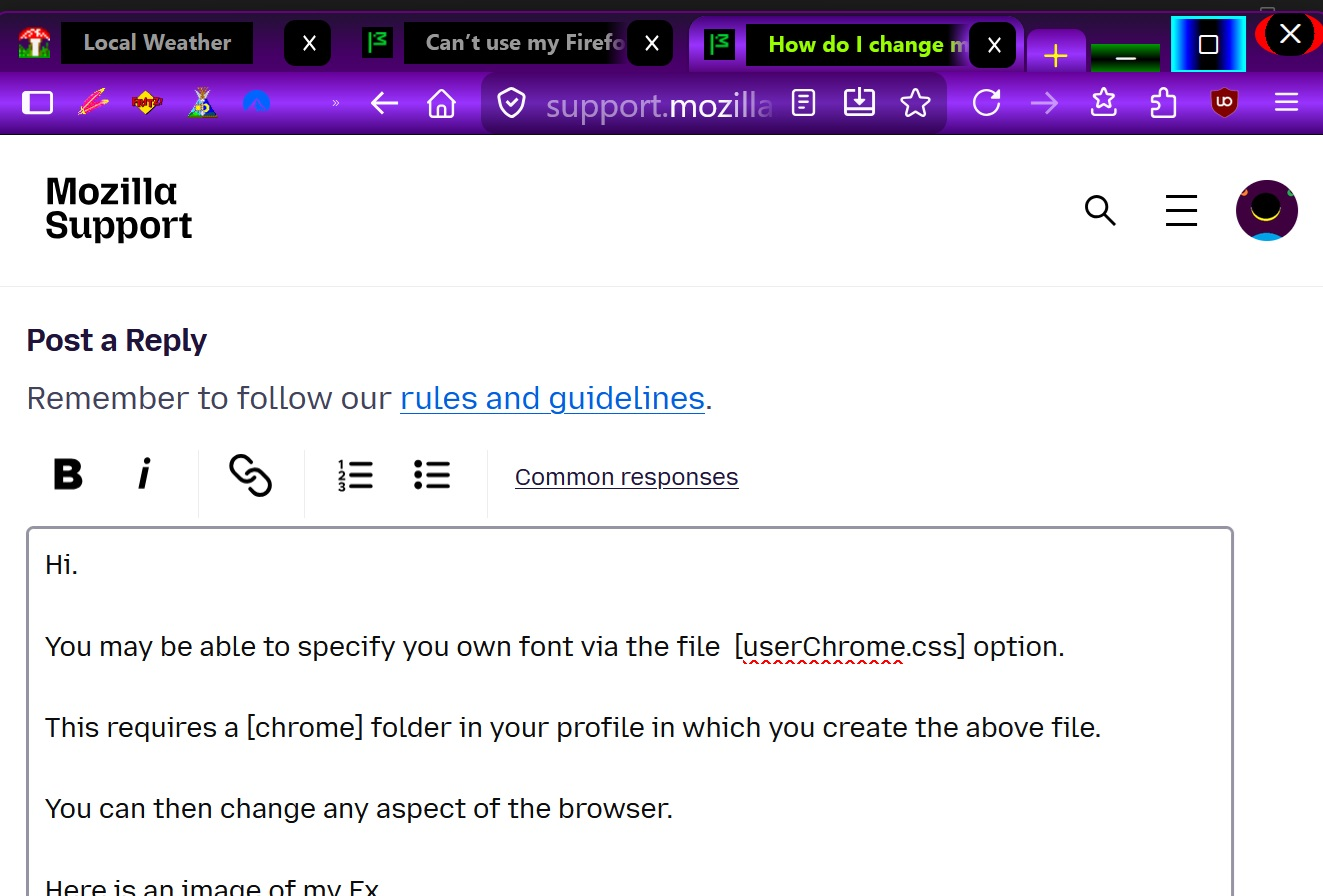
amoun modificouno o
thank you. It's great to know, but as I suspected it does not affect the header. it just make lines, frames, texts more contrasty. Regards Mojtaba
There are definitely very contrasting themes available out there (just search for "contrast" in addon themes). That's however not the problem, you're suggesting that after some time you get that theme choice re–set back to defaults? That doesn't sound right. Is it the only change, or other things on your profile also get forgotten/reset at the same time?