


Block on certain websites

I can't access certain websites when I attempt to leave feedback. I'm told to remove blocking. I clicked on the shield and turned off Enhanced Tracking Protection on those sites. I also added the sites to the Exceptions list in Privacy & Security (Manage Exceptions). My Browser Privacy Settings are: Custom Choose which trackers and scripts to block. ✓Cookies: Cross-site Tracking Cookies ✓Tracking content: Only in Private Windows ✓Cryptominers ✓Fingerprinters
But I still can't access the sites.
Which settings do I need to change so I don't get blocked by the websites?
Alle antwurden (14)

Make sure you are not blocking content.
https://support.mozilla.org/en-US/kb/enhanced-tracking-protection-firefox-desktop also see https://blog.mozilla.org/security/2021/03/23/introducing-smartblock/
https://support.mozilla.org/en-US/kb/smartblock-enhanced-tracking-protection
Diagnose Firefox issues using Troubleshoot(Safe) Mode {web link}
A small dialog should appear. Click Start In Troubleshoot(Safe) Mode (not Refresh). Is the problem still there?
Many site issues can be caused by corrupt cookies or cache.
Warning ! ! This will log you out of sites you're logged in to. You may also lose any settings for that website.
- How to clear the Firefox cache {web link}
I'm not in a private browsing window and I already clicked on the shield and turned off Enhanced Tracking Protection.

Steps to replicate the issue please.
When I go to a website to leave feedback for an item that I purchased, I following the instructions on the website to leave feedback. That generally means signing into my account and clicking on the feedback button which opens up a feedback form. I fill in all of the required boxes, click the box that says that "I agree. . .", and then I click on the "submit feedback" button. At that time, I box appears which tells me that I have to disable my blocking.
My cookies and history settings are listed in my first post.
The site(s) are...
A few off the top of my head that happened recently are:
https://www.belk.com/ https://www.jcpenney.com/ https://www.boscovs.com/
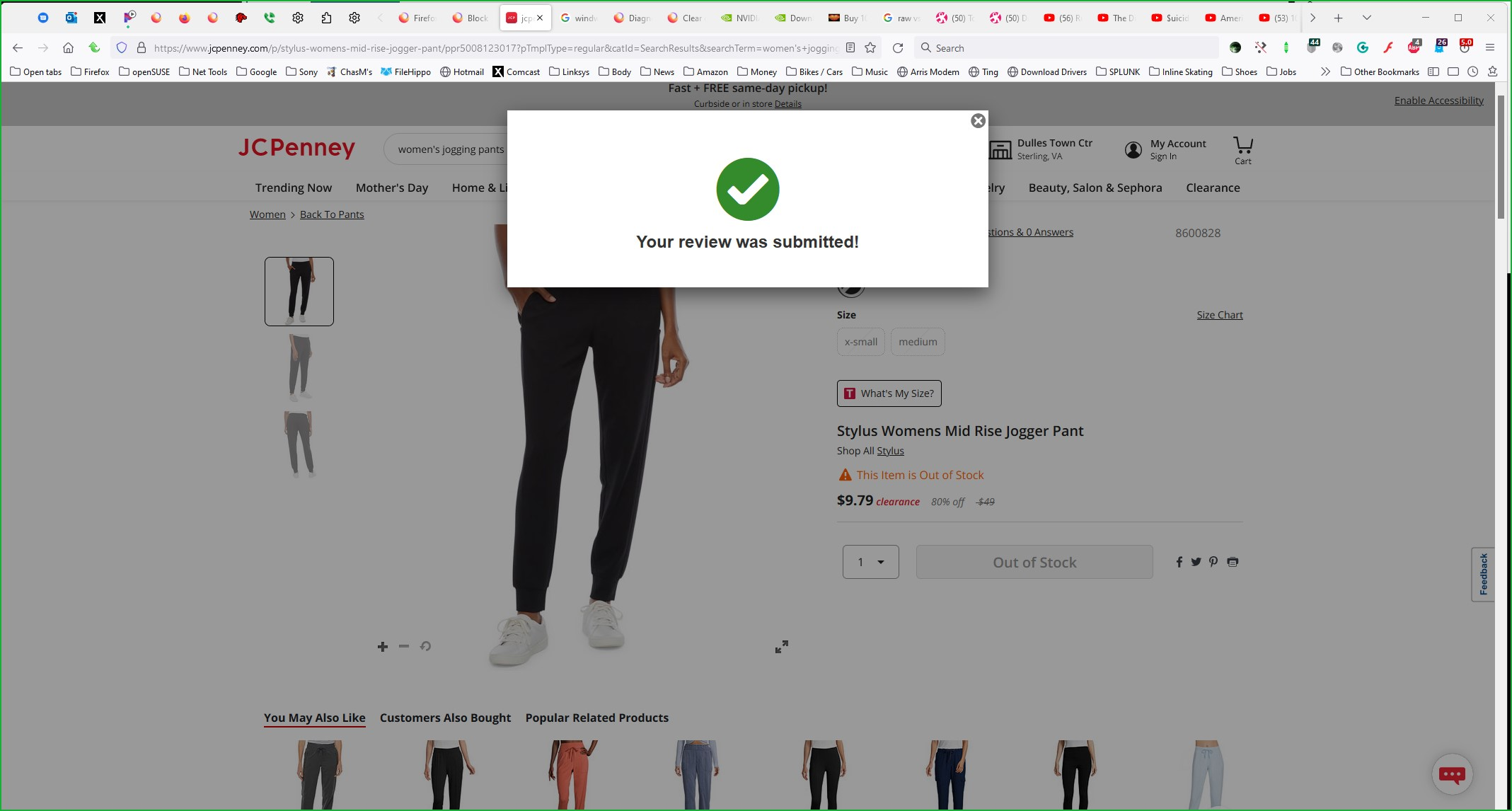
One particular item just yesterday that I tried to leave feedback for that told me that I needed to disable my blocking: https://www.jcpenney.com/p/stylus-womens-mid-rise-jogger-pant/ppr5008123017?pTmplType=regular&catId=SearchResults&searchTerm=women%27s+jogging+pants&productGridView=medium&urlState=color%3Dblack%26gender%3Dwomen%26product_type%3Dpants%26product_size%3Dx-large&badge=onlyatjcp&selectedSKUId=86008280091&facetSelected=size,color
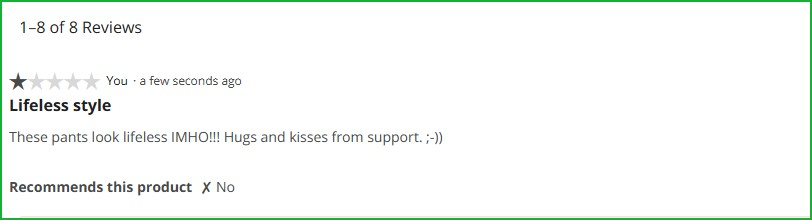
Works for me. see screenshots
Bewurke troch jonzn4SUSE op
The upload server... smh
Did you try it in safe mode like Fred mentioned? Also, screenshot of your issue would help us help you.
Bewurke troch jonzn4SUSE op
Works for me. see screenshots
The problem is, it doesn't work for me and I'm trying to find out how to fix it.
The upload server... smh
I have no idea what this means.
Did you try it in safe mode like Fred mentioned? Yes, no difference.
Screenshot attached.

The server used to upload screenshots fails often.
Your screenshot only shows what's in the browser. What ad-blocker do you have installed? I have 2 as you can see in my screenshot and they do not prevent me from posting.
Bewurke troch jonzn4SUSE op
I have ContentBlocker installed but I turned it turned off in case it was the add-on causing the problem but I still can't leave feedback.
I would try another Windows account and see if you have the same issue. While in the other account, do not log into your Firefox account.
I was hoping it was one of my settings in Firefox that was causing the problem. I don't want to create another Windows account even though I can delete it, I'd just rather not.
Thanks for your help and suggestions. Much appreciated.