


Problem after closing Yahoo email account

I have recently closed my yahoo mail account, removed all traces from Thunderbird, but when I start Thunderbird, after a few seconds, I get a Yahoo sign in screen over the top of Thunderbird
Toutes les réponses (7)

Please show us a screen shot of the Yahoo screen. It might provide a clue.
Does it still happen if you restart Thunderbird in Troubleshoot Mode? (See <Help | Troubleshoot Mode>.)
Check to see if you're still subscribed to any Address Books or Calendars.
Check to see if there are any entries for that account in <Settings | Privacy & Security | Passwords | Saved Passwords>.
It still happens when I open Thunderbird with the shift key down. I have deleted all references to the yahoo account in settings and account settings. I still use Google calendar. I attach a screen shot of what I see after opening Thunderbird. I have to use task manager to close Thunderbird to get rid of the window, after closing Thunderbird itself. I hope that helps
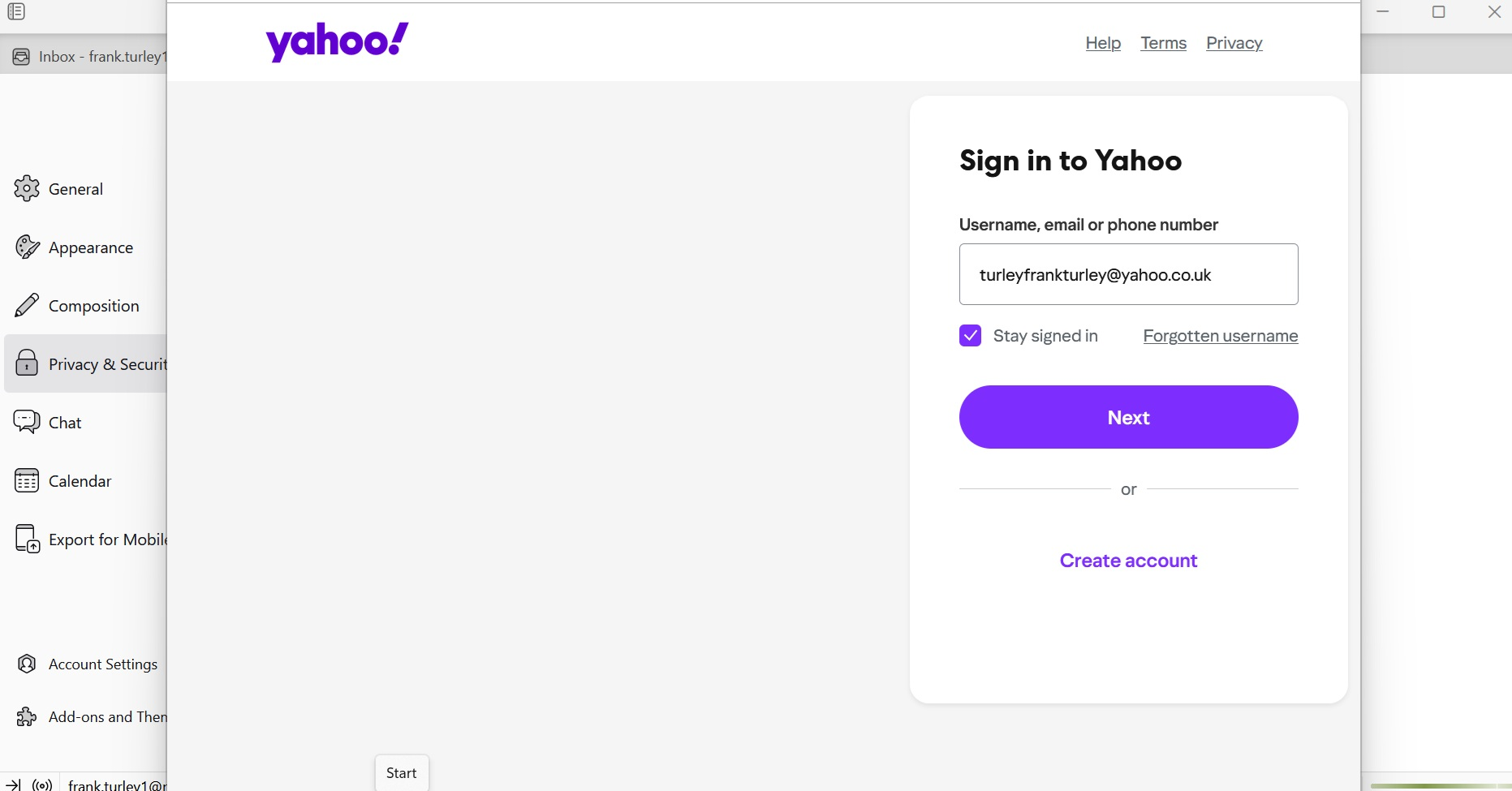
But did you check Address Books and Calendars to see if there are still Yahoo products listed there? They can be removed or unsubscribed from.
Did you check Saved Passwords?
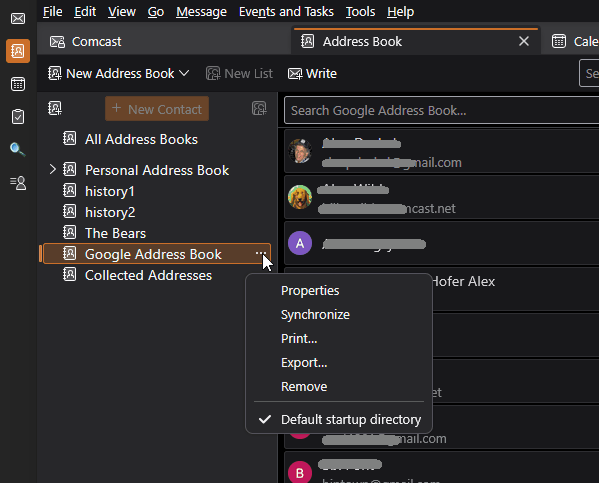
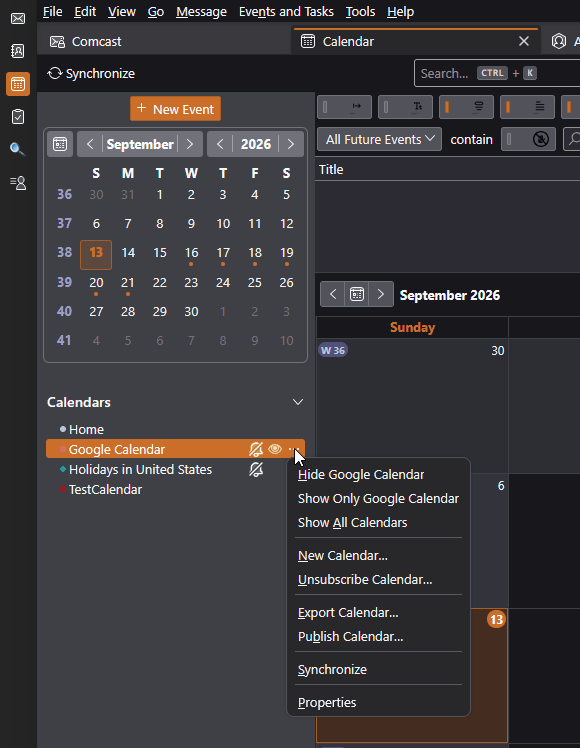
I have contacts with yahoo mail addresses, but no yahoo products in my address book. I don't use the Thunderbird Calendar, I use the Google version. I did check saved passwords, I deleted the yahoo accounts from here after I closed the yahoo account.
I understand that you use the Google calendar, but when you first create the Yahoo account, they offer you multiple products, including their calendar. It would be easy to accept the offerings without intending to.
Please check the list of calendars to confirm that there are no Yahoo calendars listed there.
- Do you use any addons that involve calendars or address books, for example, TbSync (https://addons.thunderbird.net/en-us/thunderbird/addon/tbsync/)?
- What version of Thunderbird?
- Do you have other Yahoo-related accounts set up? That would include AOL, ATT, Comcast, and some other brand names that they manage email for?
- Try restarting Thunderbird in Troubleshoot Mode (see <Help | Troubleshoot Mode>.) Among other things, this temporarily disables all add-ons, in case they are doing unexpected things.
I have no other yahoo products. I have tried troubleshoot mode, but the pop up still comes. I only use Google calendar.
Perhaps another clue is that when I close Thunderbird the popup remains, and it appears in Task Manager as Thunderbird. It also appears in my task bar as the blue Thunderbird circle, which I can use to dump it.
When I closed the Yahoo e-mail account they said they would actually keep it live for a month in case of items still being in the system, so maybe I'm going to be haunted for a month
Check the full list of calendars defined in Thunderbird. And also check the list of smtp servers.