


Amazon Prime browser no longer works right in Firefox. Does work in Microsoft Edge.

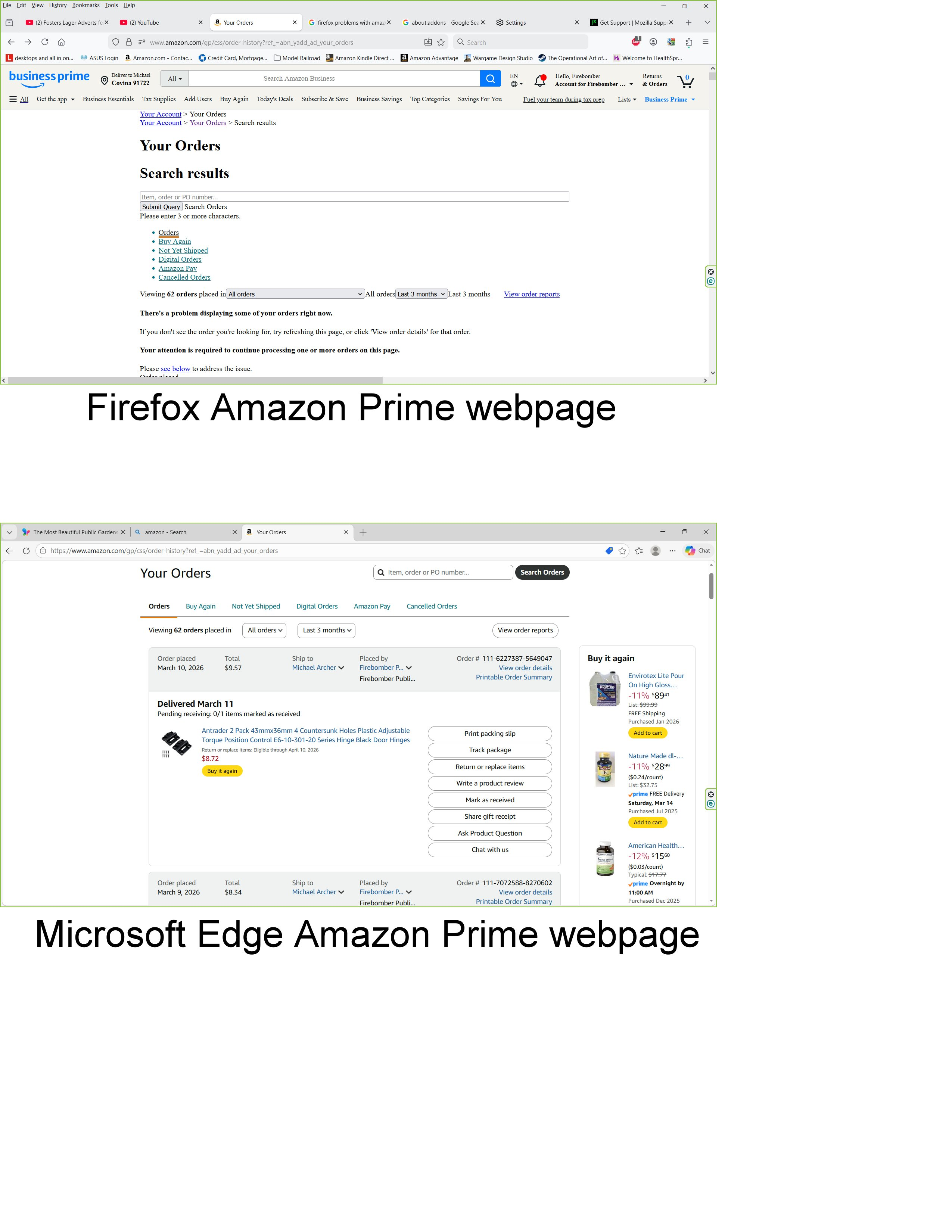
As of yesterday my Firefox browser no longer displays some screens within Amazon Prime correctly. It displays what should be images as text, which is difficult to read, unlike Microsoft Edge, which displays the Amazon webpage correctly. I am running Windows 10 with a support extension through October 2026, so could it be an update from Microsoft Windows or Mozilla Firefox that has caused the problem. Thanks for your help.
Michael Archer [edited email from community support forum]
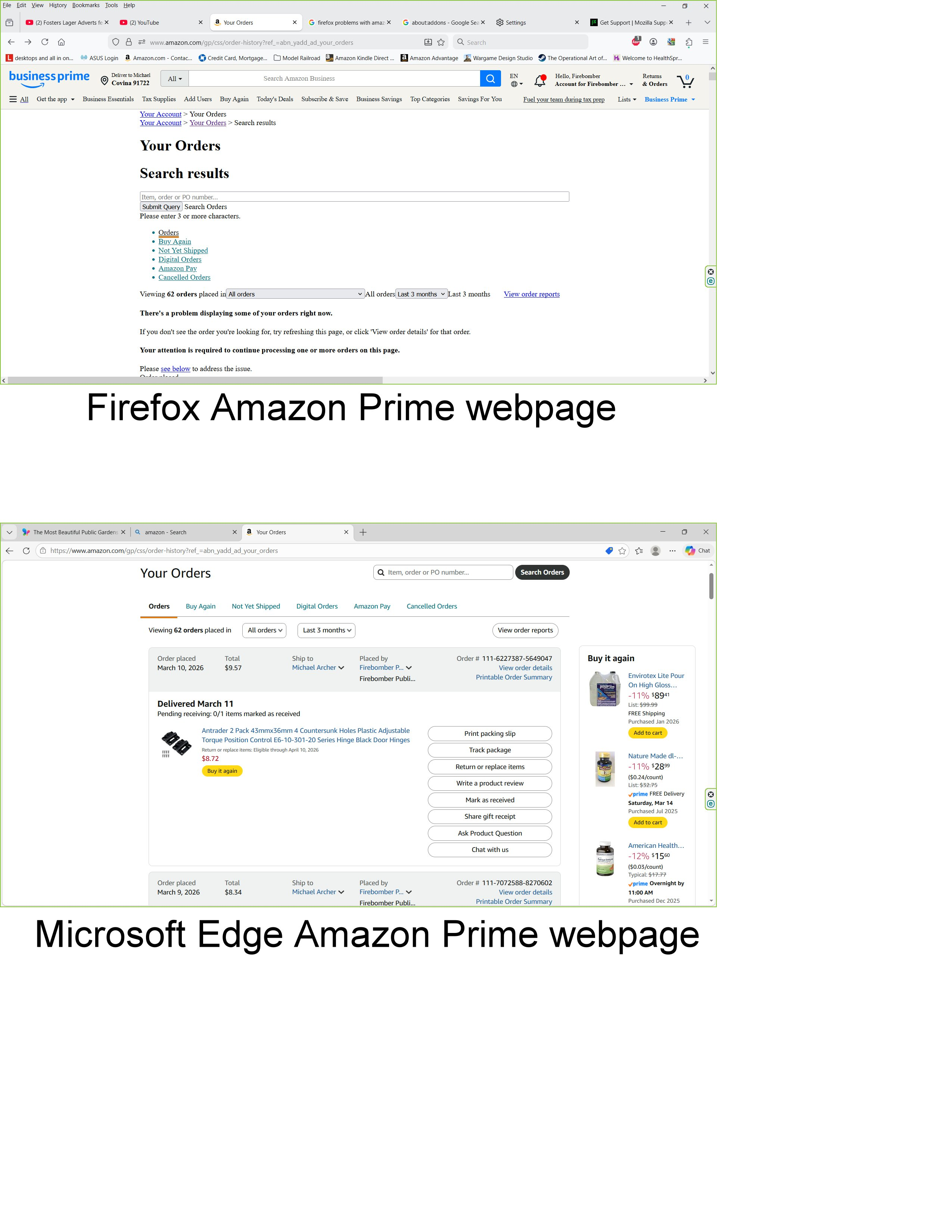
Modifié le par James
Toutes les réponses (10)

I have no issues. see screenshot
Did you try with Firefox in Troubleshoot Mode? https://support.mozilla.org/en-US/kb/diagnose-firefox-issues-using-troubleshoot-mode#w_how-to-start-firefox-in-4troubleshoot-modesf5safe-modesf
Did you try clearing the browser cache? https://support.mozilla.org/en-US/kb/how-clear-firefox-cache#
Windows home or pro and what security software are you running besides MS Defender?
Tried both. Amazon order screen still displayed as shown in the attached JPEG after going into Troubleshoot Mode, while the button to Clear Browsing Data was greyed out and non-functional.
Windows 10 Home, along with ESET Internet Security V19.0.14.0, same as I've been running for the past couple of years with no trouble.
Nope, no joy trying safe mode with networking. It looks fine in the Edge browser (fooled me into thinking that was the Firefox browser at first, coming up just like it did before this problem started), but then I realized it was the Edge browser and when I brought up Firefox, the same problem of disjointed menus appeared again :-(
You can also try Refreshing Firefox. https://support.mozilla.org/en-US/kb/refresh-firefox-reset-add-ons-and-settings
I did my usual backup onto an external disk last night, and this morning the normal Amazon Prime screen is back. No explanation as to why, but perhaps Amazon got complaints from others as well and fixed whatever was wrong. Tis a puzzlement...

I was having issues with Amazon, I checked my microsoft updates in settings and uninstalled the two updates from 5/13/26 and now Amazon and Amazon prime are working again!