


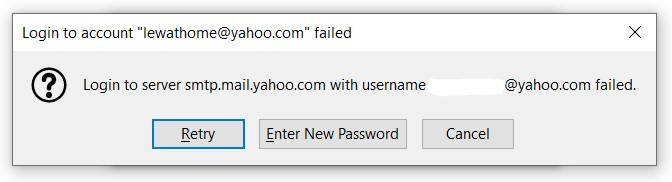
login to server smtp.mail.yahoo.com with username xxxxxxx@yahoo.com failed

I just created a new yahoo e-mail acct and am having a problem sending mail through Thunderbird. I get the above message (also attached). I have connected the yahoo acct to the gmail app on my phone and have no problems sending mail from my phone. I can also logon to yahoo directly and send mail.
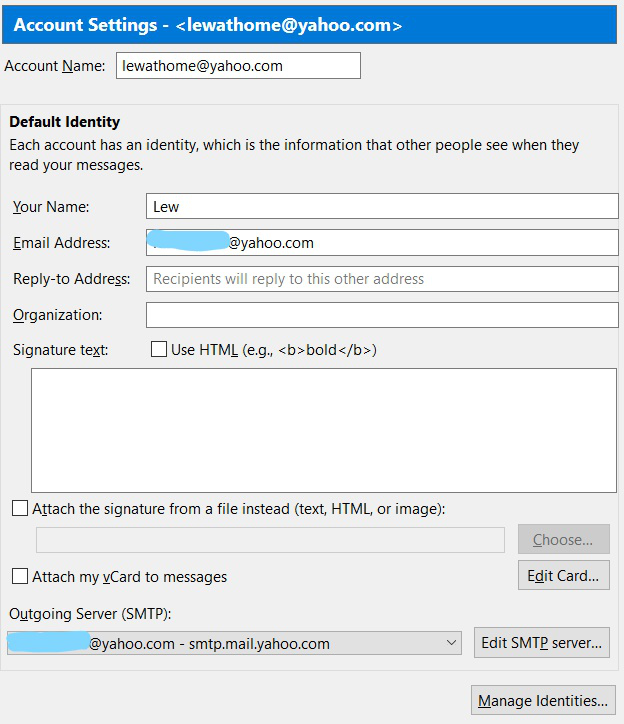
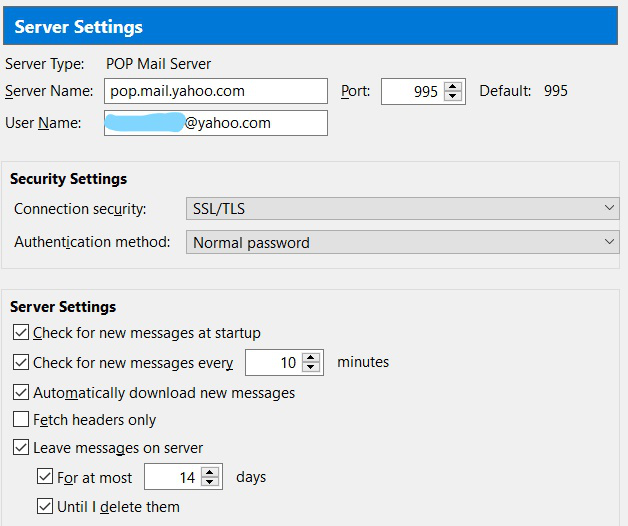
I can receive mail without any problems in Thunderbird, I just can't send mail. I have another yahoo acct in Thunderbird, setup exactly the same as the new one (server settings and acct settings) and have no problems with the other acct.
I'm attaching pix of the message and the settings for the acct in Thunderbird. It would be greatly appreciated if someone could give me some suggestions as to how to solve this problem.
Thanks in advance, Lew
Solution choisie
Change the authentication method to OAuth2 for both the incoming and outgoing servers, check that cookies are enabled in TB Options/Privacy, delete the current passwords for the account in Options/Security/Passwords/Saved Passwords, then restart TB and enter the account password in the OAuth browser window when prompted.
Lire cette réponse dans son contexte 👍 1Toutes les réponses (2)
Solution choisie
Change the authentication method to OAuth2 for both the incoming and outgoing servers, check that cookies are enabled in TB Options/Privacy, delete the current passwords for the account in Options/Security/Passwords/Saved Passwords, then restart TB and enter the account password in the OAuth browser window when prompted.
Thank you for that solution. That solved my problem. Your help is greatly appreciated!