


Windows 10 reached EOS (end of support) on October 14, 2025. If you are on Windows 10, see this article.

جست‌وجوی پشتیبانی موزیلا

از کلاهبرداری‌های پشتیبانی اجتناب کنید. ما هرگز از شما نمی‌خواهیم که با شماره تلفن تماس بگیرید یا پیامک ارسال کنید یا اطلاعات شخصی خود را هم‌رسانی کنید. لطفاً فعالیت‌های مشکوک را با استفاده از گزینه «گزارش سوءاستفاده» گزارش دهید.

مانند نخ كشيده
حل شده

Is it possible to make Windows 11 Firefox use separate icons on the taskbar like Chrome does?

luigi2262

On Chrome, if you have multiple profiles open on a Windows 11 PC, they each show up on the taskbar as separate things with the Chrome logo. Meanwhile, with Firefox, separate profiles open windows on the same taskbar icon and simply switch the profile icon. The picture gives an example of what I mean. I've censored some stuff on it, but know that the stuff in white is in one profile while the other has the stuff in black. The gray is unrelated stuff. Claude says Chrome does this by giving each profile a separate AppUserModelID, whatever that is. Is it possible to do the same in Firefox?
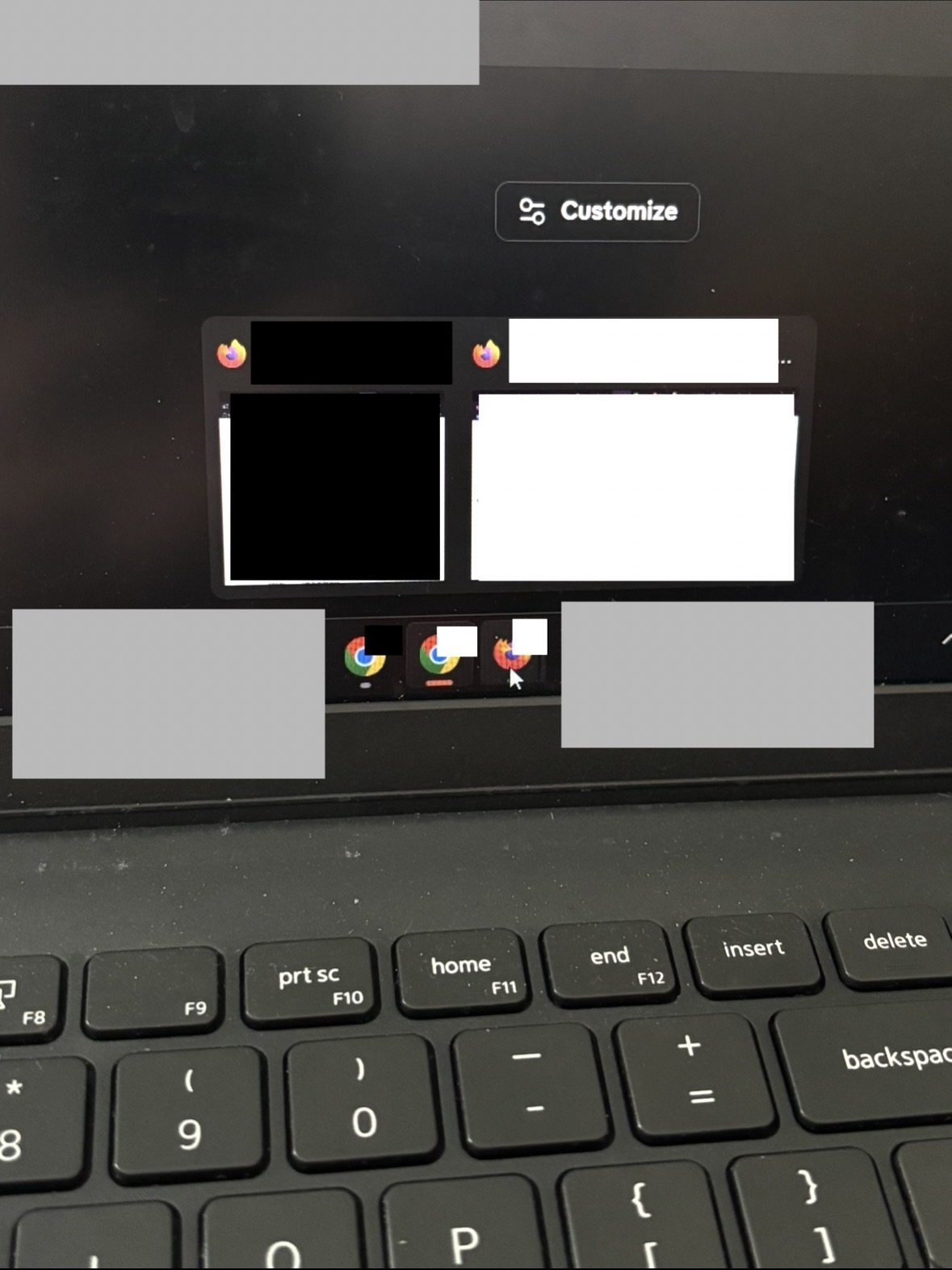
On Chrome, if you have multiple profiles open on a Windows 11 PC, they each show up on the taskbar as separate things with the Chrome logo. Meanwhile, with Firefox, separate profiles open windows on the same taskbar icon and simply switch the profile icon. The picture gives an example of what I mean. I've censored some stuff on it, but know that the stuff in white is in one profile while the other has the stuff in black. The gray is unrelated stuff. Claude says Chrome does this by giving each profile a separate AppUserModelID, whatever that is. Is it possible to do the same in Firefox?
تصاویر صفحه پیوست شده

پاسخ‌ها (1)

بخش‌ها

I found it on my own, I just didn't use the right search terms when searching the forums before posting this apparently. [[This forum post|https://support.mozilla.org/en-US/questions/1233574]] has more about it.

یک سؤال بپرسید

شما باید برای پاسخ به پست‌ها وارد حسابتان شوید. اگر هنوز حسابی ندارید، لطفاًً یک سؤال جدید آغاز کنید.