

This thread was archived.
Please ask a new question if you need help.

Archived
google in the search bar goes to google.hk place. I need to reset it to google.com

When I use the search bar (right top one) the google option shows result using google.hk (google china) instead of google.com I don't know how to reset the option back to google.com
When I use the search bar (right top one) the google option shows result using google.hk (google china) instead of google.com
I don't know how to reset the option back to google.com
All Replies (3)

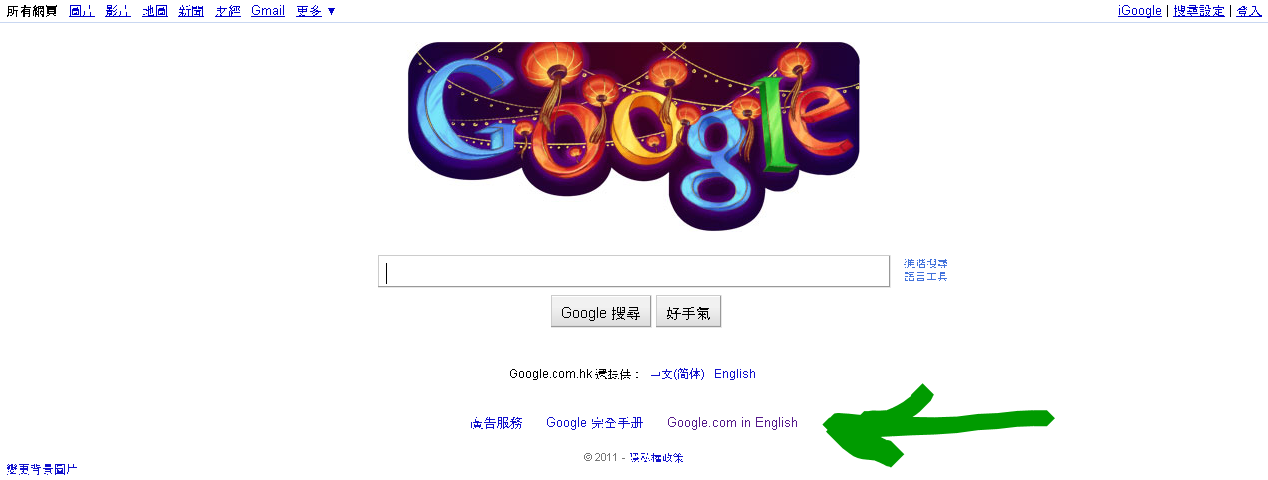
Visit the Google.com in English link at the page you see. If you have Cookies - Information that websites store on your computer enabled, then that should send you to the English page and save your preference.
If that doesn't affect the search engine, try this: https://addons.mozilla.org/en-US/firefox/addon/always-com-googlecom-in-englis/
Modified by Svetlana
Please let us know whether that works for you.