


Garbled fonts

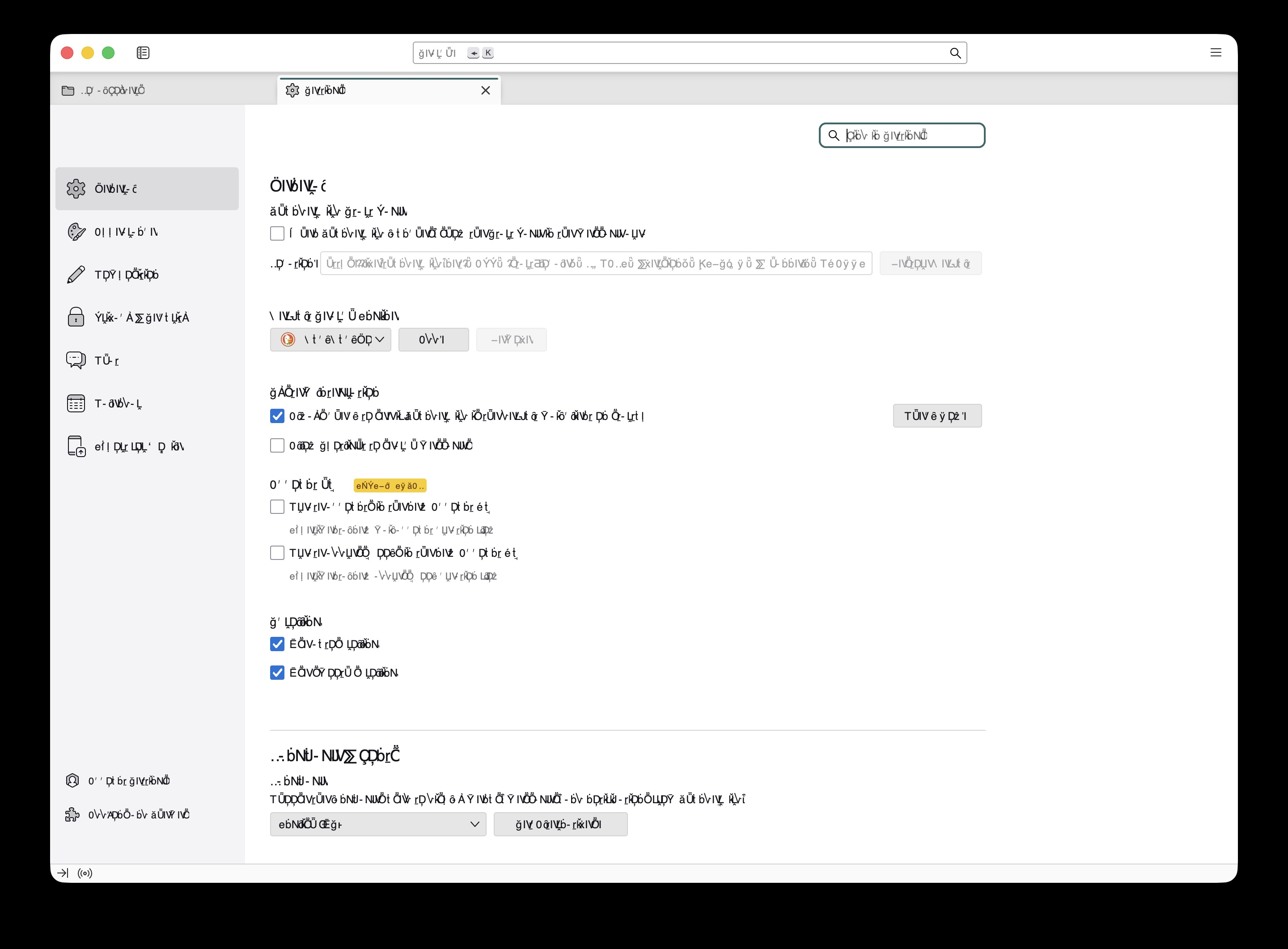
Thunderbird looks like this now... not sure what to do... I used mole and maybe the optimize option messed things up! It clears some font caches... No idea.
Thunderbird looks like this now... not sure what to do...
I used mole and maybe the optimize option messed things up! It clears some font caches... No idea.
All Replies (7)
Please provide details: mole? optimize option? clarification will help. thank you
david said
Please provide details: mole? optimize option? clarification will help. thank you
sorry I forgot to link, its a swiss army knife app: https://github.com/tw93/Mole
I have no idea what that software would do to Thunderbird. All I can offer is to reinstall thunderbird and see if the fonts are restored.
david said
I will see if I can find someone with more knowledge on this.
I opened it today and it's resolved? Maybe a reboot fixed it...