


Cannot Configure Thunderbird for My email Account

I recently installed Thunderbird on both of my Windows 10 PCs.
I have two email accounts:
and
The first account worked perfectly upon completing the Thunderbird set up.
The second account does not work and I have spent hours playing with various Configuration options.
It's very strange that BOTH of these email address successfully pass the "Connection Security" test.
I'm out of ideas.
Incidentally, I still have Eudora 7 on my PC and BOTH emails are working fine in that application.
Hopefully, you can assist me to resolve this problem.
(PII redacted by moderator)
Muudetud Ed poolt
All Replies (5)
Any Ideas? Yes I do, some useful diagnostic information from you would be a great start.
Like what provider? That sounds very much like Yahoo, but I am done guessing as I do not know who provides the underlying mail service for Rogers.
Other critical and relevant information would be;
The exact error reported, verbatim. Whilst some error are relatively generic, they all offer useful information. Even their absence can be telling. The use of any antivirus product or a VPN. (many ISPs refuse access to their mail infrastructure, or parts of it, if you use a VPN. Regularly antivirus product make a mess of doing their jobs and no mail is received despite the connection testing Ok, this is especially so for this using third party products that either scan email, or even worse try and sort spam and scams from the mail.
You might also want to post the troubleshooting information on the help menu of Thunderbird. It has a handy copy to clipboard for pasting into other things like this forum.
Hello Matt,
WOW. Thanks for your prompt reply.
My service provider is Shaw (now acquired by Rogers).
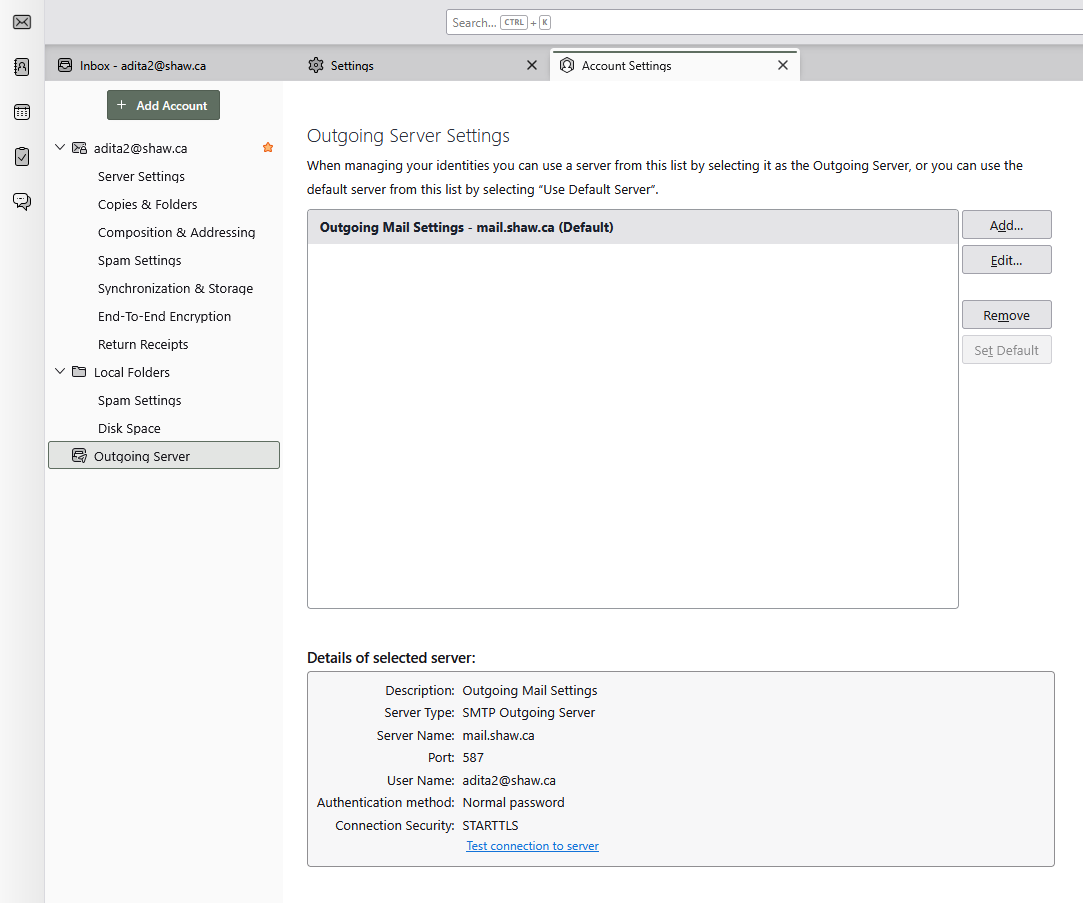
Please refer to the attached screenshots for adita2@shaw.ca. There are 4 of them.
I am not using a VPN.
As I mentioned previously, my other email account, adita@shaw.ca, is working fine.
Unfortunately, I do not know how to find the Help Menu in Thunderbird.
Hopefully, these screenshots will help.
Thank you.
Myron Achtman
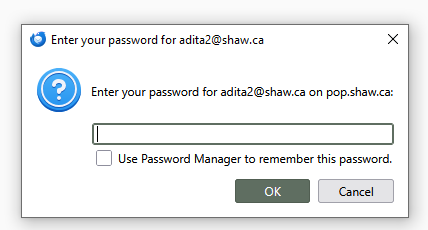
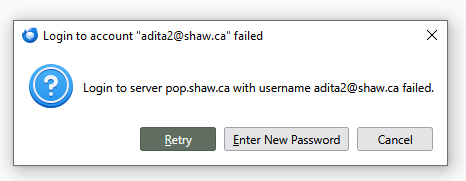
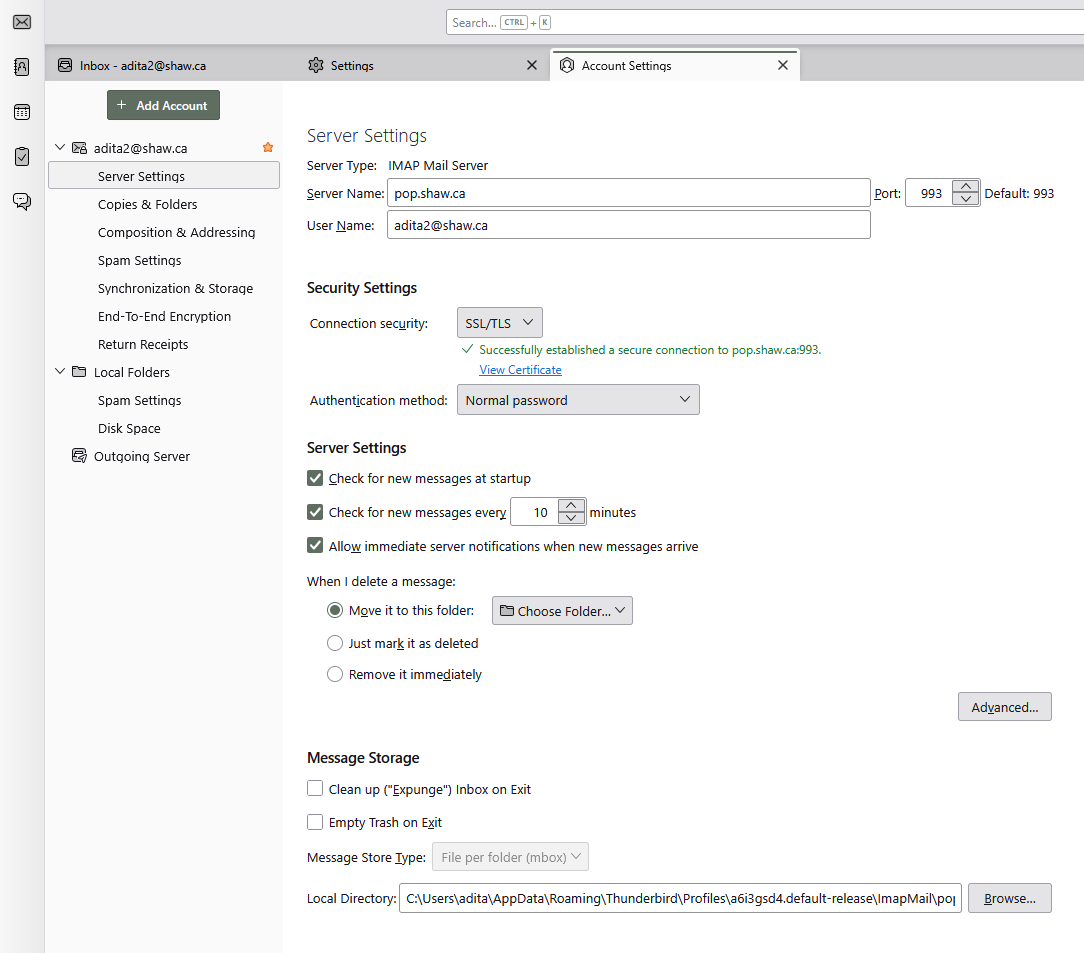
Your 3rd picture shows Server Type: IMAP but you have the POP server for the Server Name. It should be imap.shaw.ca.
https://www.rogers.com/support/internet/shaw-email-service-details-and-settings
Upon installation, I originally set up the account in Thunderbird using IMAP but that didn't work. So I switched to POP because that's working perfectly in my Eudora 7 app. However, it seems that Thunderbird is not "happy" with either IMAP or POP.
I think I'm out of luck with Thunderbird. I'll have to stick with Eudora for now.
Thanks for your follow-up.
Myron
You are going to struggle to find most things if you can not find the help entry on the application menu.
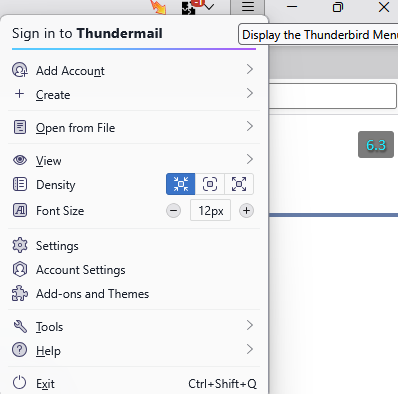
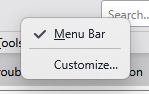
Or perhaps you need to get back to the traditional menu system. I certainly prefer it.

If so right click beside the search box on the top bar and select menu bar.
Now to the results of the last images you posted.
The fundamental problem here is you have a server name indicating POP, but the account type is IMAP. That is not going to work and to be honest probably never should have, pop.shaw.ca resolves to pop.glb.shawcable.net [64.59.136.142]
imap.shaw.ca resolves to imap.glb.shawcable.net [64.59.136.142]
That the two server names resolve to the same IP address might mean the server is deciding the protocol it "speaks" based on the port you connect from. Port 993 is the default port for IMAP using SSL/TLS
That it is not working for you might indicate that some sort of prefiltering is happening at the cluster level, so try changing the server name to the one provided on the [https://www.rogers.com/support/internet/shaw-email/pop-and-imap-email-server-settings#imap-with-ssl-tls rogers website. ]
Incoming Mail Server Information: Incoming Mail Server: imap.shaw.ca Incoming Port: 993 SSL/TLS: Yes Username: Shaw email address without the @shaw.ca Password: Your email password
Outgoing Mail Server Information: Outgoing Mail Server: mail.shaw.ca Outgoing Port: 587 SSL/TLS: Yes Username: Shaw email address without the @shaw.ca Password: Your email password
While you make no statement about your outgoing server specifically, I notice that you have it configured to use STARTTLS. but Rogers suggest only using SSL/TLS. As both offer similar levels of encrypted communication I would suggest sticking with what your provider suggests, sure STARTTLS offers a little more security, but most of the world functions fine with just TLS (SSL being it's predecessor and actually not supported by default in Thunderbird, despite the list entry indicating otherwise.)