


Web-based outlook.com side scrollbar missing after Firefox 146.0.1

Problem started with Firefox 146.0.1 Windows 11
1. Open outlook.com in FF browser (https://outlook.live.com/mail/0/). 2. Open any email. 3. No side scrollbar appears so you can't page down within email. Note: the Outlook folder scrollbar does appear and does work. 4. The within-email-item side scroll bar does appear from outlook.com opened in Edge browser. So this is a Firefox bug.
Have tried: a. Windows settings->Accessibility->Visual effects->Always show scrollbars = on b. Turned Adblock on and off for outlook.com c. Firefox settings autoscrolling, smooth scrolling tried all combinations.
Any fixes?
Valitud lahendus
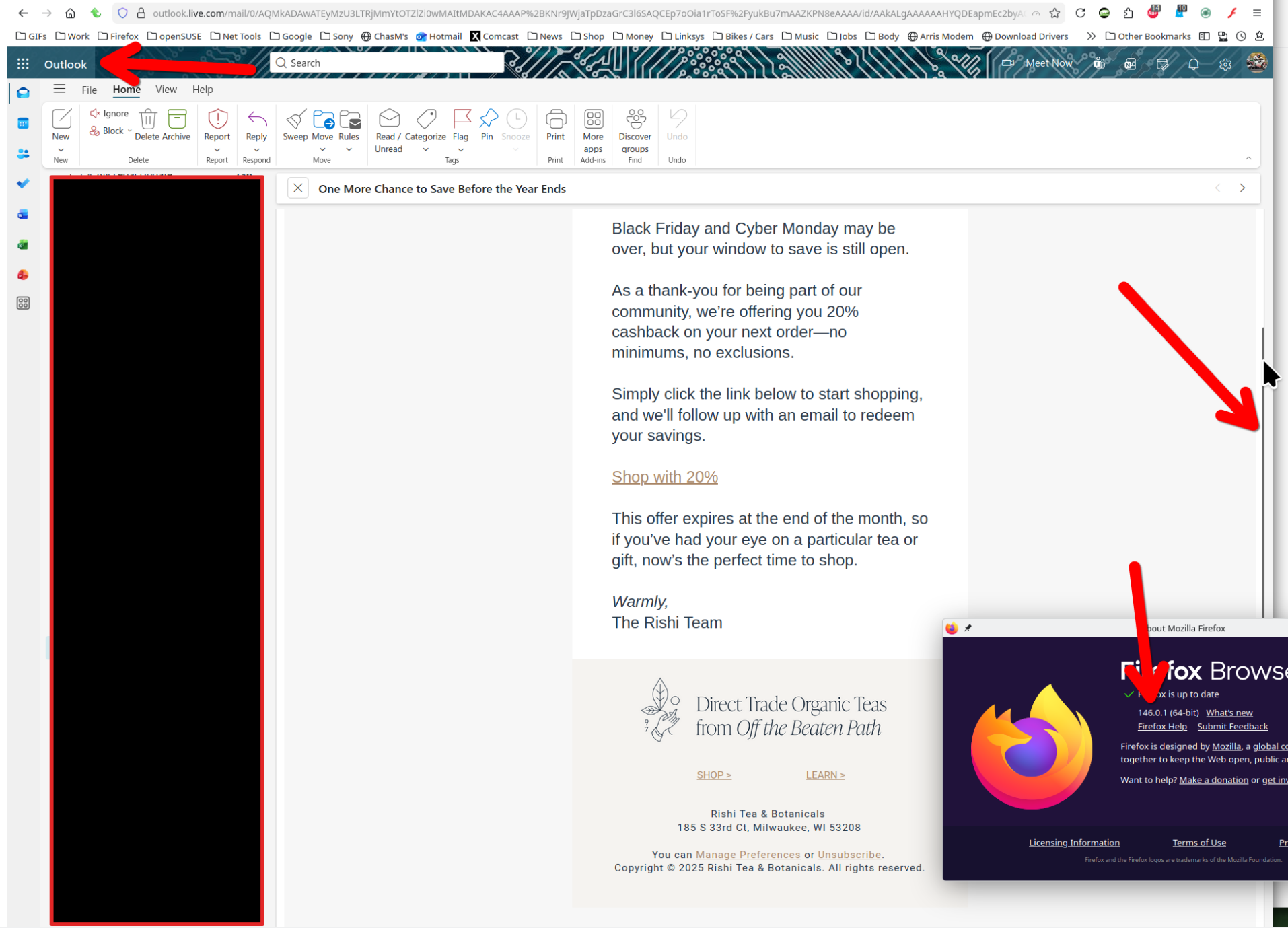
I'm not seeing the issue. see screenshot Windows home or pro? Are you running any security software besides MS Defender? Have you tried with Firefox in Troubleshoot Mode? https://support.mozilla.org/en-US/kb/diagnose-firefox-issues-using-troubleshoot-mode#w_how-to-start-firefox-in-4troubleshoot-modesf5safe-modesf
Loe vastust kontekstis 👍 1All Replies (2)

Valitud lahendus
I'm not seeing the issue. see screenshot Windows home or pro? Are you running any security software besides MS Defender? Have you tried with Firefox in Troubleshoot Mode? https://support.mozilla.org/en-US/kb/diagnose-firefox-issues-using-troubleshoot-mode#w_how-to-start-firefox-in-4troubleshoot-modesf5safe-modesf
1. Windows 11 Home. 2. MS Defender plus Adblock. 3. Problem still happens in Troubleshoot Mode 4. Refresh Firefox worked: https://support.mozilla.org/en-US/kb/refresh-firefox-reset-add-ons-and-settings
Muudetud donaldgebbie poolt