


secure search

Hi,
I use the "AVG anti virus, prof. trial version".
Suddenly, when I search using the address field, I'm no longer directed directly to the website I look for, for ex BBC, as I was previously.
Instead a web page, called "AVG Safe Search", show up with a list of proposals, and I have to click on the BBC link there to get to the site.
This is very annoying, since only some week ago I asked you for help to install an "addon" to make the search function in the address field function. And until now it has worked very well.
I can not find any AVG plugin for the "safe search" in the FireFox.
Could you pleas tell me how to cancel the "AVG safe search", I would be very glad.
regards R
Όλες οι απαντήσεις (5)
Επιλεγμένη λύση
hello reos, the avg program has likely overwritten the keyword.url preference - the solution is likely the same as last time ;-)
You can reset some preferences to the default with the SearchReset extension:
Note that the SearchReset extension only runs once and then uninstalls automatically, so it won't show on the "Firefox > Add-ons" page (about:addons).
Hi,
I'm afraid I do not remember where in FF you find the "keyword.url preference". I guess it is under "options" but .... Maybe you can inform me ?
R
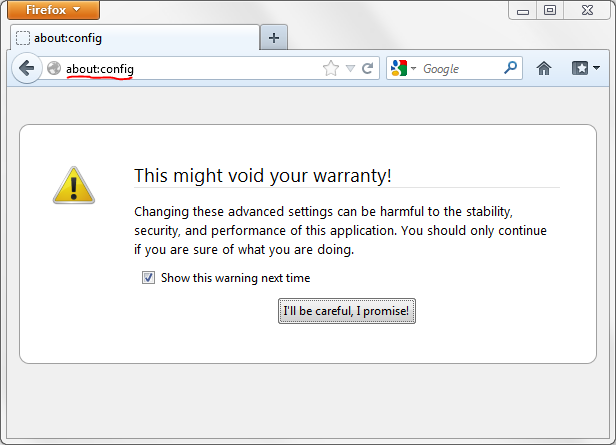
hello, you can access the preference through about:config.
enter about:config into the firefox location bar (confirm the info message in case it shows up), search for the preference named keyword.url & double-click and set that entry to
http://www.google.com/search?btnI=I%27m+Feeling+Lucky&ie=UTF-8&oe=UTF-8&q=
edit: whole pref should be visible now :-)
Τροποποιήθηκε στις από τον/την philipp
Hi Wise person ;)
Thanks for the info.
The address you mention in your last answer took me to the "Doodle page", !!!!
But I vent back to your old answer and copied the address from there, and no it works fine again.
Thanks R