


how do I remove remove "important after download instruction"

Almost every time I open a new link, this tab opens: "important after download instruction". I want to stop it. How?
Επιλεγμένη λύση
Did you try Save mode?
- Help > Restart with Add-ons Disabled
- https://support.mozilla.org/kb/Safe+Mode
- https://support.mozilla.org/kb/Troubleshooting+extensions+and+themes
Όλες οι απαντήσεις (5)
Can you attach a screenshot?
Use a compressed image type like PNG or JPG to save the screenshot and make sure that you do not exceed the maximum file size (1 MB).
Start Firefox in Use Troubleshoot Mode in Firefox to check if one of the extensions or if hardware acceleration is causing the problem (switch to the DEFAULT theme: Firefox/Tools > Add-ons > Appearance/Themes).
- Don't make any changes on the Safe mode start window.
- https://support.mozilla.org/kb/Safe+Mode
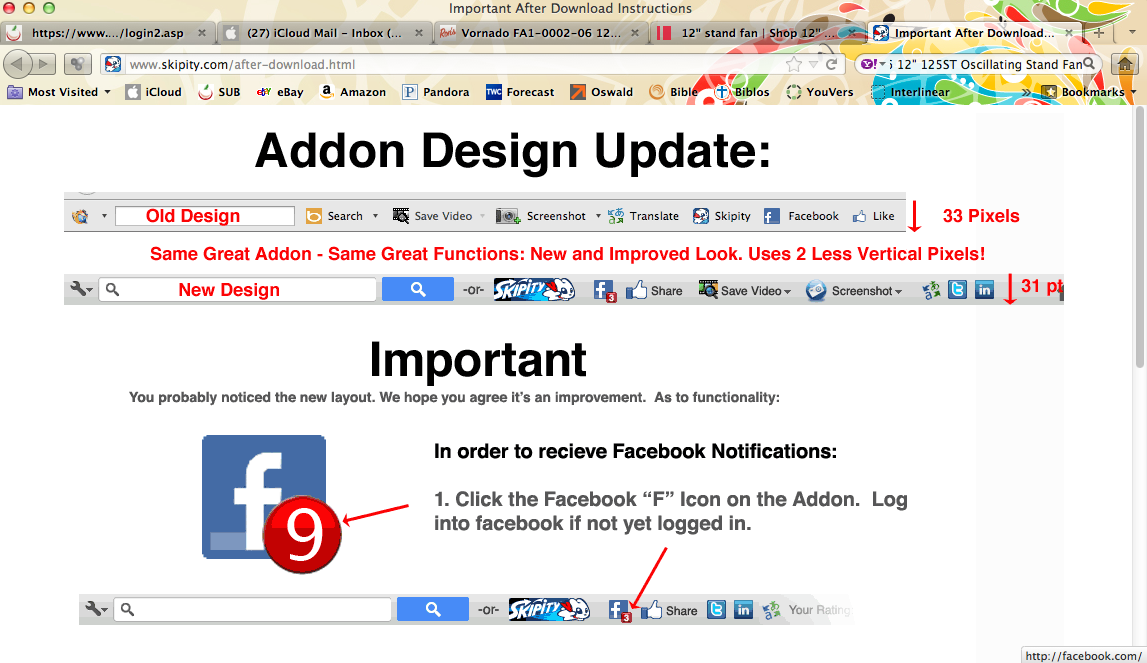
This attached tab doesn't happen every time I open a new link, but when it does, I have to close this tab and try the former link again. Sometimes this same tab opens again and again and I can't open the link I've chosen. I'm using a MacBook Pro and Firefox 10.0.2.
Επιλεγμένη λύση
Did you try Save mode?
- Help > Restart with Add-ons Disabled
In Safe Mode, the tab doesn't open. Right before I went to Safe Mode, I tried to write an iCloud email, and I always got the tab I attached earlier. I'll try some of the suggestions on the troubleshooting page and see if I can get things back to normal. By the way, I first went to the default persona and it didn't make any difference.
I've gone through the Safe Mode procedure, deleted all my extensions and reloaded them, and changed my theme. Things seem to be working OK now. Thanks for all your help!