


Windows 10 reached EOS (end of support) on October 14, 2025. If you are on Windows 10, see this article.

Avatar for Username

Αναζήτηση στην υποστήριξη

Προσοχή στις απάτες! Δεν θα σας ζητήσουμε ποτέ να καλέσετε ή να στείλετε μήνυμα σε κάποιον αριθμό τηλεφώνου ή να μοιραστείτε προσωπικά δεδομένα. Αναφέρετε τυχόν ύποπτη δραστηριότητα μέσω της επιλογής «Αναφορά παραβίασης».

Μάθετε περισσότερα
Αυτό το νήμα αρχειοθετήθηκε. Κάντε νέα ερώτηση αν χρειάζεστε βοήθεια.
Αρχειοθετήθηκε

Why doesn't the Zoom work on images in Firefox 4 ? The page Zoom works for webpages but not for pictures like Firefox 3.7 did :(

Firefoxed4 απαντήθηκε
Firefoxed4

I have already seen the "page Zoom" help article and that doesn't solve the problem.

with Firefox 3.7 i could view an image and use the "control" & + & - keys to zoom in and out but with the new Firefox4 that zoom only works on webpages and does not work for images like it did before.

is there a solution to this ?

example: http://nssdc.gsfc.nasa.gov/planetary/lunar/images/a11easep.jpg
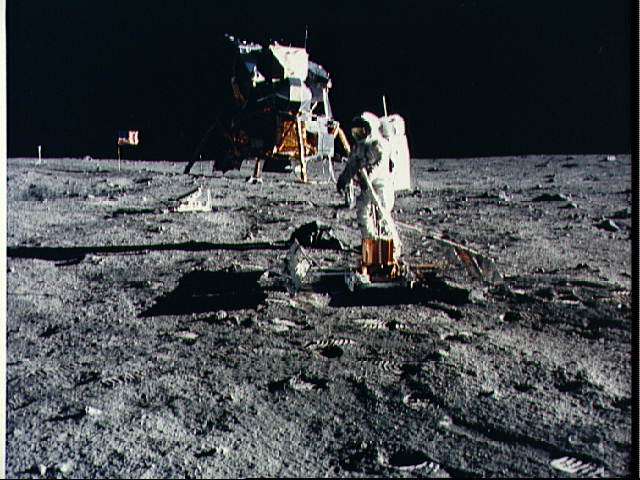
when i had Firefox 3.7 , i could zoom in and out but now it doesn't work with Firefox4

what's the deal ? : )

I have already seen the "page Zoom" help article and that doesn't solve the problem. with Firefox 3.7 i could view an image and use the "control" & + & - keys to zoom in and out but with the new Firefox4 that zoom only works on webpages and does not work for images like it did before. is there a solution to this ? example: http://nssdc.gsfc.nasa.gov/planetary/lunar/images/a11easep.jpg when i had Firefox 3.7 , i could zoom in and out but now it doesn't work with Firefox4 what's the deal ? : )

Όλες οι απαντήσεις (2)

Check the Zoom settings: View > Zoom > Zoom Text Only


Press F10 or press and hold the Alt key down to bring up the "Menu Bar" temporarily.

F10 and/or holding the Alt key down ... does nothing

but i download the zoom tool "add on"

it's annoying the way it's set up but at least i can get it to work now

cheers

Τροποποιήθηκε στις από τον/την Firefoxed4