


Cannot finish login to Instagram

I was advised to clear the cache in Firefox for another issue I was having.
Now I cannot log into my Instagram account, which has been fine for years.
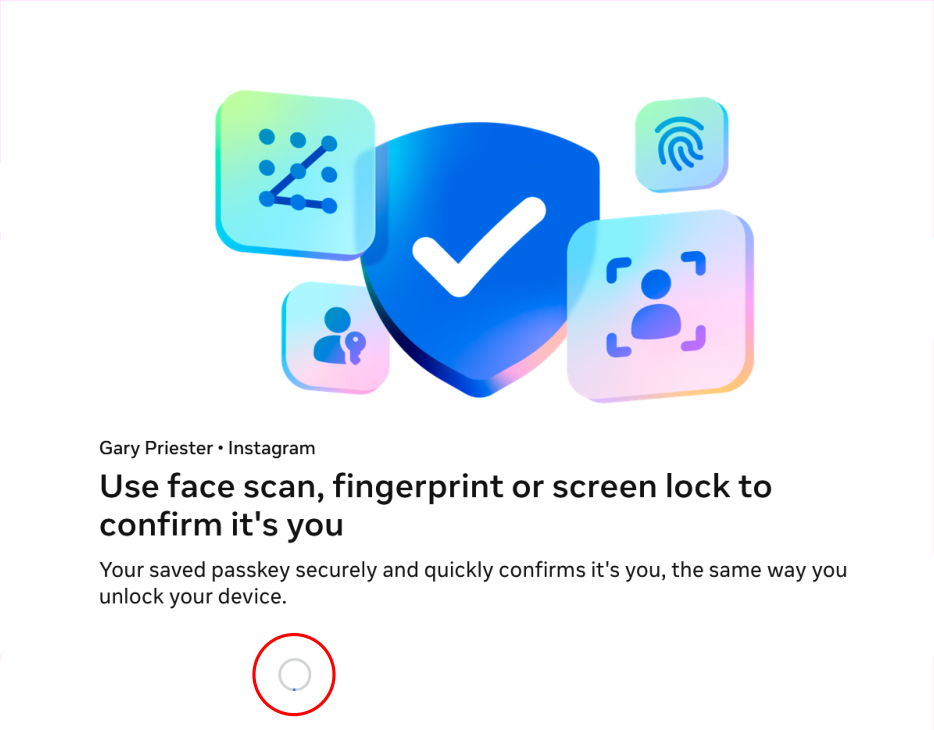
After I enter my user ID and my password I am taken to a screen that offers options for verifying my identity. But the cursor just spins and there is no way to continue.
The same process goes smoothly in Edge.
What is holding up the log in process?
I have emptied the cache. And I have disabled all my extensions and I have tried a Private Window. I also checked with Malwarebytes to see if this was a problem with them. It was not.
Όλες οι απαντήσεις (19)
Hello, to fix your problem, I think it's caused by Firefox's enhanced protection. Go to your Privacy & Security settings, and set it to “Standard” or temporarily disable it. If that works, that's where the problem is coming from. Let me know if the problem is still there after that.
Thanks for getting back so quickly.
I was set to Standard and tried disabling but no joy. I have reset it to Standard.
This type of thing has happened several times in the last year or so. I will get to part of a form or something that probably is requiring some personal information, and whatever options that would submit the information or make a selection are disabled. Needless to say this is very frustrating. I was having problems moving forward in ID.me while trying to verify my identity (their chatbot suggested clearing the cache). I tried the process again in Edge and everything was fine. So something in Firefox is blocking or shutting down or shutting off certain functions.
I can log in with Edge and my iPhone. So I guess my option is to use Edge or Safari.
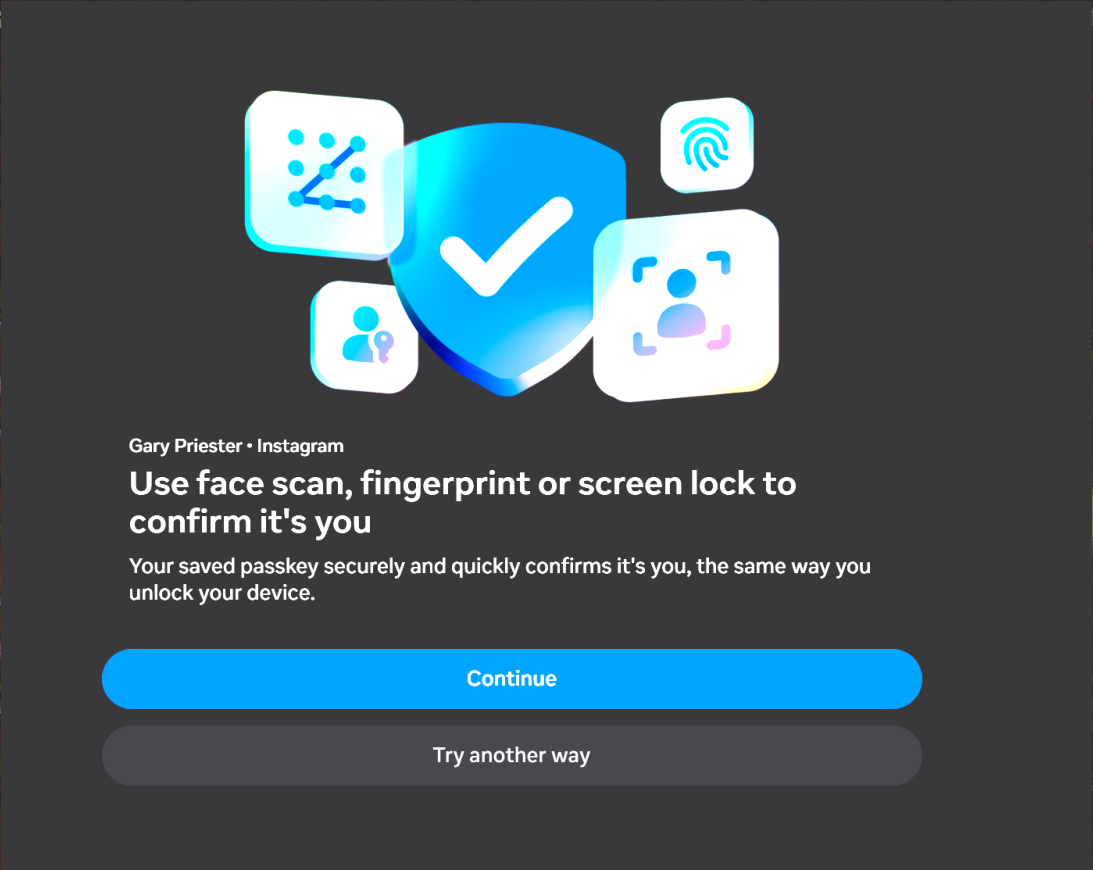
The screenshot is the correct options in Edge after submitting user ID and password.
So I figured out where the problem might be coming from. When you're on the login page, look at the top next to the address bar (URL)—there's a small shield icon. Click on it, then click the button to disable enhanced tracking protection. That should work.
Hi Gary, your screenshots mentions a passkey. Did this work in Firefox before and break recently (perhaps after an update), or has it never worked in Firefox?
In other threads, passkey users have mentioned that they get a prompt from Windows to allow Firefox to access something. Are you seeing anything like that in either browser?
@jscher2000 Passkeys using my iPhone and face recognition works and has worked perfectly.
@Hector Nope that did not work either.
@jscher2000 The screen shot with the dark background is Edge and the options are available. In Firefox those options are being prevented from opening for some reason.
I confess I only have a vague understanding of passkeys on Windows. I think Firefox links them to the OS or a hardware key.
I'm not sure why Firefox is stalling at that point. Perhaps the site is trying to access something previously stored by Edge, Firefox can't, but doesn't stop trying in a reasonable amount of time. Or perhaps it is looking for security hardware and being blocked from doing so but not reporting back back to the page??
I didn't see a relevant-looking report here: https://webcompat.com/
I wonder whether Meta tech support is familiar with this problem and could help?

I have tried these suggestions also, with no fix. Edge works, Firefox doesn't. Firefox has been my main browser since the beginning of Netscape, so I hope there is a solution to get into Instagram in Firefox. This only happened after I deleted all cookies, and had to login to all my sites again, and Instagram failed to finish logging in.
@Eric Carlson - I am relived that someone else is having the same issue.
I suspect the answer may lie in something META changed at there end and which was not a problem as long as you were already logged in.
Edge does work but for me I have to log in fresh each time I go into Instagram. Even after I make all the selections to remember me and to stay logged in.
I did try the DuckDuckGo browser which does work and which keeps me logged in. So I have made my Instagram page my Home page and I just open DuckDuckGo and everything is there with no hassles.
Can you please start the sign in flow in a new Private Window, and describe where/when it stalls? Is that before even showing the buttons for requesting the passkey (or using different method), so it's stuck somewhere after submitting your account details when waiting for a decision what options to present from Meta side?
Did all that. Yes. Same screen as the OP screenshot with the bottom part just spinning. Even tried troubleshooting mode in Firefox.
- jbr
1. Go to private window 2. Instagram dialog Sign up/Log in 3. Click Log in 4.Entered user ID and password (successful) 5. Instagram dialog "Use face scan, fingerprint or screen lock to confirm it's you" 6. Circular cursor spins. No selectable options 7. Turned off Enhanced tracking protection on address dialog 8. Cursor still spins.
There have been several incidents such as this with other applications and sites, Costco I think was one, where when some sort of personal information, e.g. submitting a form for a purchase, where the same thing happens and I have to switch to Edge to start over and complete the transaction.
This current problem happened when I got hung up trying to verify my identity with ID.me. They advised clearing my Firefox browser cache. Which I did.
When you say "dialog", there's actually no dialog raised — just the interstitial page you've attached, as–is, no interaction — just spins where options should be, correct?
I'm not sure how far you want to go with looking under the hood — there's firefox-source-docs.mozilla.org/devtools-user/ where e.g. the Network pane firefox-source-docs.mozilla.org/devtools-user/network_monitor/ could show some blocked resources in red (with errors, codes etc.) — or some security–related errors in red might also appear in Console: firefox-source-docs.mozilla.org/devtools-user/web_console/
- jbr
The dialog is the sign in or sign up option that appears when I land on the linked page.
I think I have already done enough damage. I would rather not dig into things I know nothing about.
In dev tools, I do see some errors that start with Content-Security-Policy: The page’s settings blocked the loading of a resource . . . I have set all security settings to disabled temporarily as far as I can tell.
I fixed it (for now) per Firefox Reddit by deleting my passkey from Meta, and using other 2FA options. Hopefully this can be resolves so we can go back to passkeys for Meta with Firefox.

Since Instagram login works normally in Microsoft Edge but gets stuck at the identity verification screen in Firefox, this seems more likely to be a Firefox-specific issue rather than an Instagram account problem.
Clearing the cache doesn't always remove all the data that can affect authentication. Firefox may still be blocking cookies, cross-site tracking, or scripts required by Instagram's verification process.
I'd suggest trying these steps:
1. **Check Enhanced Tracking Protection:** Open Instagram in Firefox, click the shield icon beside the address bar, and temporarily turn off Enhanced Tracking Protection for Instagram. 2. **Check Cookies:** Go to Settings → Privacy & Security and make sure Firefox isn't blocking cookies required for Instagram authentication. 3. **Clear Instagram Site Data:** Open Settings → Privacy & Security → Cookies and Site Data → Manage Data. Search for Instagram and Meta, then remove their stored data. 4. **Check DNS over HTTPS:** Temporarily disable DNS over HTTPS in Firefox settings and test again. 5. **Refresh Firefox:** If nothing works, try Help → More Troubleshooting Information → Refresh Firefox. Back up your important settings first.
My first suspicion would be Firefox's tracking protection or blocked authentication cookies, especially since the same login works in Edge.
I'd start with steps 1 and 3 rather than reinstalling Firefox immediately.
Reinstall wouldn't help anyway. It's just an issue with Firefox interacting with Meta keys for Instagram logins, which involves multiple different sites working together to be successful.
Using something other than Meta keys works. Meta keys are pretty new: The sites various Meta sites used to use their own login mechanism before Meta very recently switched them all to META authentication.
I expect this issue to be more common until it is resolved, since everyone already logged in won't have an issue, but once they delete cookies, or use a new/fresh Firefox instance, this will happen if they use a Meta key.