


Microsoft Ads & Google Analytics access problems when using Firefox VPN on Windows 11 PC

Hello,
I have noticed in the last month or so a new phenomenon. I regularly need to access such platforms as Microsoft Ads, Google Ads and Google Analytics. Previously with my FireFox VPN turned on I had no issues. Now I cannot access these sites unless I turn off the VPN. I think there was a FireFox update not long ago. Should I be experiencing this issue or is there a resolution to this problem?
Thanks Andrew
Όλες οι απαντήσεις (9)
I'm afraid you'd need to ask the site operators if they support access from the IP–protection service you're using — there's no limitation on Mozilla side, however the sites you're accessing might have put some datacenter traffic protection measures in place.
Hi, thanks for your response. However I don't fully understand it. You say I should ask the website owners whether "they support access from the IP–protection service you're using". I am not aware that I am using any such service, unless it is contained within the Firefox VPN. Which you say doesn't have a limitation. Are you able to elaborate?
The built–in VPN works by routing your traffic through datacenters around the globe to protect your location. The sites will see you as connecting from a datacenter, not a residential or commercial IP address.
(EDIT: The feature does not try to "conceal" its network location, it presents itself to the sites openly as a Mozilla–originated VPN service host, so the sites can easily tell it's proxied traffic. That might help to alleviate the security checks for some, and the opposite for others;)…)
Τροποποιήθηκε στις από τον/την jbr
Thanks for the clarification. Has anything changed in the Firefox VPN in the last 2 months approx? I never had this problem before.
Yes, every day. And the endpoints and routes you end up using are also different pretty much every time you connect. So the issue you see one day on a site doesn't have to be there the next day, if it's based on the cloaked location changing. The evaluation is done by the sites you're connecting to. So you might need to elaborate what "cannot access these sites" means in practical terms. Do the sites tell you something about access? Or there's a networking error presented? Or logins fail? Etc.
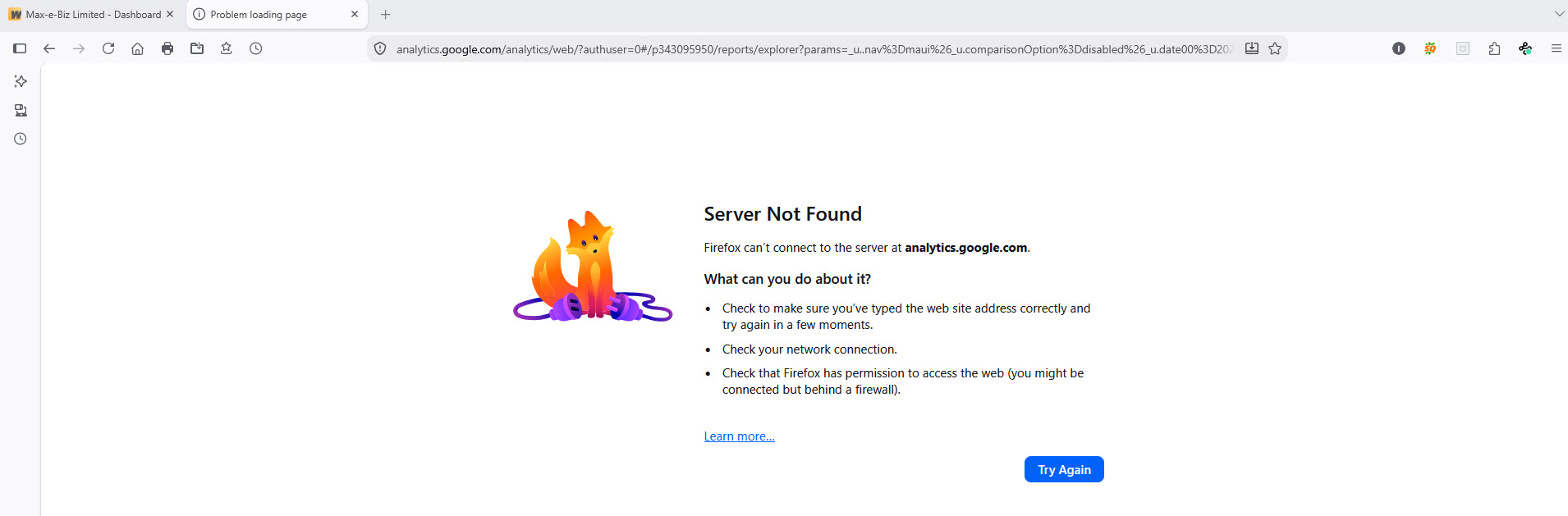
So to elaborate...If I try to access Google Analytics, with the Firefox VPN enabled, it tries to load the page then eventually a message "Server Not Found" appears. If I disable the VPN, the website loads normally. If I then enable the VPN I cannot navigate to another page on the site. I get the "Server Not Found". If I then disable the VPN I can access the website normally. Hope that helps?
That's bizarre, does the error come from Google (e.g. a plaintext white server error like it's 2001 again, or some Google–branded thingy), or it looks like a Firefox internal error page (with the sad mascot fella perhaps there somewhere)?
Andrew, if you flip the location from "recommended" to e.g. USA, Germany or Australia, is there any difference in access or the errors served?
Hi, I have attached screenshot after switching VPN from UK to USA (NY). I got the same when I switched to Germany (Frankfurt). As soon as I disable the VPN, I can access Google Analytics. As you say bizarre!
That's indeed weird... By any chance, don't you have DNS over HTTPS enabled?