


Why does Firefox (on linux) say that my browser is being managed by my organization? I have no organization

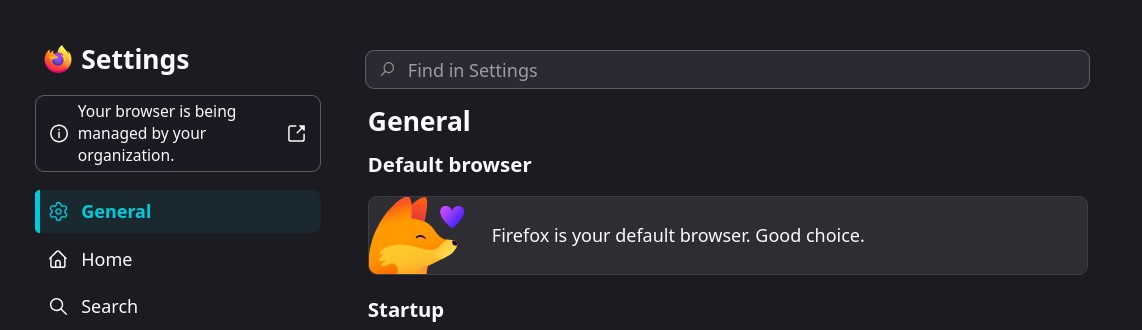
I have Firefox as my default browser on my mini PC running CachyOS (linux). It's been acting strange lately and doesn't pop up with email links like it used to and when I went to settings I noticed the "being manged by my organization" notice at the top of the settings page. I don't recall seeing that before and since I'm old and retired and this is a personal PC with software that I installed myself I don't know what this message is referring to? Is this a normal Firefox thing or what?
Όλες οι απαντήσεις (3)

That message usually means Firefox has at least one enterprise policy set; it does not necessarily mean a company is controlling the machine. On Linux it can come from your distro package, a policies.json file, or sometimes a security/extension package. The quickest check is to open about:policies in the address bar and look at the Active tab. If it lists policies, that tells you exactly what Firefox is seeing. On many Linux installs the file to check is /usr/lib/firefox/distribution/policies.json or /etc/firefox/policies/policies.json, depending on the package. If about:policies is empty but the message remains, then I would also test a fresh Firefox profile to separate a profile issue from the system package.
Or this could be just like what Linux Mint does as for example https://blog.linuxmint.com/?p=4259 https://blog.linuxmint.com/?p=4244
The desktop Firefox web browser for Linux can handle its own internal updates much like on macOS and Windows, just only with the official Linux tarball builds from Mozilla https://www.firefox.com/download/all/
The updates for the Linux Firefox package builds are handled by the the distro as the Firefox updates are done in the distro package manager.
Hello
As for me, my experiences https://forums.mozfr.org/viewtopic.php?p=949449#p949449
Install Firefox on Linux https://support.mozilla.org/en-US/kb/install-firefox-linux As for me, System Firefox installation (for advanced users), that's my installation.
https://support.mozilla.org/en-US/questions/1586459#answer-1824215
About, Updates I choose my favorable moment to perform the updates. I use, DisableAppUpdate https://connect.mozilla.org/t5/discussions/upgrade-notification-spam/m-p/64080/highlight/true#M22529 https://connect.mozilla.org/t5/discussions/forced-restart/m-p/48813/highlight/true#M17511