Ανοικτό
I can't switch or choose microphone in permissions; only says sites to allow or block

Hi
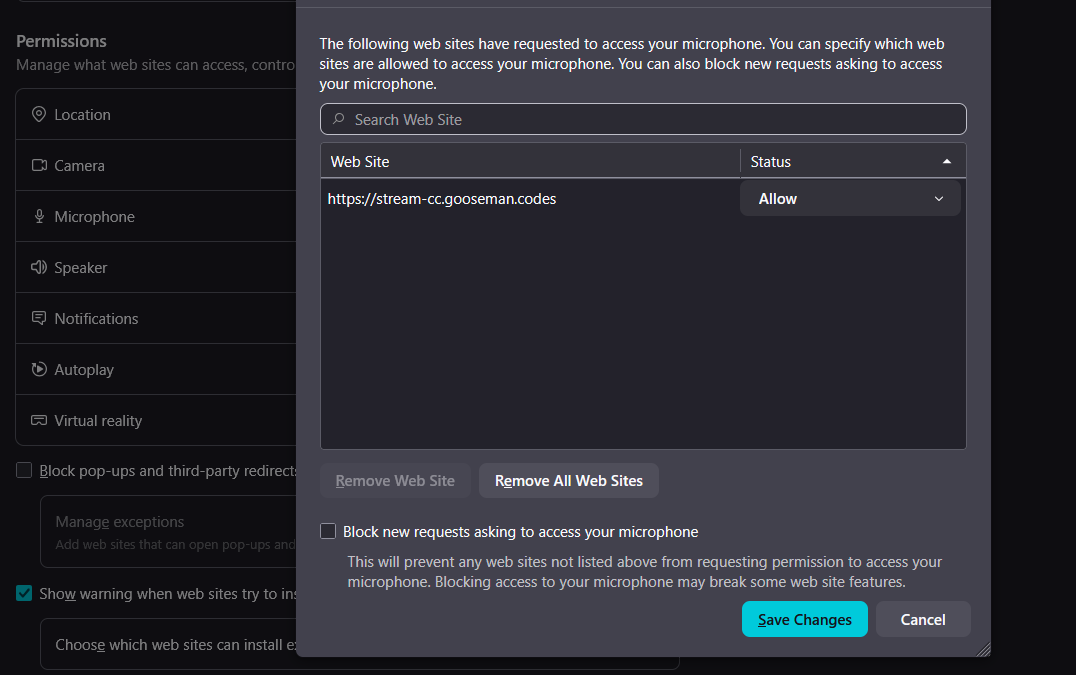
I am new to firefox and i need to use a mic for some close captions i use. I went to the settings -> privacy & security -> Microphone but when i click on it, it only tells me sites that i can allow or block. Even when i am on the website with the allowed mic, I can enable the closed captions because firefox isnt allowing me use a mic. Is there a way to fix this because I have to still use chrome because of this and its really frustrating
Hi
I am new to firefox and i need to use a mic for some close captions i use. I went to the settings -> privacy & security -> Microphone but when i click on it, it only tells me sites that i can allow or block. Even when i am on the website with the allowed mic, I can enable the closed captions because firefox isnt allowing me use a mic. Is there a way to fix this because I have to still use chrome because of this and its really frustrating