


How to disable "Drop tab here to pin" with vertical tabs
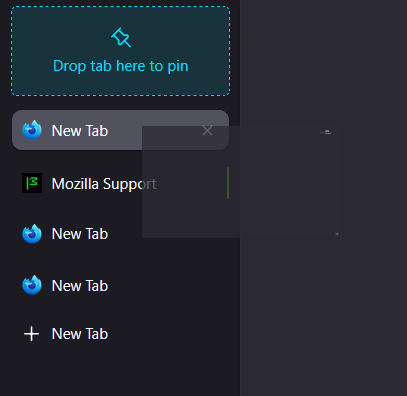
This seems like a relatively new feature that I don't see a setting to toggle. How would I disable the drag-and-drop area at the top of the vertical tabs which prompts me to pin the tab?
This seems like a relatively new feature that I don't see a setting to toggle. How would I disable the drag-and-drop area at the top of the vertical tabs which prompts me to pin the tab?
Όλες οι απαντήσεις (1)
I've added the following CSS to my userChrome.css. This removes the visual drag-and-drop area, but dragging my tabs to the top of the list will still pin them.
Is there any way I can disable this drag-and-drop pinning whatsoever? I don't see any config flags to disable it.
   #pinned-drop-indicator, #drag-to-pin-promo-card {
     display: none !important;
   }
Τροποποιήθηκε στις από τον/την Michael Yaworski